83ARX 23-2 T4i, ARX 26-2 T4i
B
1/4
2/4
1
3/4
9V
15V
13V
B12
11V
SAving
19
OPERATING MANUAL
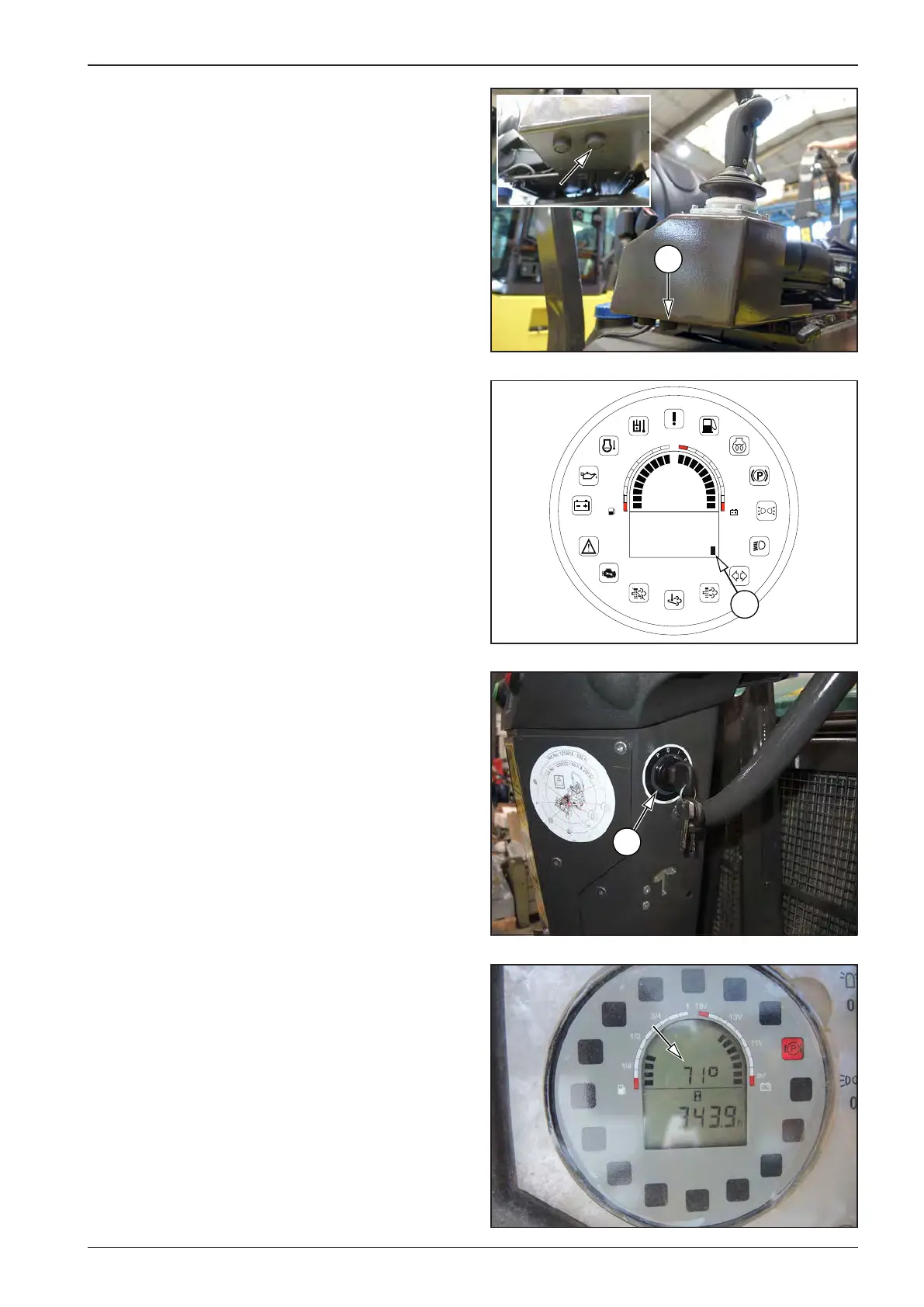
Start the engine. The display will show the measured value in
degrees Fahrenheit or Celsius.
Use the Select button (13) to scroll to the B12 tab and press the
calibration button (B) for 5 seconds.
While the button is held down, the display shows the “Saving”
status.
If the parameters are OK, they are saved and the display shows
the “Saved” status.
If the set parameters are not OK, the display shows the “Error”
status. The set parameters are not saved and the whole process
must be repeated.
To complete the setting, switch o ignition by turning the key in
the ignition box (19) to the “0” position.
To exit the calibration mode without saving, switch o ignition
or press the calibration button for 5 seconds when the tab is not
set to B12.








 To Next Page