MANUAL FOR SYSTEM INTEGRATOR
16
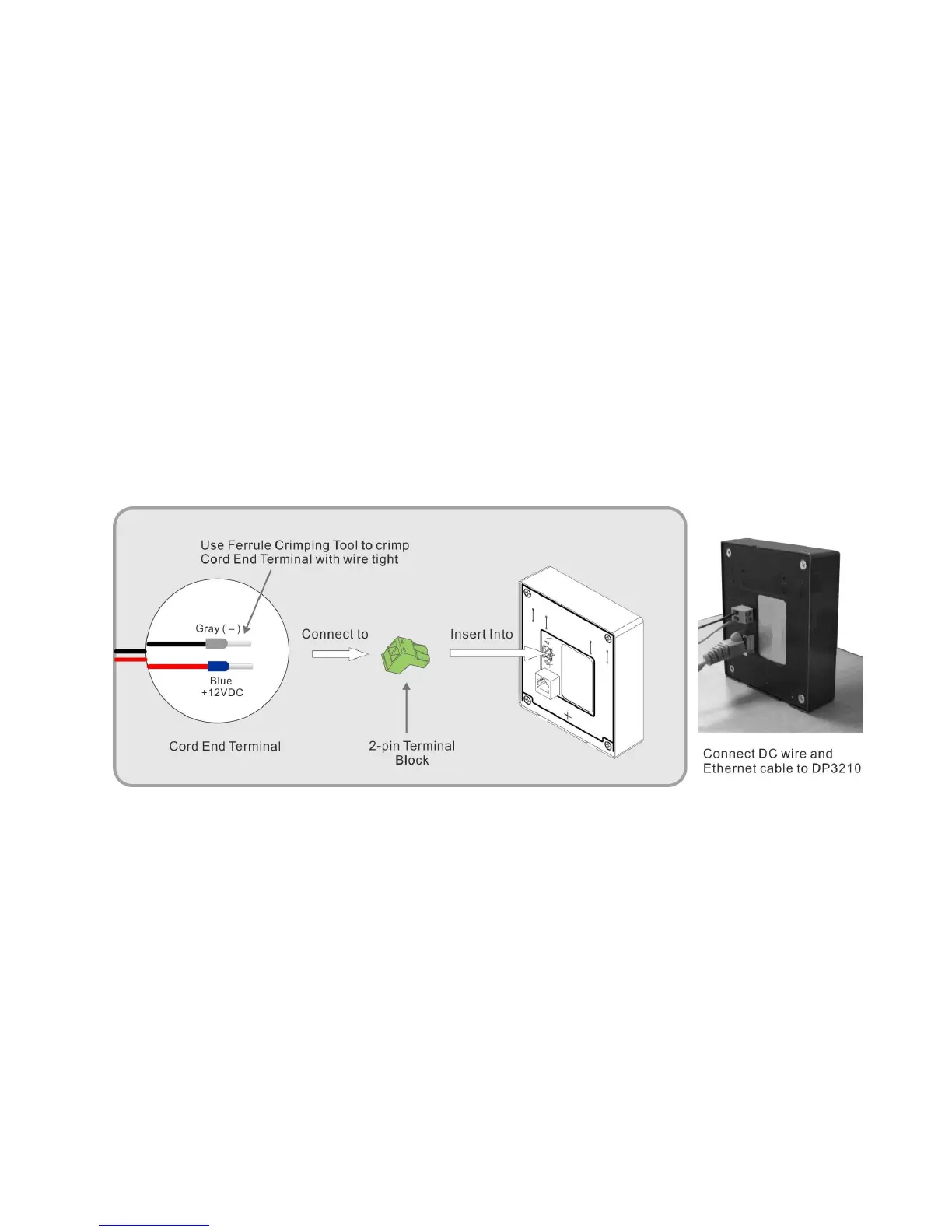
To connect 12VDC wire to the Video Door Phone, please follow the steps below:
1. Use Ferrule Crimping Tool to crimp Cord End Terminal tight with wire inside
2. Insert the Cord End Terminal into 2-pin Terminal Block. (Please take notice of color- positive, negative ends)
3. Insert 2-pin Terminal Block into 12VDC connector on the rear side of DP3210. And, remember to fasten screws on 2-pin
Terminal Block.
Figure 11: Connect 12VDC wire and Ethernet cable to the Video Door Phone



 To Next Page