MANUAL FOR SYSTEM INTEGRATOR
28
SIP Settings
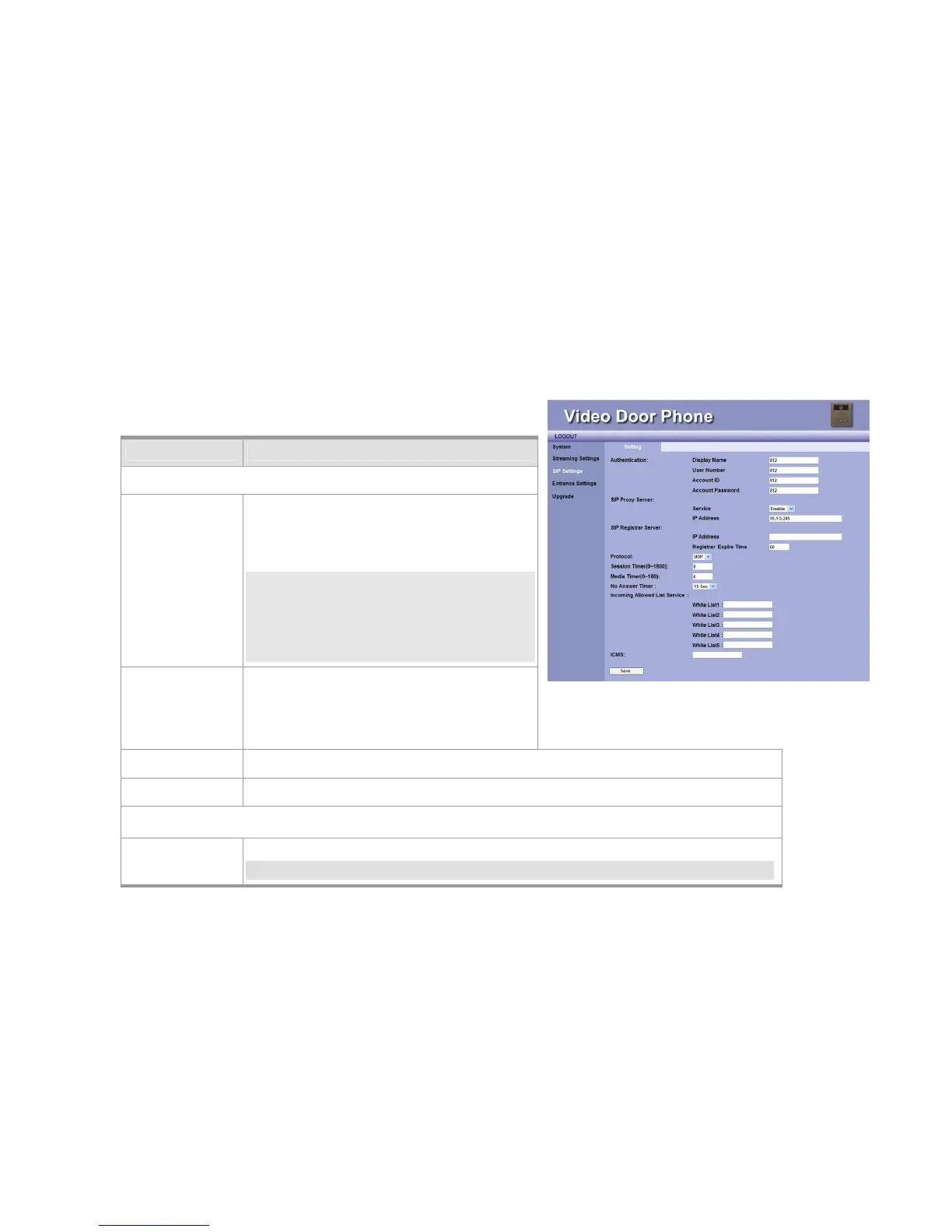
You may setup advanced SIP service parameters in this webpage:
Item Description
Authentication
Display Name This name will show on the IP phones of called
parties. You can fill in the preferred name here.
For example, Doorphone
NOTE: Please enter Doorphone in the field of
Display Name. When the Door Bell is
pressed, there will be “Preview” function
and “Ding-Dong” sound on Amroad
Video Phone/Video Indoor Station.
User Number You may fill in the phone number here, normally
it is provided by service provider. To work with IP
PBX, you may fill in extension number.
For example, 812
Account ID You may fill in your account name of SIP service in this field. For example, 812
Account Password You may fill in the password of your SIP service account. For example, 812
SIP Proxy Server
Service You may select “Enable” or “Disable” the SIP Proxy Server in the dropdown menu.
NOTE: For Peer-to-Peer mode, both devices (DP3210 and remote device) need to select
Figure 22: SIP Setting



 To Next Page