DP3210 VIDEO DOOR PHONE
17
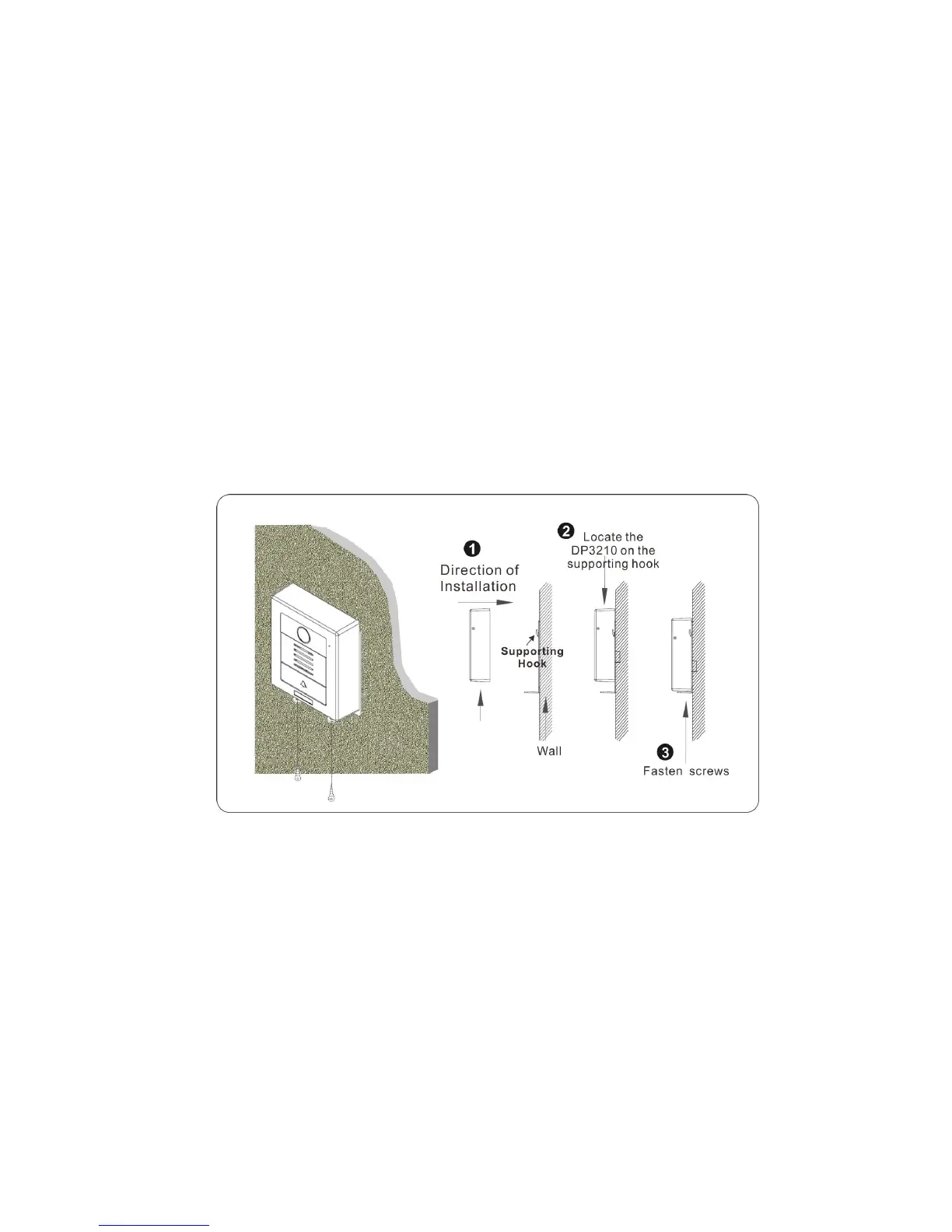
3. Screw the Video Door Phone with Back Plate.
After connecting the wires and cables properly, lift up the DP3210 and let the rear side of the DP3210 locate on supporting Hook.
Put down the DP3210 vertically. Finally, secure the DP3210 (see Figure 12) by fastening the 2 screws on the bottom of DP3210.
Then, the installation would be completed.
Figure 12: Screw the Video Door Phone with Back Plate



 To Next Page