MANUAL FOR SYSTEM INTEGRATOR
18
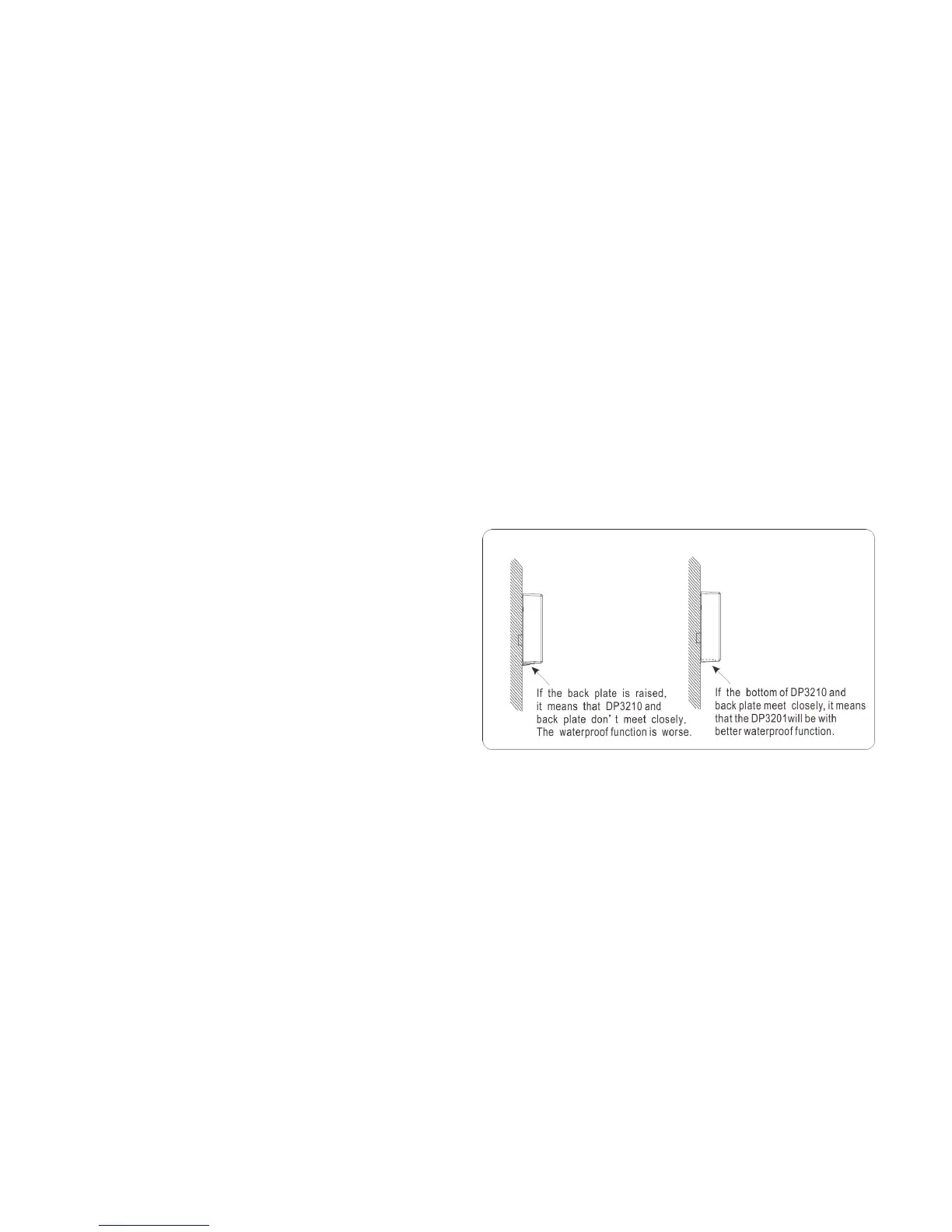
After securing and fastening screws, please check the bottom of DP3210 and back plate (refer to Figure 13) whether they meet
smoothly or not.
If the back plate on the bottom of the DP3210 is raised, it means that DP3210 and back plate don’t meet closely. The waterproof
function is worse. (A little external force from top of the DP3210 may improve this situation.)
However, if the bottom of DP3210 and back plate meet closely, it means that the DP3210 will be with better waterproof function.
Figure 13: Please check the bottom of DP3210 and back plate whether they
meet smoothly or not.



 To Next Page