DP3210 VIDEO DOOR PHONE
21
This section describes how to configure yourDP3210 with Web User
Interface. It contains advanced settings that may help you to solve
certain compatibility issues with your services. This UI also provide
remote management capability to service provider.
There are 5 sections and total 11 pages:
System
Basic
Network
Login Name
Reboot
Streaming Settings
Video
Audio
SIP Settings
Entrance Setting
Upgrade
Firmware Upgrade
Config
APS
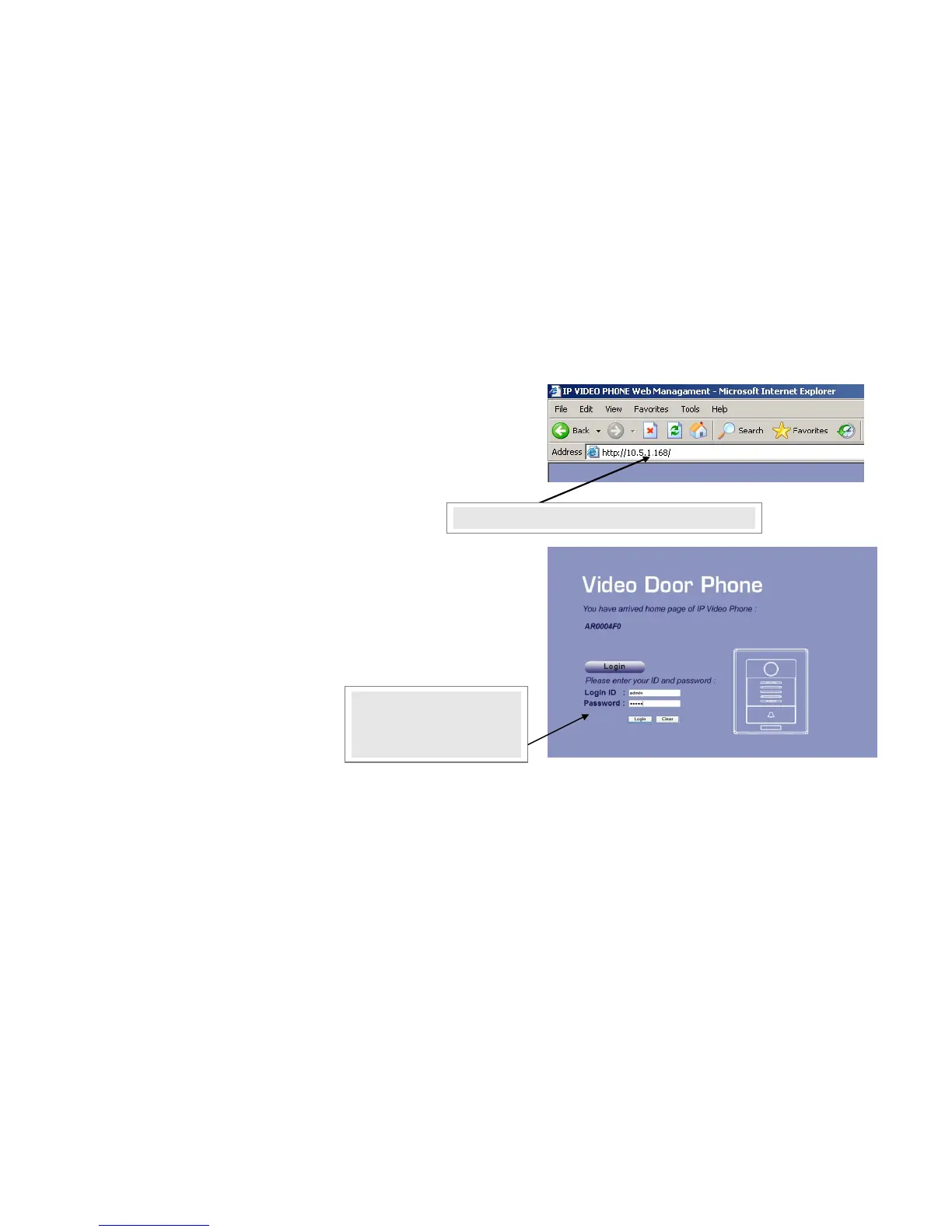
2. The default ID and
password for system login
are “admin” and “admin”.
1. Input IP address of your DP3210
Figure 15: IP address and Login



 To Next Page