12
Adjusting the Condenser & Diaphragm
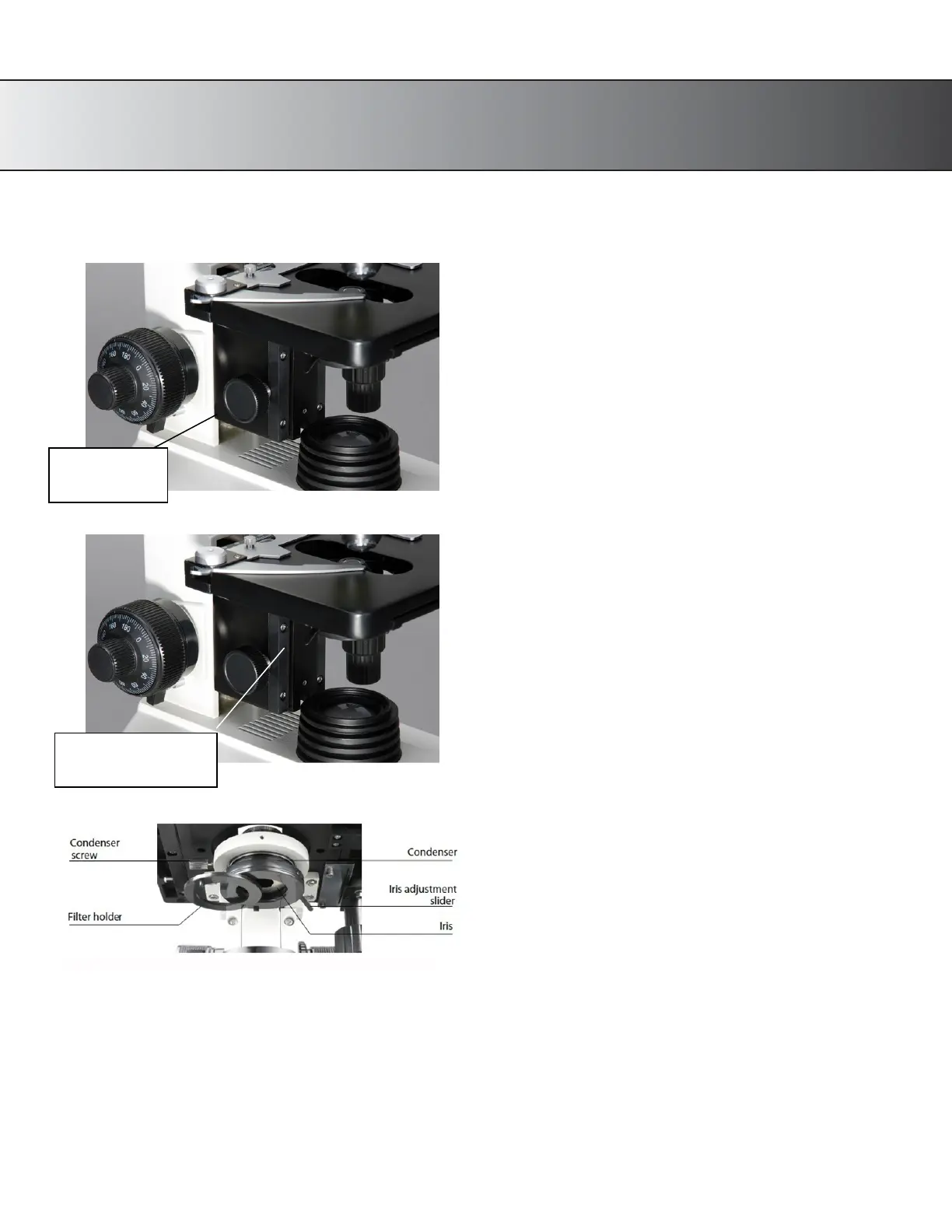
Fig. 6
1.
Using the condenser Up/Down
adjustment knob, you can change the
distance between the light condenser and
the stage.
This allows you to control the
concentration of the light hitting your
slide.
2.
By changing the aperture (hole size) of
the iris diaphragm, you can adjust the
background brightness. Adjust the
aperture of the iris diaphragm using the
iris adjustment slider located directly
under the stage.
Fig. 8
3.
You can take out condenser and replace
with the plan-concave reflecting mirror.
4.
To use a color filter, swivel the filter
holder out, towards you. You can now
place the desired color
filter into the
circular opening. Slide the filter holder
back to original position before
observation. (Fig. 8)
Note: The filter holder is placed in from the factory in a manner in which it swings out and hits the
arm of the
microscope (backwards). If this happens, simply grip the condenser assembly and rotate
it. It may take a small
amount of force to rotate it, but after doing so, you will be able to swing the
filter holder out towards the front of
the unit for easier operation.
Up/Down
Adjustment Slider










 To Next Page