14
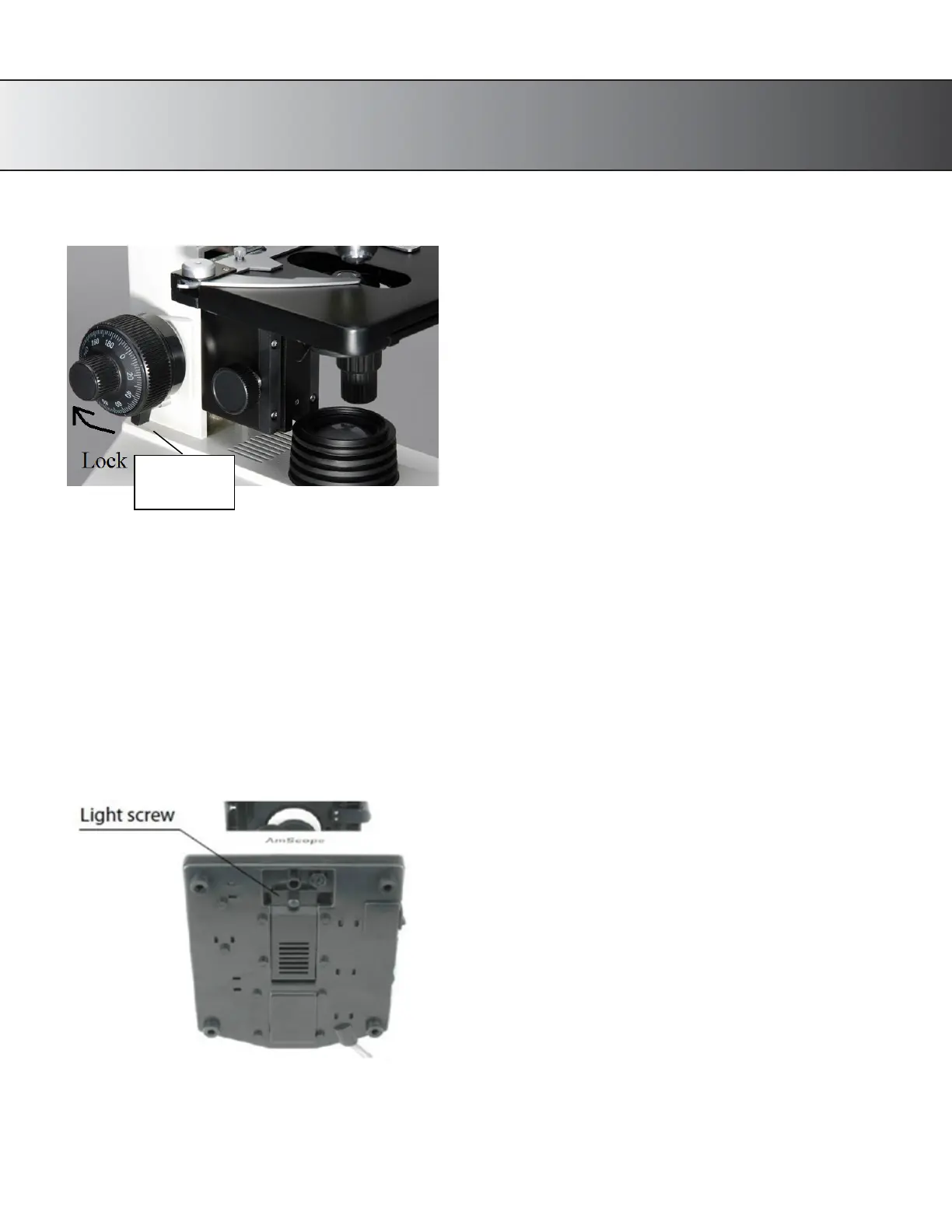
Setting the Stage’s Stop-Limit
Fig. 11
1.
Unlock the stop-limit, which is the switch inside the
left hand focusing knob. (Fig. 11 shows unlock
position)
2.
Adjust the stage to the desired maximum height.
3.
Lock the stop-limit. This will allow you to
limit the movement of the stage from the
bottom of the range up to the point that it is
set at.
4.
To reset it, unlock the stage and reset the
stage to the new height that you would like
it to limit at. If no limit is
desired, simply
unlock the stop-limit, but be careful when
using the oil immersion lens (100x), as with
no limit you
can hit the slide, damaging the
lens or your sample.
Changing the Bulb
Fig. 12
1.
Before changing the light bulb, first pull
the plug out of the electrical socket and wait
for the lamp to cool down.
The light can get
hot when a halogen system is in use, so
please be careful to avoid being burned.
2.
Please be sure to remove the eyepieces
from the unit before turning it upside down to
prevent them from falling
and breaking.
3.
Remove the door at the bottom of the microscope
by unscrewing it.
Lock










 To Next Page