13
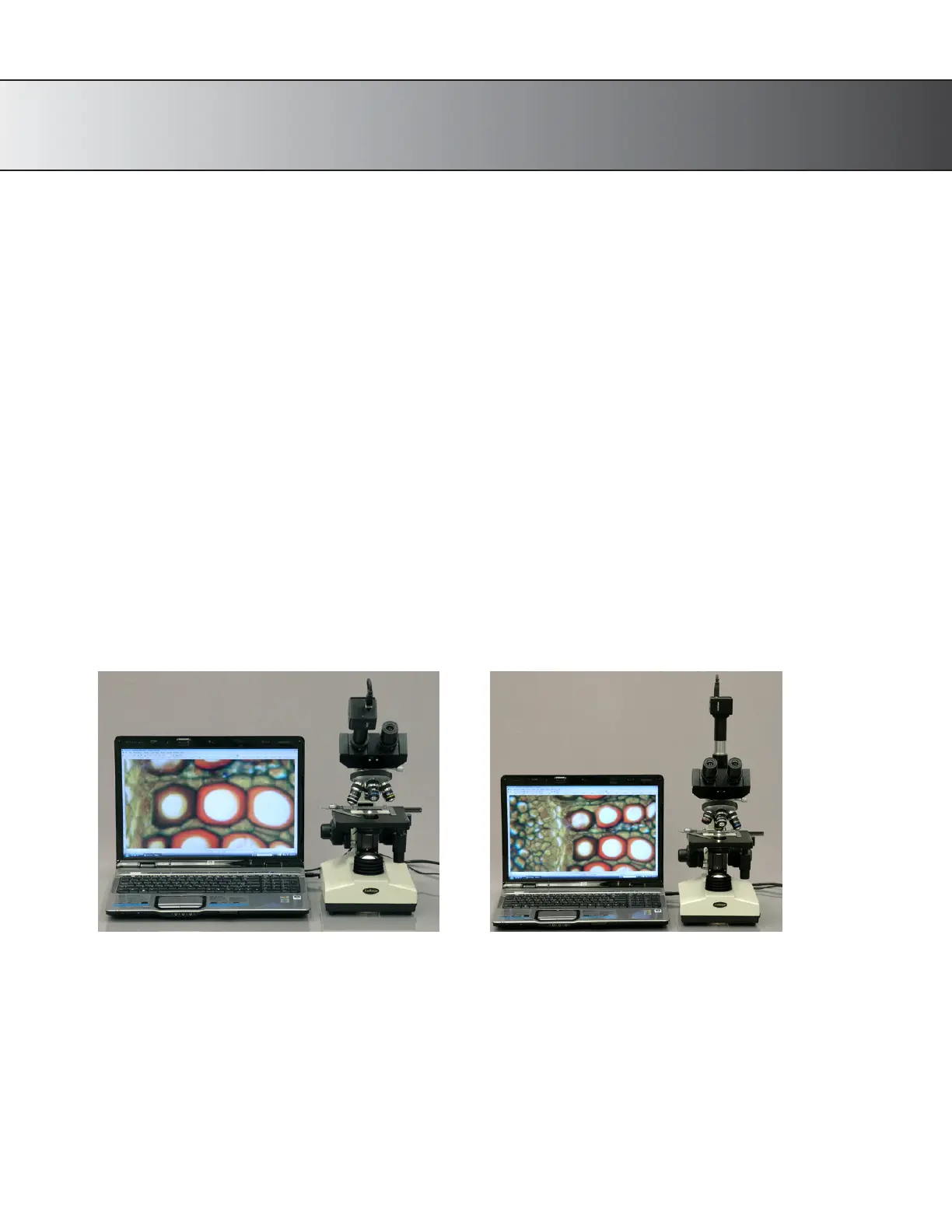
Using the Trinocular Port
The AmScope T690 model is uniquely designed so that you can view the image through the
eyepieces and the
trinocular port simultaneously.
This feature allows the images through the microscope’s eyepieces, and those displayed on your
computer screen or television be viewed at the same time (although unless using 20x eyepieces to
match your camera, the image
may differ in magnification). You do not need an adapter to attach
your AmScope camera to the trinocular port, however you may need one if you have a non-AmScope
camera. Our photo port is a 23mm size.
Attaching a Camera
1.
If your camera has a C-mount, simply screw the camera onto the trinocular port.
2.
If your camera has a 23mm mounting size, remove the C-mount from the top of the trinocular port by
loosening
the screw. Then, drop the camera directly into the trinocular port. It should slide in without
issue.
3.
To focus through the trinocular port, simply turn middle portion of the tube.
Fig. 9 Attaching camera on Binocular head
Fig. 10 Attaching camera on Trinocular port










 To Next Page