14
ME580 Series
User’s Manual
Operaon
Seng Up
1. Place the specimen to be studied on the stage (if opaque) or glass slide (if translucent and using a -2L mod-
el). Place it on the stage, holding it snugly in place with the metal slide holders (clips) of the stage. You may
need to place the stage plate on the stage if you are using a -2L model that has a hole in the stage.
2. Using the mechanical stage controls, center the specimen, lining it up with the light and the objecve lens.
3. To adjust the illuminaon (boom light only for -2L models), slowly turn the dimmer on the right of the base
of the microscope unl the desired intensity of light is achieved. The upper illuminator brightness is not adjust-
ed by a dimmer, but is adjustd by the aperture and eld adjustments on the light path itself.
Focusing
1. Turn the nosepiece to choose an objecve. It is easiest to use the lowest magnicaon rst (4x objecve,
usually the shortest) to locate and focus on the specimen. As you move higher in magnicaon by switching
lenses, you may need to refocus the image a lile each me.
2. Being focusing by rst adjusng the distance between each eyepiece to t the distance between your eyes
by sliding them towards or away from each other as needed. Then, look with one eye through the right eye-
piece. Posion the diopter so that the eyepiece is as close to the microscope as possible. Use the coarse focus-
ing knob to adjust unl the sample comes into clear focus. Use the diopter on the other eyepiece to adjust
unl the images collimate (align so you see a single matching image through both eyes).
3. Once the image is mostly clear in your eld of view, use the ne focusing knob to tune it for best results.
4. Once you have focused on your sample, you may adjust the slide to recenter on the area you wish to focus
on, then move to the next highest objecve. Repeat steps 2 through 4 unl the magnicaon you wish to view
at is focused.
Centering Bulb Posion
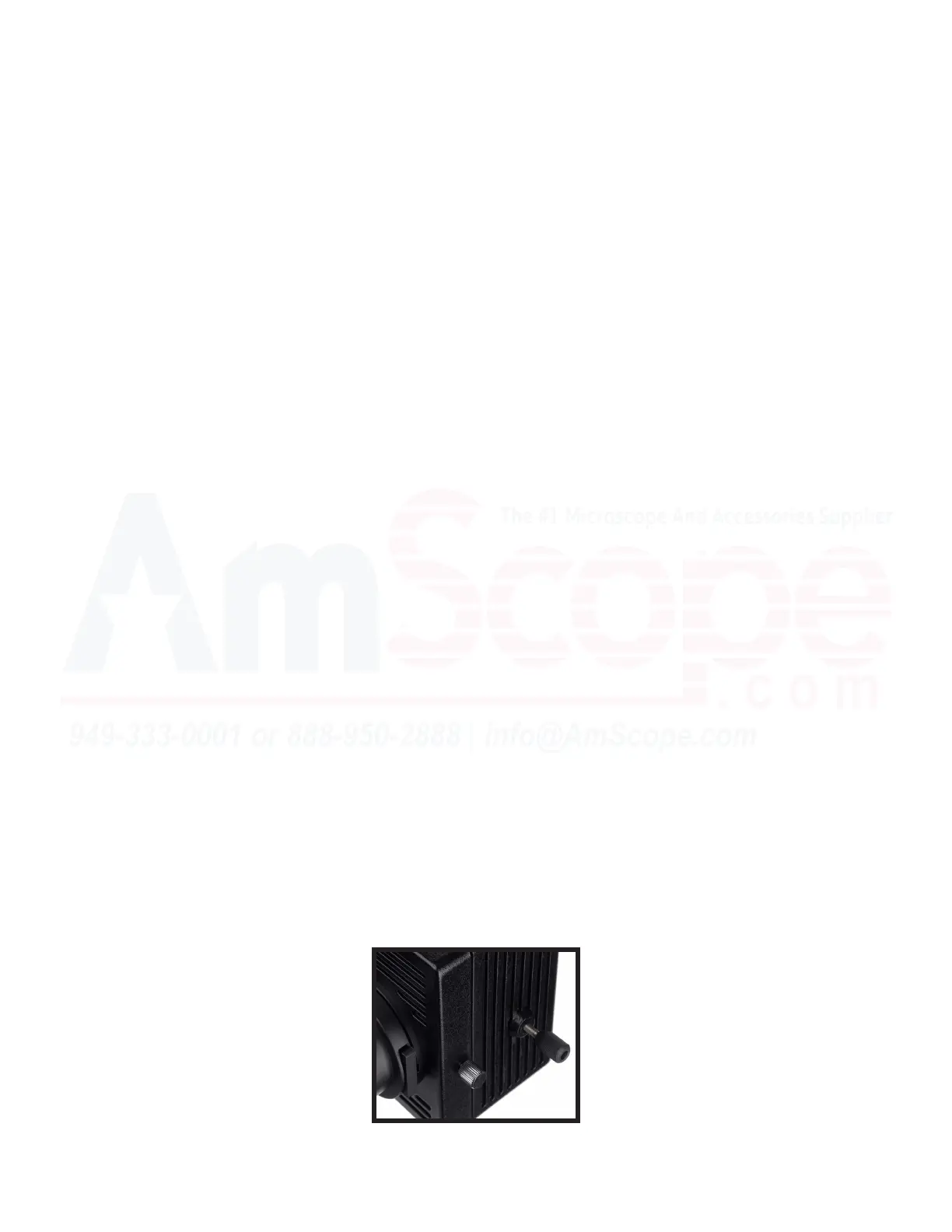
1. The upper illuminator best illuminates the sample when the bulb is posioned in the center of the light
path. This is done using adjustment screws on the bulb housing module.
2. To center the bulb, remove an objecve from the turret, and set that hole as the opening in the path of light
on the microscope’s nosepiece. Place a sheet of paper on the stage.
3. While looking at the circle of light on the paper, adjust the bulb’s X and Y posion adjustment screws unl
the brightest point visible is centered on the sheet of paper.



 To Next Page