15
ME580 Series
User’s Manual
Operaon
Upper Illuminator Setup & Use
1. The upper illuminaon method is used when the sample being viewed is an opaque sample, meaning, light
does not pass through it. Upper illuminaon comes through the objecves, bounces o of the opaque sample,
then re-enters the objecve, creang an image visible to the user. This is called a “reected” illuminator style,
as it reects o of the sample to form an image, rather than through a translucent sample like a tradional
compound microscope.
2. To turn the upper illuminator on, the switch on the right side of the microscope body must be ipped, and
the knob adjusted for intensity unl the light is visible or the desired brightness is achieved when looking
through the eyepieces.
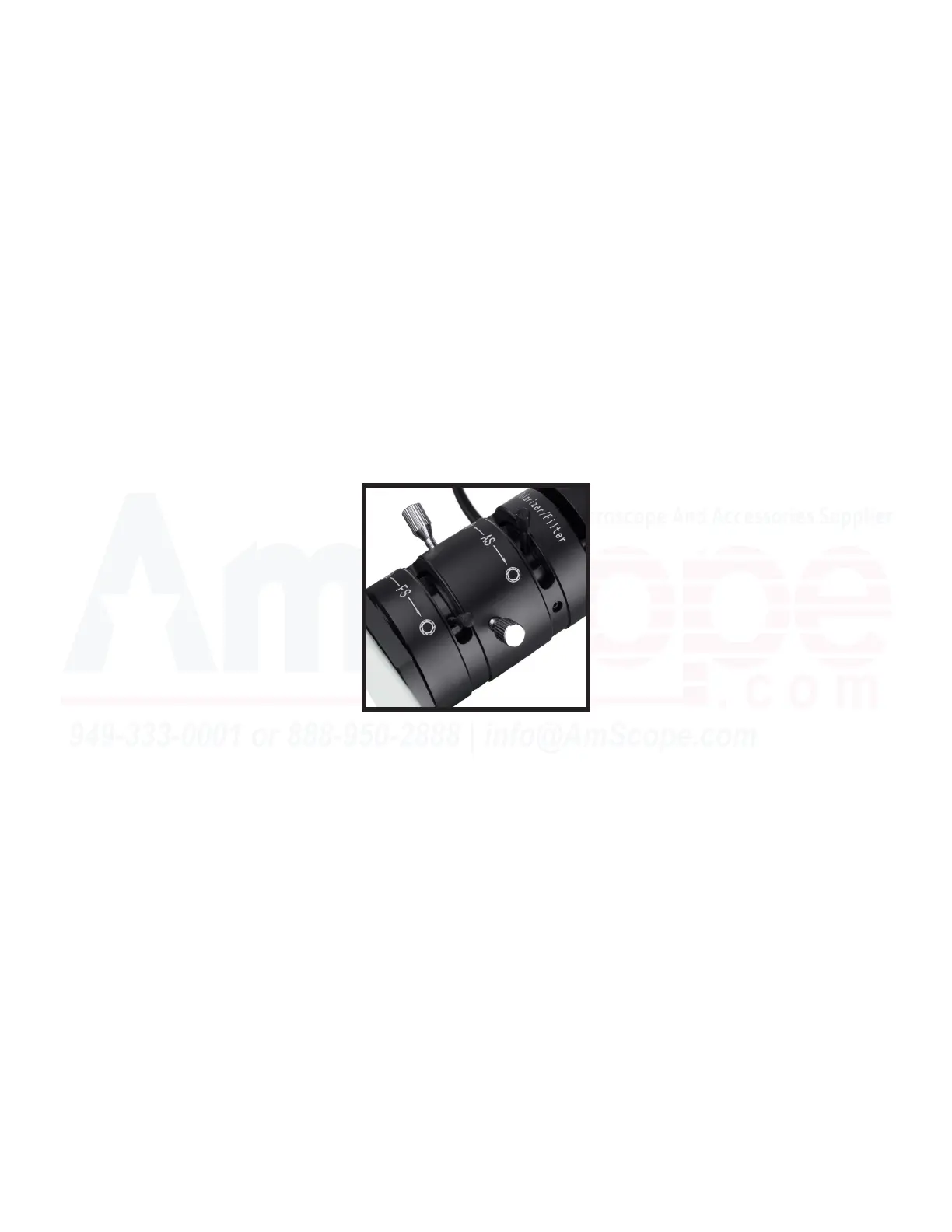
3. For the best image quality when using the upper illuminator, the eld diaphragm must be adjusted to be just
larger than the current eld of view when looking in the microscope, and centered. The angled screws on the
illuminaon path are used to center the iris diaphragm, while the sliding bar is used to adjust iris size.
4. Begin by shrinking the iris to its smallest seng, then adjusng the screws to get the small iris in the center
of the eld of view, by looking into the microscope. Once centered, open the iris and check to see if the iris is
completely inside the eld of view, or if it is o to one parcular side. If o, adjust as necessary unl centered.
5. Once centered, open the iris just beyond the edge of the eld of view as seen in the microscope. This is the
posion for the best possible image when focused.
6. The aperture diaphragm must also be adjusted, as this helps determine the numerical aperture of the
system. Matching this to the objecve in use provides the best image, and is done by viewing the sample and
adjusng the aperture diaphgram slider bar for opmal contrast and clarity while looking in the microscope.



 To Next Page