DEVICE SETTINGS
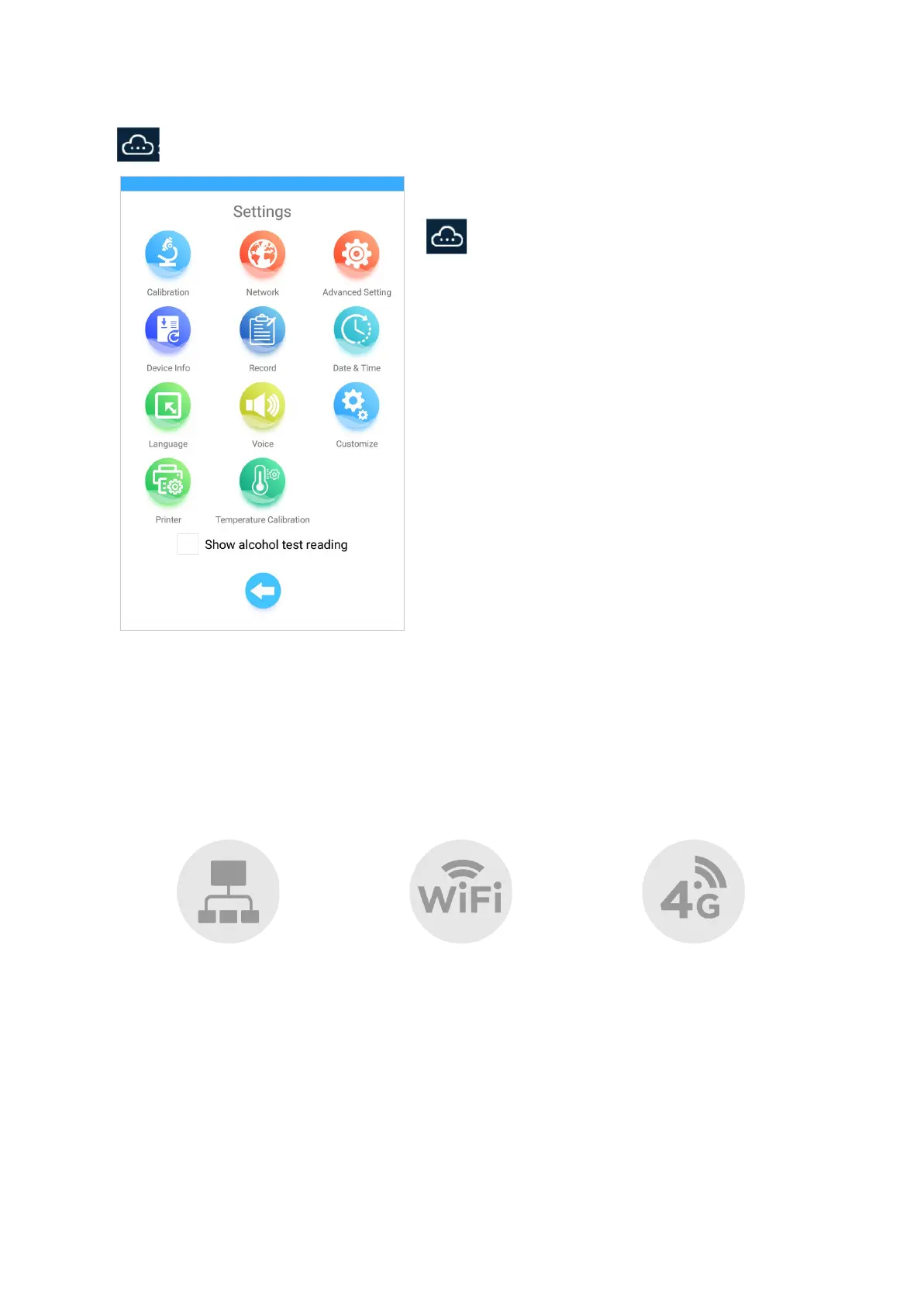
To access the Device Settings Menu, plug in a USB
mouse into the device and long press (click + hold) the
icon on the bottom left of the screen.
Calibration
Access is restricted to authorised calibration centres only.
Network
There are 3 methods of connection: Ethernet, Wifi, and 4G (additional module)
Click on any method of network connection to activate or deactivate it. Once a network preference
has been selected and activated, the corresponding icon will turn blue.
13
4G
With the device turned off,
insert SIM card into the SIM
slot. Then, turn the device on.


 To Next Page