After making changes, click to save the settings.
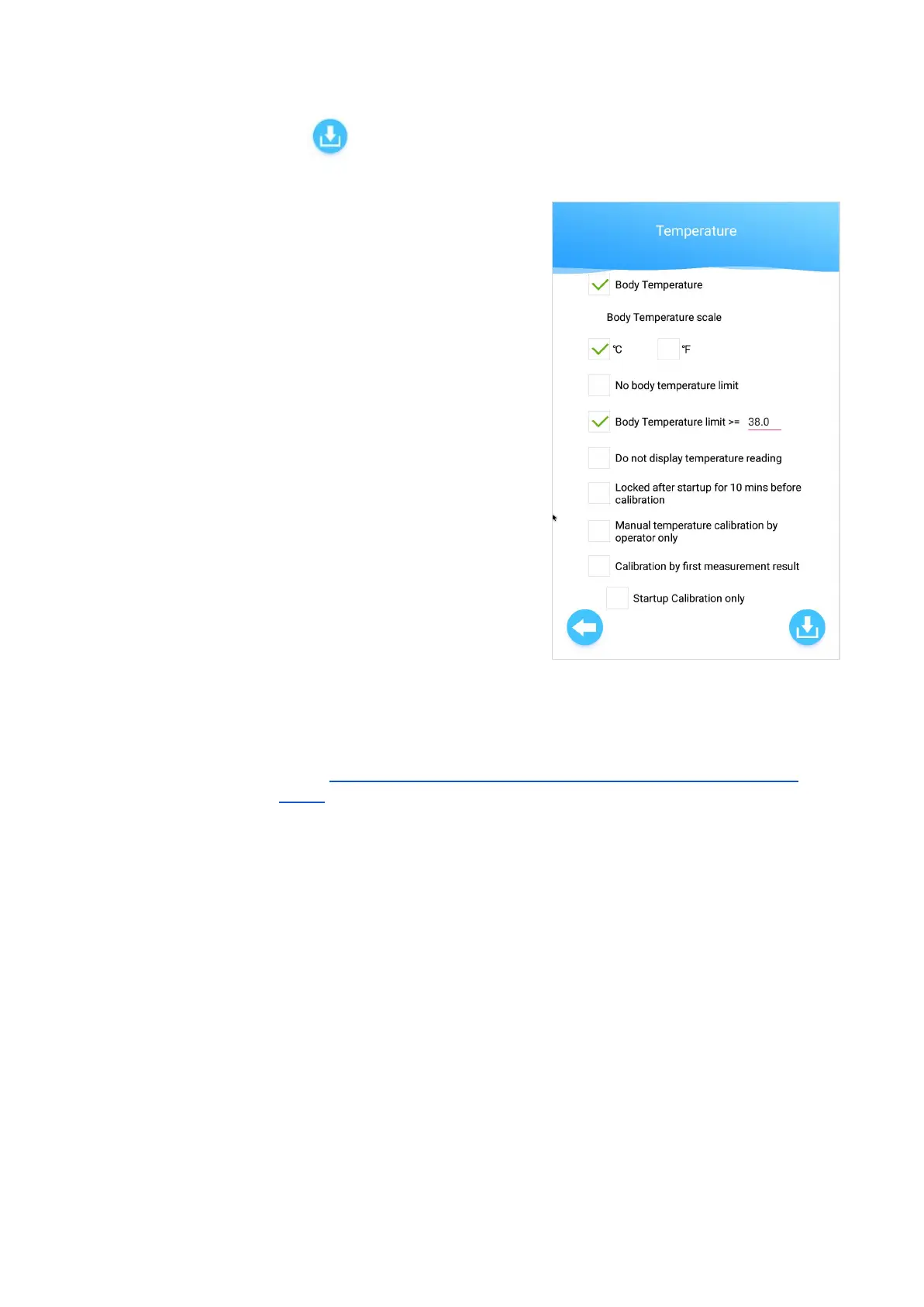
Temperature
● Body Temperature -
○ Tick to enable temperature scanning for all
users
○ Untick to disable temperature scanning
completely
● Body Temperature Scale -
○ Tick to select either °C or °F for body
temperature reading.
● No body temperature limit -
○ Tick to disable all temperature alerts.
■ Temperature pass limit is 0 by default
(all temperature readings will be
'Pass')
○ Untick to set a body temperature limit and
alert sound:
■ Body temperature limit - Set a body temperature limit (e.g. 38.0). Any
detected body temperature above this set limit will sound an alert.
■ Important: Please ensure that the limit is set the same in Andalink (see KB
article: Ensure set alcohol / temperature limits are the same in Andalink and
device)
● Do not display temperature reading -
○ Tick to hide the temperature reading when temperature is scanned.
○ Untick to show the temperature reading (e.g. 37.0°C) when temperature is scanned.
● Locked after startup for 10 mins before calibration
○ Tick to lock the device for 10 minutes after device startup. No test or Temperature
Calibration can be performed during this time.
○ Untick to leave the device unlocked and allow testing and Temperature Calibration
after device startup.
● Manual temperature calibration by operator only - Controls the calibration operator setting
for Manual Temperature Calibration (under 'Temperature Calibration' in Settings menu).
17


 To Next Page