Printer
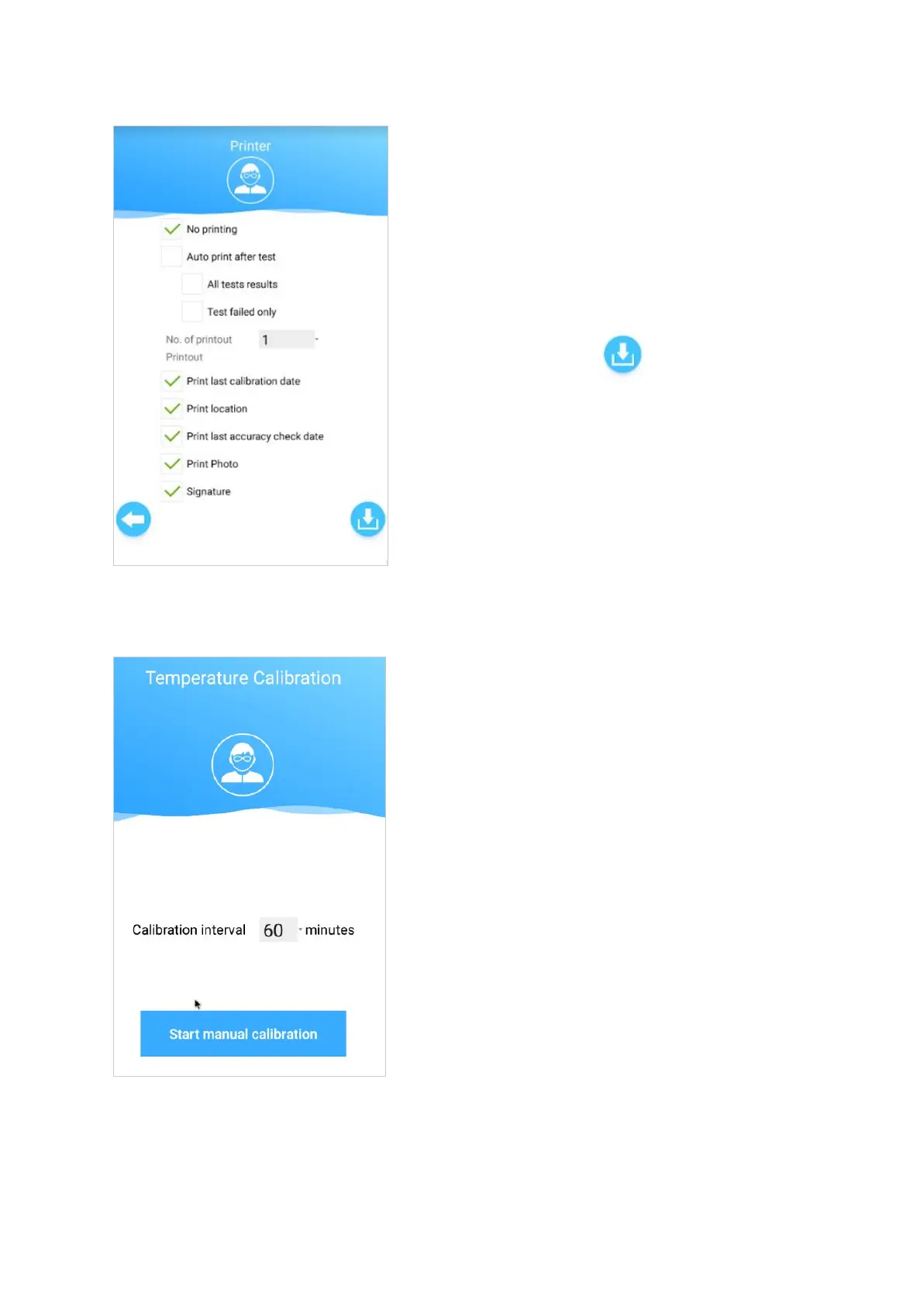
Test records can be printed out automatically or manually
after each test.
Tick the checkboxes to select the applicable settings for the
printer.
After making changes, click to save the settings.
Note: The printer is an optional accessory and not included
with the device. Contact Andatech for purchase options.
Temperature Calibration
Please read 'About Temperature Calibration' for more
information.
Calibration interval
By default, the device will require a Temperature Calibration
every 60 minutes. This is the recommended interval.
Although not advisable, you can select a different
temperature calibration interval from the drop down menu.
After changing the interval, click on the 'Start manual
calibration' button to save the new calibration interval
setting and conduct a manual temperature calibration.
A calibration operator needs to be physically present to
conduct the temperature calibration on the device. Refer to
'Temperature Calibration Procedure' for instructions.
24


 To Next Page