English - 44 -
Connecting the LCD TV to a
PC
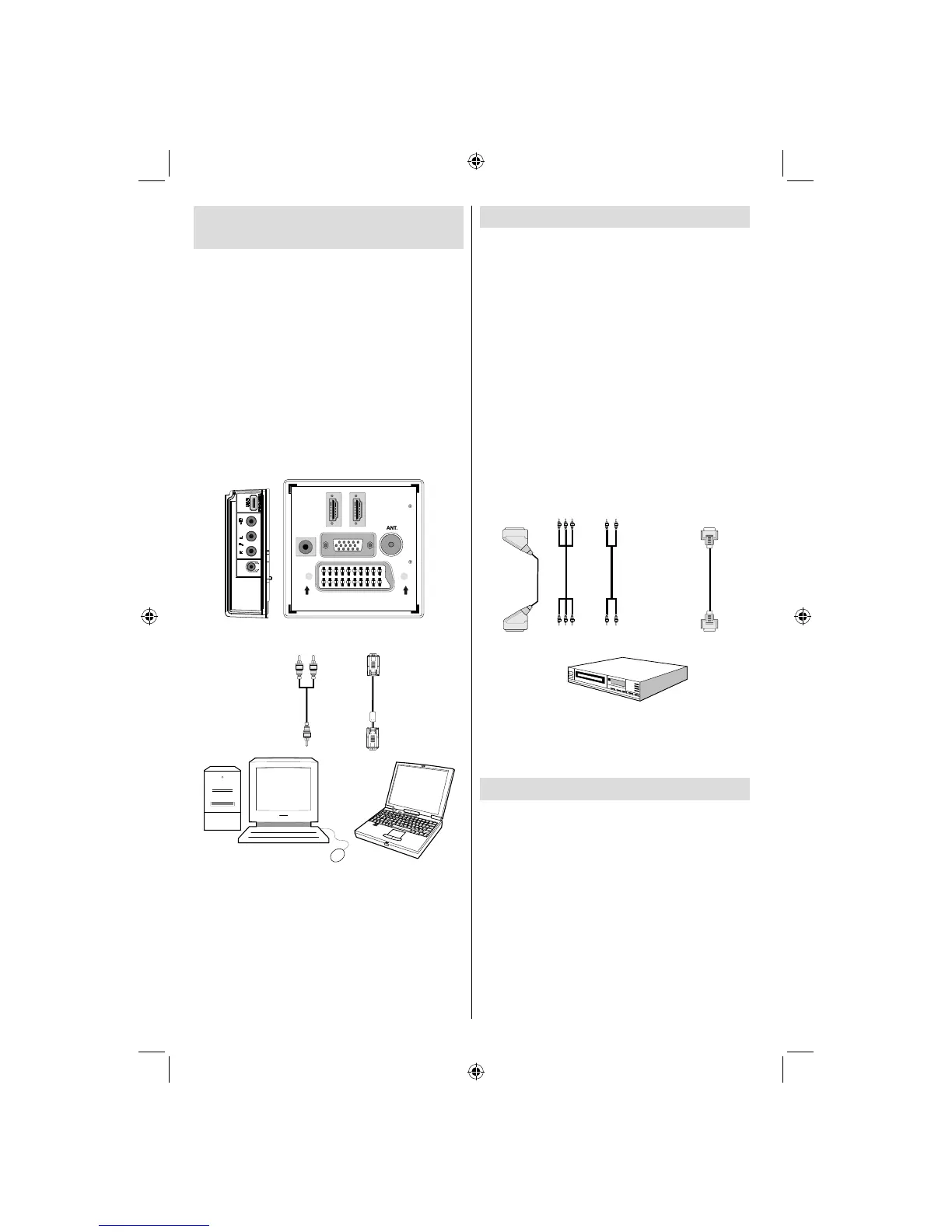
For displaying your computer’s screen image on
your LCD TV, you can connect your computer to the
TV set.
• Power off both computer and display before making
any connections.
• Use 15-pin D-sub display cable to connect a PC
to the LCD TV.Use an audio cable between audio
inputs of the TV (side) and audio output of your PC
to enable sound connection.
• When the connection is made, switch to PC source.
See “Input selection” section.
• Set the resolution that suits your viewing requirements.
Resolution information can be found in the appendix
parts.
SPDIF
SCART
VGA
Coax.OUT
HDMI 2
HDMI 1
PC audio cable
(not supplied)
to AUDIO INPUTS
on the TV
PC RGB cable
(not supplied)
to PC input
Audio
Inputs
PC Input
Connecting to a DVD Player
If you want to connect a DVD player to your LCD
TV, you can use connectors of the TV set. DVD
players may have different connectors. Please refer
to your DVD player’s instruction book for additional
information. Power off both the TV and the device
before making any connections.
Note: Cables shown in the illustration are not supplied.
• If your DVD player has an HDMI socket, you can connect via
HDMI. When you connect to DVD player as illustrated below,
switch to HDMI source. See, “Input Selection” section.
• Most DVD players are connected through
COMPONENT SOCKETS. Use a component
video cable to connect video input. To enable sound
connection, use AUDIO IN located side of the TV
(YPbPr cable is not supplied).
• When the connection is made, switch to YPbPr
source. See, “Input selection” section.
• You may also connect through the SCART socket.
Use a SCART cable as shown below.
HDMI
input
SCART socket
Component
video
inputs
Component
audio
inputs
DVD Player
Note: These methods of connection perform the same
function but in different levels of quality. It is not necessary
to connect by all three methods.
Using Side AV Connectors
You can connect a range of optional equipment to your LCD
TV. Possible connections are shown below. Note that cables
shown in the illustration are not supplied.
• For connecting a camcorder, connect to the VIDEO
IN socket and the AUDIO SOCKETS. For selecting
the related source, see the section “Input selection”
in the following parts.
• To listen the TV sound from headphones, connect
to the HEADPHONE jack of theTV
02_MB45M_[GB]_5110UK_PVR_IDTV_SILVER8_(psm)_32843W_10071150_50180023.indd 902_MB45M_[GB]_5110UK_PVR_IDTV_SILVER8_(psm)_32843W_10071150_50180023.indd 9 25.11.2010 13:11:0525.11.2010 13:11:05



 To Next Page