English - 51 -
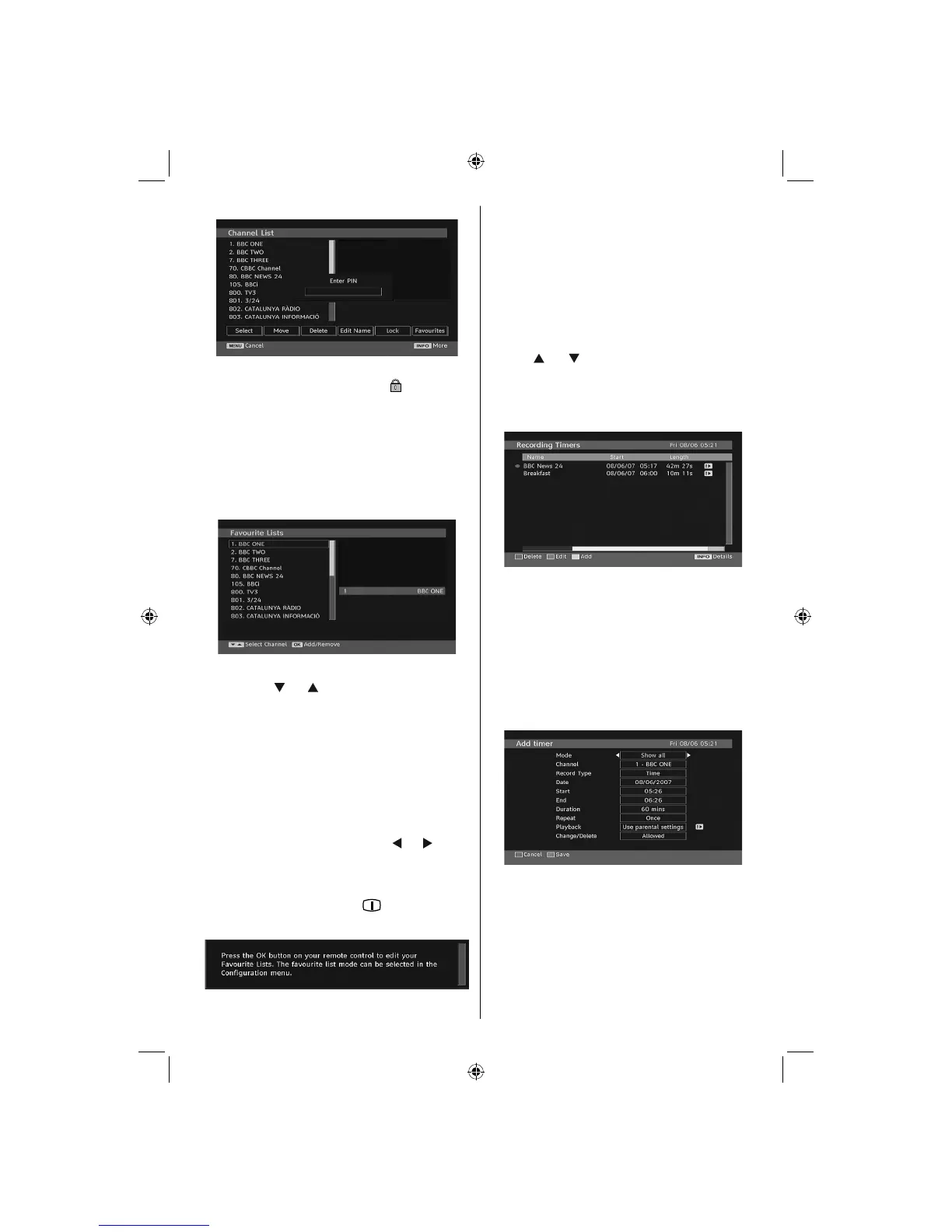
Enter the password by using the numeric buttons on
the remote control. The lock icon “ ” will now be
displayed next to the selected channel. Repeat the
same operation to cancel the lock.
Setting Favourites
To set a favourite you should highlight the “Favourites”
item at the bottom of the Channel List menu. Then
press “OK” button and Edit Favourite List menu
appears on the screen.
How to Add a Channel to a Favourites List
• By pressing “ ” or “ ” buttons, highlight the channel
that you want to add to the favourite list.
• By pressing “OK” button, the highlighted channel is
added to the Favourite List.
• F icon indicates that a channel is added to Favourite List.
Removing a Channel from Favourite List
• Highlight the channel that you want to remove from
the favourite list and press OK button to remove.You
can press “OK” button again to re-add a channel.
• To activate Favourites, go to the Confi guration menu
and select Favourite mode. Use “
” / “ ” to set
Favourite mode as on. To cancel Favourites, set
Favourite Mode to Off.
On Screen Help
For all menus, press the
“INFO/ ” button to display
the help information about the menu functions.
Recording Timers
IMPORTANT: To view recording timers or record programmes,
you should fi rst connect a USB disk to your TV while the TV
is switched off. You should then switch on the TV to enable
recording feature. Otherwise, recording feature will not be
available.
You can set or display programmed recording timers
(for recording on a USB disk) by using Recording
Timers menu.
Press the M button to display the main menu and
use the “
” or “ ” button to highlight the “Recording
Timers” line and press the OK button. All available
recording timers will be displayed. You can add,
remove or display previously set timers via this
screen:
The green line at the bottom of the screen displays
available disk space. Red line indicates used disk
space.
Note: It is not possible to record or set timer for two individual
events at the same time interval.
Adding a Recording Timer
Press YELLOW button on the remote control to add
a recording timer to this list. The following screen
appears to add a timer:
Mode: Selects recording timer mode.
Channel: Selects a channel.
Record Type: Defi nes recording type.
Date: Starting date is entered via the Left/Right and
the numeric buttons.
Start: Starting time is entered via the Left/Right and
the numeric buttons.
End: Ending time is entered via the Left/Right and the
numeric buttons.
02_MB45M_[GB]_5110UK_PVR_IDTV_SILVER8_(psm)_32843W_10071150_50180023.indd 1602_MB45M_[GB]_5110UK_PVR_IDTV_SILVER8_(psm)_32843W_10071150_50180023.indd 16 25.11.2010 13:11:1025.11.2010 13:11:10



 To Next Page