English - 48 -
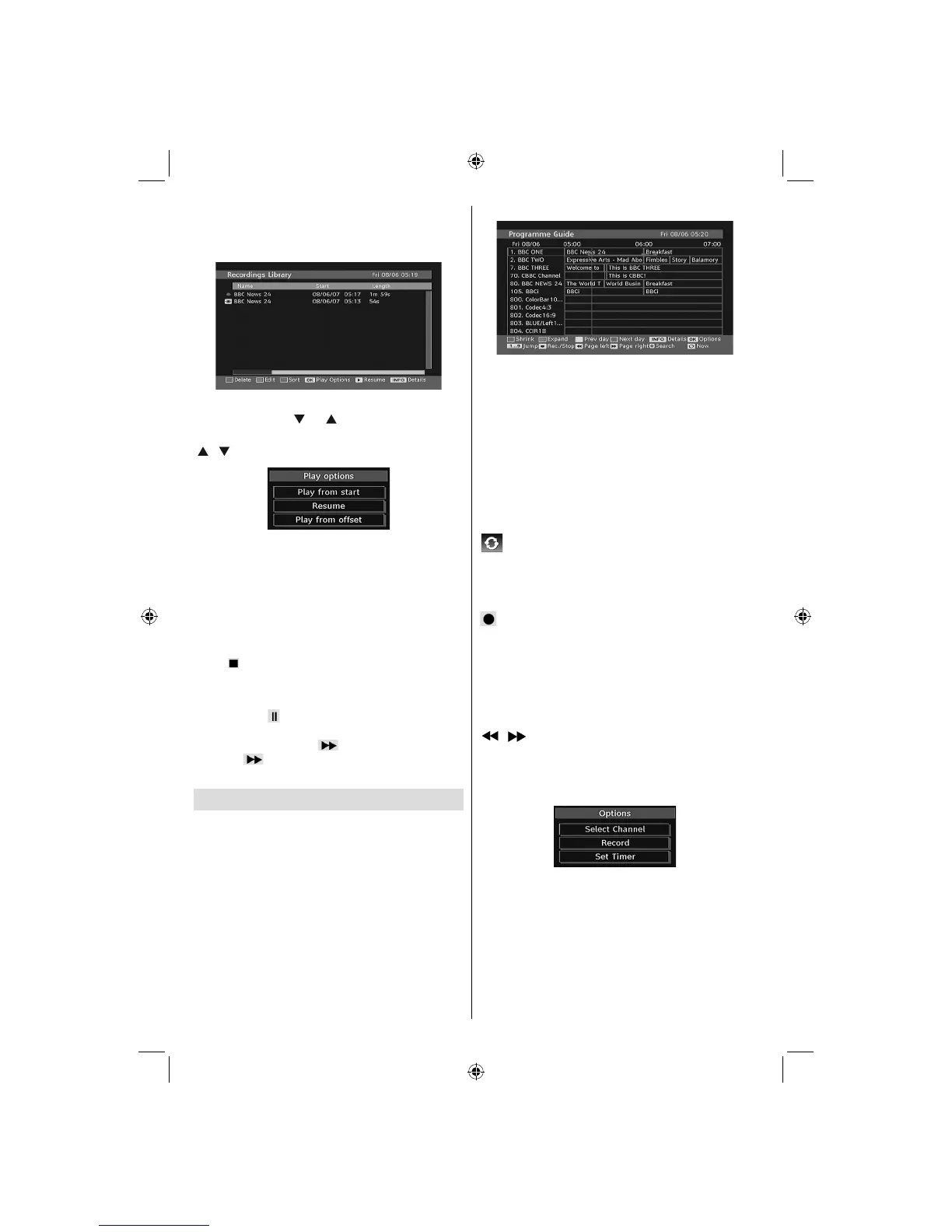
IMPORTANT: To view recordings library, you should fi rst
connect a USB disk to your TV while the TV is switched off.
You should then switch on the TV to enable recording feature.
Otherwise, recording feature will not be available.
Select a recorded item from the list (if previously
recorded) by using “ ” or “ ” button. Press OK button
to view Play Options. Select an option by using
“
”/“ ” or OK buttons.
Available playback options:
• Play from start: Plays the recording from the
beginning.
• Resume: Recommences the recordings.
• Play from offset: Specifi es a playing point.
Note: Viewing main menu and menu items will not be available
during the playback.
Press (STOP) button to stop a playback and return
to return to Recordings Library.
Slow Forward
If you press (PAUSE) button while watching
recorded programmes, slow forward feature will be
available. You can use button to slow forward.
Pressing button consecutively will change slow
forwarding speed.
Electronic Programme Guide (EPG)
• Some, but not all, channels send information about
the current and next events. Press EPG button to
view the EPG menu. EPG appears on the screen. It
is able to get Information of the channel - programs
weekly by means of 7-DAY-EPG. All programs of
channels are displayed. On the bottom of the screen;
info bar, showing all the available commands, will
be displayed.
RED button (Shrink): makes the info boxes smaller.
GREEN button (Expand): makes the info boxes larger.
YELLOW button (Prev. Day): displays the programmes
of previous day.
BLUE button (Next day): displays the programmes of
the next day.
INFO (Details): displays the programmes in detail.
Numeric buttons (Jump): go to preferred channel
directly via numeric buttons.
OK : views/records or sets timer for future programs.
/ SWAP : jumps to the current broadcast.
• Press “0” button on the remote control to view Guide
Search menu. Using this feature, you can search the
programme guide database in accordance with the
genre selected or with name match.
(Record): the TV will record the selected
progamme.
IMPORTANT: To record a programme, you should first
connect a USB disk to your TV while the TV is switched off.
You should then switch on the TV to enable recording feature.
Otherwise, recording feature will not be available.
Note: Switching to a different broadcast or source is not
available during the recording.
/ : Page left / Page right.
Programme Options
In EPG menu, press the OK button to enter the
“Programme Options” menu.
Select Channel
In EPG menu, using this option, you can switch to the
selected channel.
Record / Delete Record Timer
IMPORTANT: To record a programme, you should first
connect a USB disk to your TV while the TV is switched off.
You should then switch on the TV to enable recording feature.
Otherwise, recording feature will not be available.
02_MB45M_[GB]_5110UK_PVR_IDTV_SILVER8_(psm)_32843W_10071150_50180023.indd 1302_MB45M_[GB]_5110UK_PVR_IDTV_SILVER8_(psm)_32843W_10071150_50180023.indd 13 25.11.2010 13:11:0825.11.2010 13:11:08



 To Next Page