English - 60 -
Also; Picture Mode, Contrast, Brightness, Sharpness,
Colour and Colour Temp settings will be invisible and
disabled while Game Mode is on.
Note:
Picture mode selection button on the remote control will have
no function while Game Mode is on.
Picture Zoom
Select Picture Zoom by pressing “ ” or “ ” button.
Use “
” or “ ” buttons, to change picture zoom to
Auto, 16:9, 4:3, Panoramic, 14:9, Cinema, Subtitle
or Zoom.
Store
Press “ ” or “ ” button to select Store. Press “ ”
or OK button to store the settings. “Stored...” will be
displayed on the screen.
Reset
Press “ ” or “ ” button to select Reset. Press
“ ” or “ ” or OK button to reset the picture modes to
factory default settings.
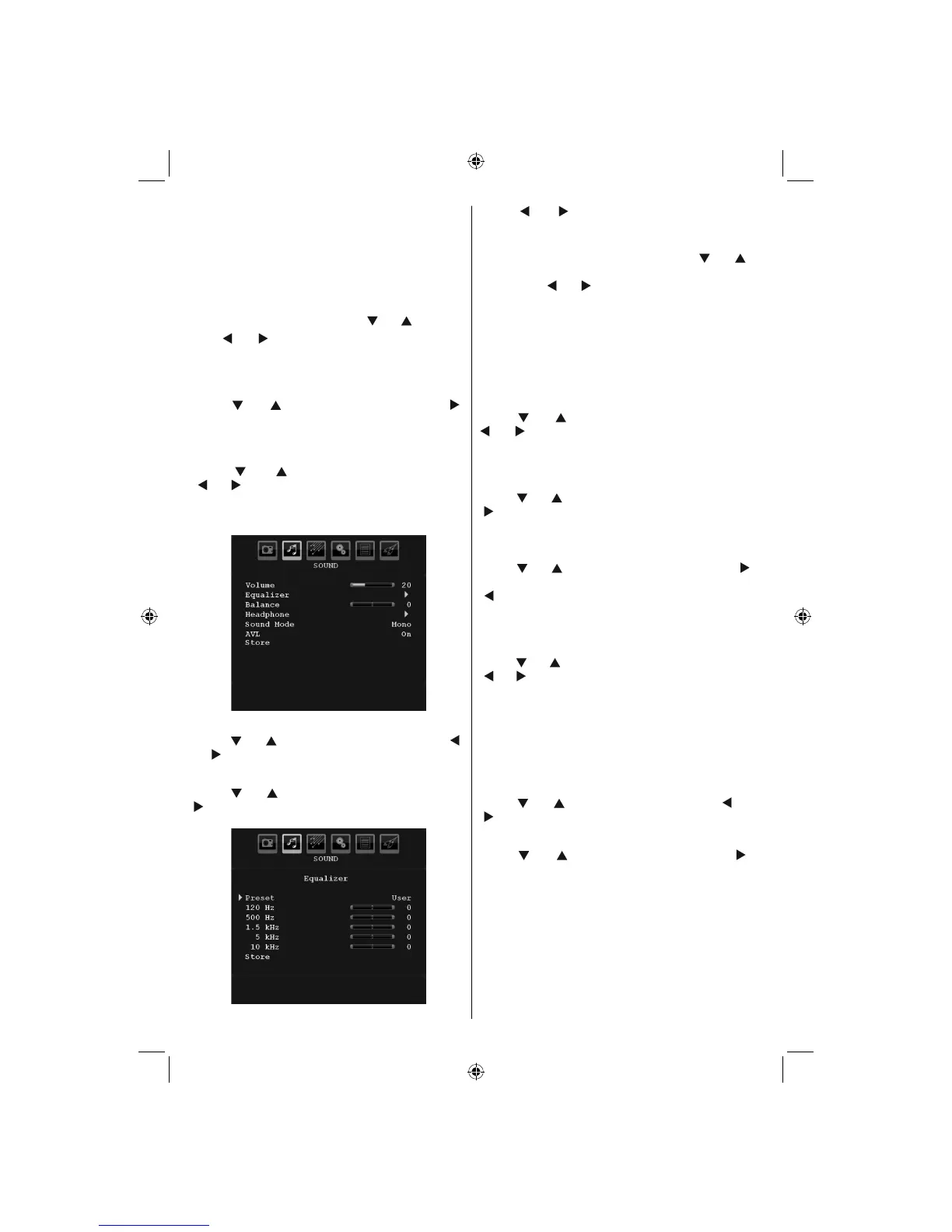
Sound Menu
Volume
Press “ ” or “ ” button to select Volume. Press “ ”
or “ ” button to change the level of the Volume.
Equalizer
Press “ ” or “ ” button to select Equalizer. Press “
” button to view equalizer menu.
Press “ ” or “ ” button to change the preset. In
equalizer menu, the preset can be changed to Music,
Movie, Speech, Flat, Classic and User.
Select the desired frequency by pressing “
” or “ ”
button and increase or decrease the frequency gain
by pressing “ ” or “ ” button.
Press the
“MENU” button to return to the previous
menu.
Note: Equalizer menu settings can be changed only when
the Equalizer Mode is in User.
Balance
This setting is used for emphasizing left or right
speaker balance.
Press “
” or “ ” button to select Balance. Press “
” or “ ” button to change the level of the balance.
Balance level can be adjusted between -32 and +
32.
Headphone
Press “ ” or “ ” button to select Headphone. Press
“ ” button to view the headphone menu.
Headphone sub-menu options are described below:
Volume
Press “ ” or “ ” button to select Volume. Press “
” button to increase headphone volume level. Press
“ ” button to decrease headphone volume level.
Headphone volume level can be adjusted between
0 and 63.
Sound Mode
Press “ ” or “ ” button to select Sound Mode. Using
“ ” or “ ” button, you can select Mono, Stereo, Dual I
or Dual II mode, only if the selected channel supports
that mode.
AVL
Automatic Volume Limiting (AVL) function adjusts the
sound to obtain fi xed output level between programmes
(For instance, volume level of advertisements tend to
be louder than programmes).
Press “
” or “ ” button to select AVL. Press “ ” or
“ ” button to set the AVL as On or Off.
Store
Press “ ” or “ ” button to select Store. Press “ ”
or OK button to store the settings. “Stored...” will be
displayed on the screen.
02_MB45M_[GB]_5110UK_PVR_IDTV_SILVER8_(psm)_32843W_10071150_50180023.indd 2502_MB45M_[GB]_5110UK_PVR_IDTV_SILVER8_(psm)_32843W_10071150_50180023.indd 25 25.11.2010 13:11:1525.11.2010 13:11:15



 To Next Page