English - 47 -
For more information on this process, see “Install Menu”
section.
Note: For proper functioning of digital teletext in DTV mode, you
should set country as UK in analogue AUTO PROGRAM (for UK
broadcasts only).
Do not turn off the TV while initializing fi rst time installation.
General Operation
Press the “SOURCE” button on the remote control and
select DTV/USB to switch the TV set to digital terrestrial
television broadcasting.
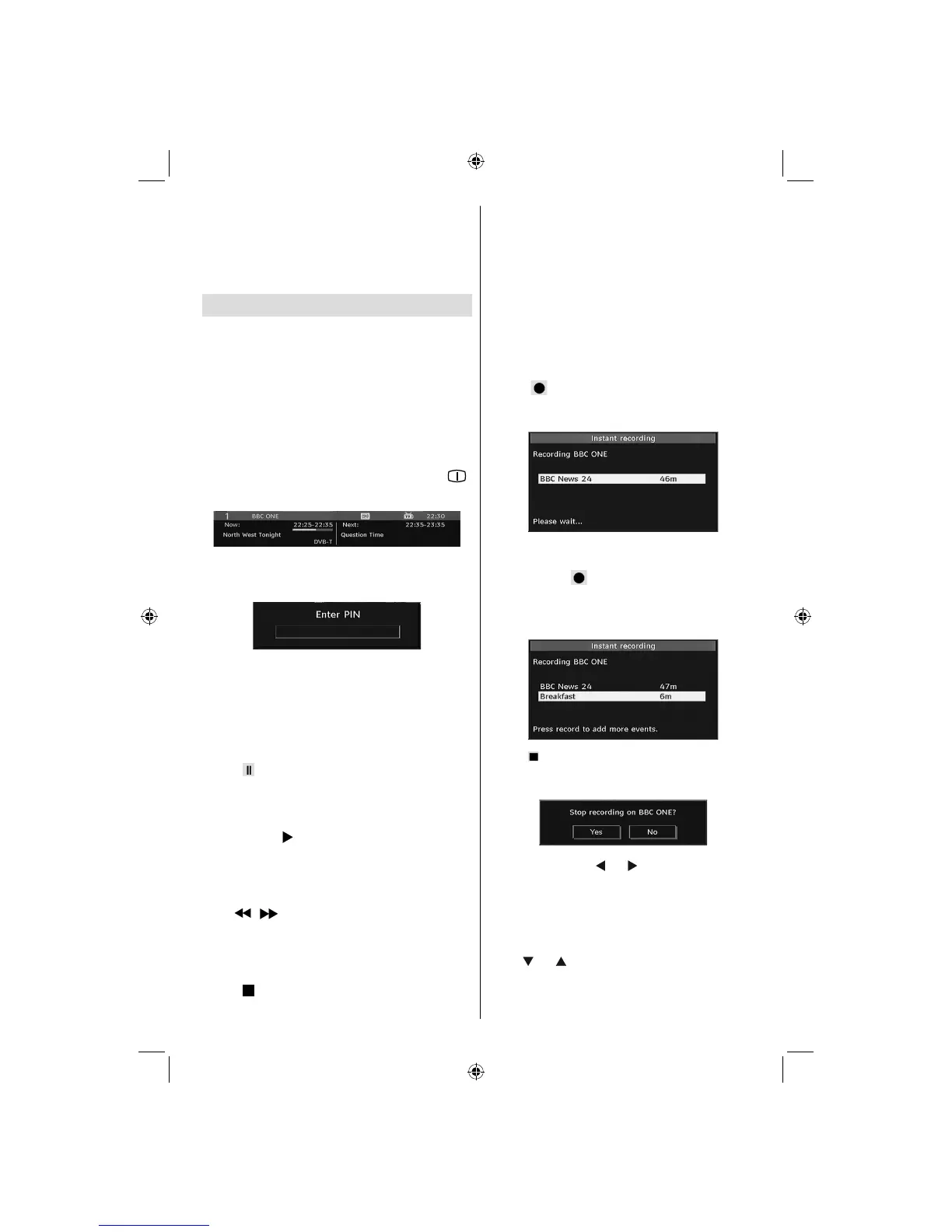
Information Banner
• Whenever you change channel, using the P- / P+ button
or the numeric buttons, the TV displays the broadcast
picture along with an information banner at the bottom
of the screen (available only in DTV mode). This will
remain on the screen for a few seconds.
• The information banner can also be displayed at any
time while watching TV by pressing the
“INFO/ ”
button on the remote control:
If the selected channel is locked, you must enter the
correct four numeric code to view the channel. “Enter
PIN” will be displayed on the screen in such a case:
Timeshifting
IMPORTANT: To record a programme, you should first
connect a USB disk to your TV while the TV is switched off.
You should then switch on the TV to enable recording feature.
Otherwise, recording feature will not be available.
• Press (PAUSE) button while watching a
broadcast for switching to timeshifting mode.
• In timeshifting mode, the programme is paused
and simultaneously recorded to the connected USB
disk (*). Press “
” (PLAY) button again to watch the
paused programme from the stopped moment.
• This playback is performed in x1 playback speed.
You will see the timeshift gap between the real and
the timeshifted programme in the info bar.
• Use
/ (PREVIOUS/NEXT) buttons to move
forward or backward on timeshift playback. When
the timeshift is reached, timeshifting mode will be
quitted and you will switch back to watching normal
broadcast.
• Press
(STOP) button to quit timeshifting mode.
(*) Similtaneous timeshifting recording’s duration
depends on your connected USB disk’s file size
and defined Max. Timeshift in the Recordings
Confi guration menu. See the section, “Recordings”
for more information on setting Max. Timeshift.
Note: Switching to a different broadcast or source; and viewing
main menu are not available during the timeshifting.
Instant Recording
IMPORTANT: To record a programme, you should first
connect a USB disk to your TV while the TV is switched off.
You should then switch on the TV to enable recording feature.
Otherwise, recording feature will not be available.
• Press (RECORD) button to start recording an
event instantly while watching a programme. The
following OSD appears on the screen:
• Record OSD will then be displayed for a short time
and the current event will be recorded.
• You can press
(RECORD) button on the remote
control again to record the next event on the EPG. In
this case, OSD will display the programmed events
for recording.
• Press (STOP) button to cancel instant recording.
The following OSD will be displayed:
Select Yes by using “ ” or “ ” / OK buttons to cancel
instant recording.
Note: Switching to a different broadcast or source; and viewing
Media Browser are not available during the recording.
Watching Recorded Programmes
In the main menu, highlight Recordings Library item by
using “ ” or “ ” button and press OK button to enter.
Recordings Library will then be displayed.
02_MB45M_[GB]_5110UK_PVR_IDTV_SILVER8_(psm)_32843W_10071150_50180023.indd 1202_MB45M_[GB]_5110UK_PVR_IDTV_SILVER8_(psm)_32843W_10071150_50180023.indd 12 25.11.2010 13:11:0725.11.2010 13:11:07



 To Next Page