2017/06 Rev. 2.0 97 EN
OptiBean (XL) Touch
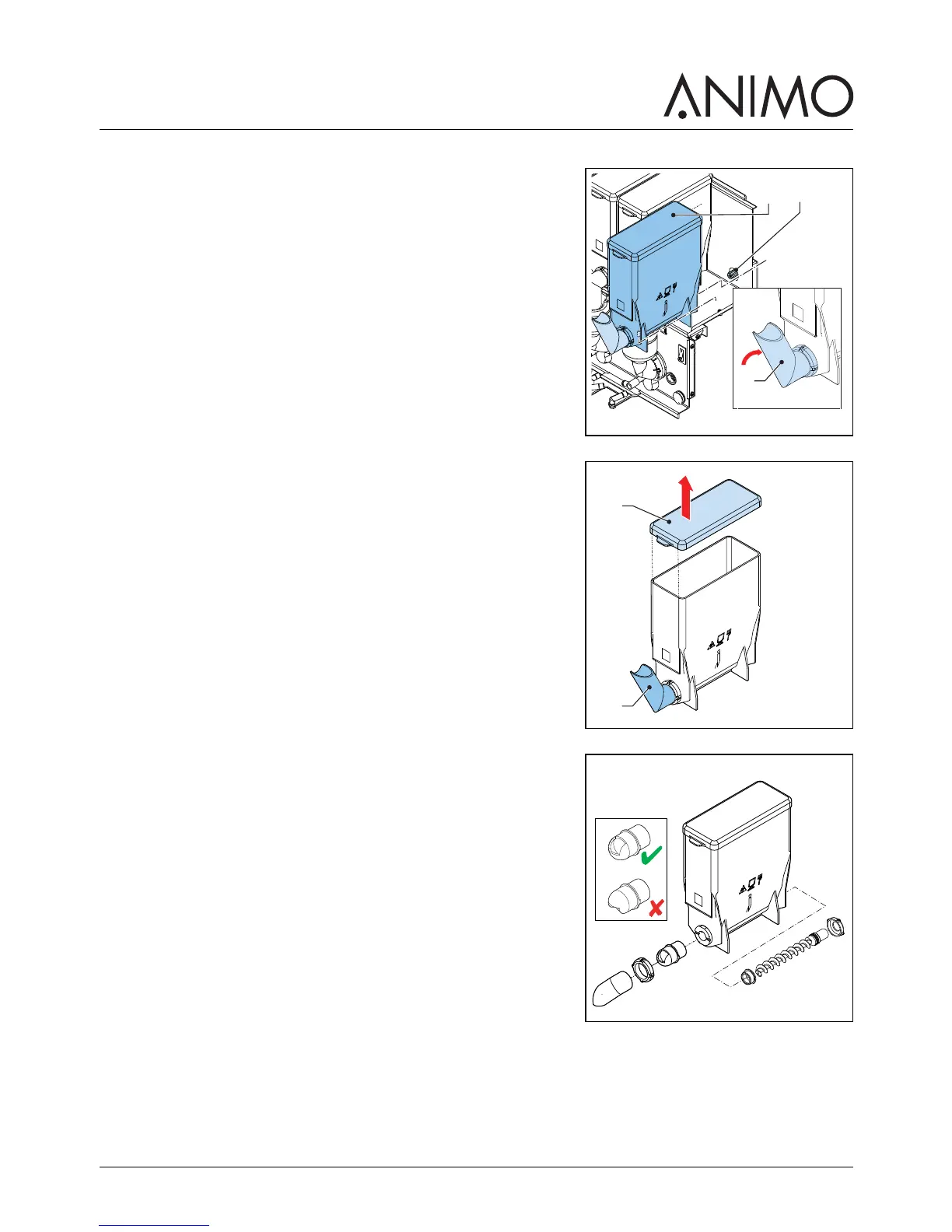
5.2.13 Cleaning the instant canisters
1 Open the machine door.
2 Turn the canister’s outlet upwards (A).
3 Lift the canister from the socket and pull it out (B).
4 Remove the cover (C).
5 Clean the instant canister and its parts.
6 Dry the parts thoroughly.
7 Replace the cover.
8 Replace the canister into the socket.
9 Turn the canister’s outlet (A) downwards.
10 Make sure the canister locks into place with the pin in the
hole.
11 Close the machine door.



 To Next Page