13
Measurement
Averaging Measurement
1. Clean the connector of an optical fiber and connect it to the
measurement port.
2. Press
.
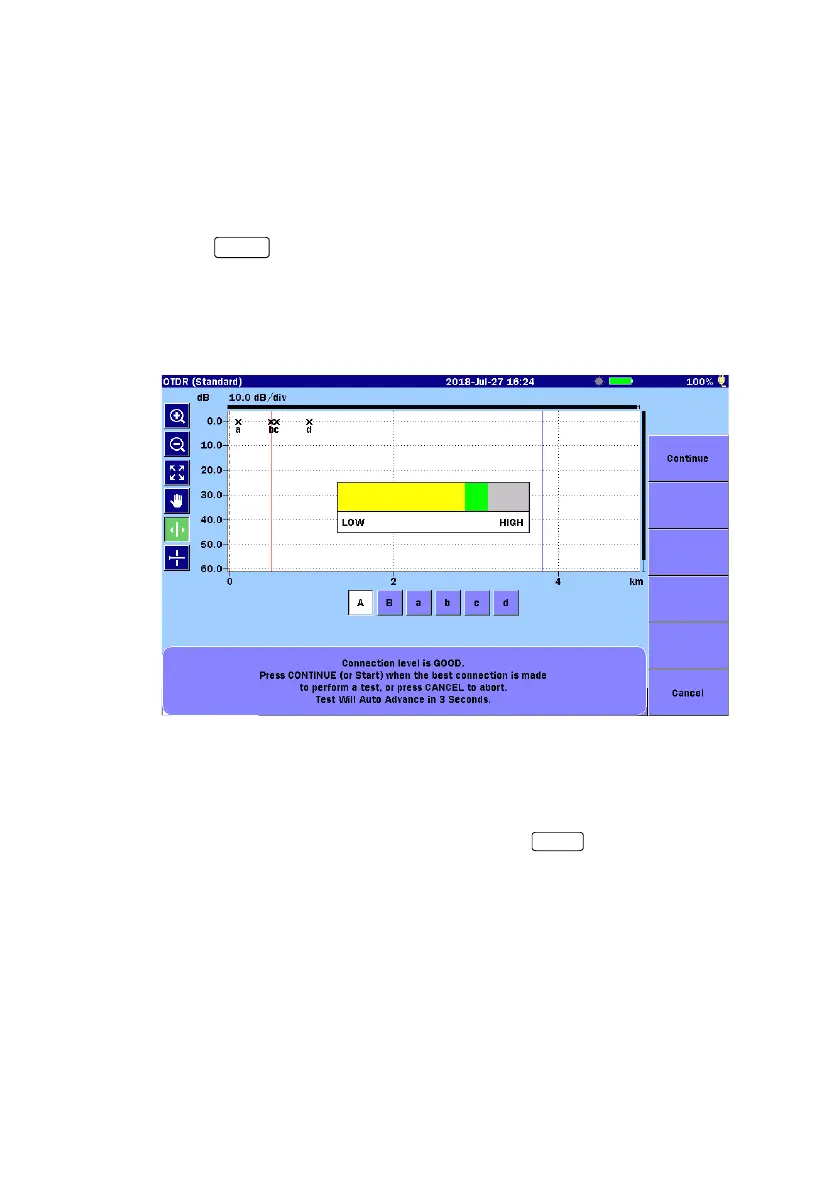
3. When, in “
Preferences (1-2)”, Connection Check is set to On, the
ACCESS Master checks whether the optical fiber is correctly
connected.
4. If the connection is not good (the gauge is displayed in red or
yellow), disconnect the optical fiber from the measurement port and
clean its connector.
5. To run the test, touch
Continue or press
.
6. While the measurement is in progress, the progress bar appears on
the screen and the LED indicator on the front panel flashes.
7. When the measurement has completed, results (loss, reflectance,
and others) are displayed.
Realtime Measurement
1. Clean the connector of an optical fiber and connect it to the
measurement port.


 To Next Page