26
Loading File
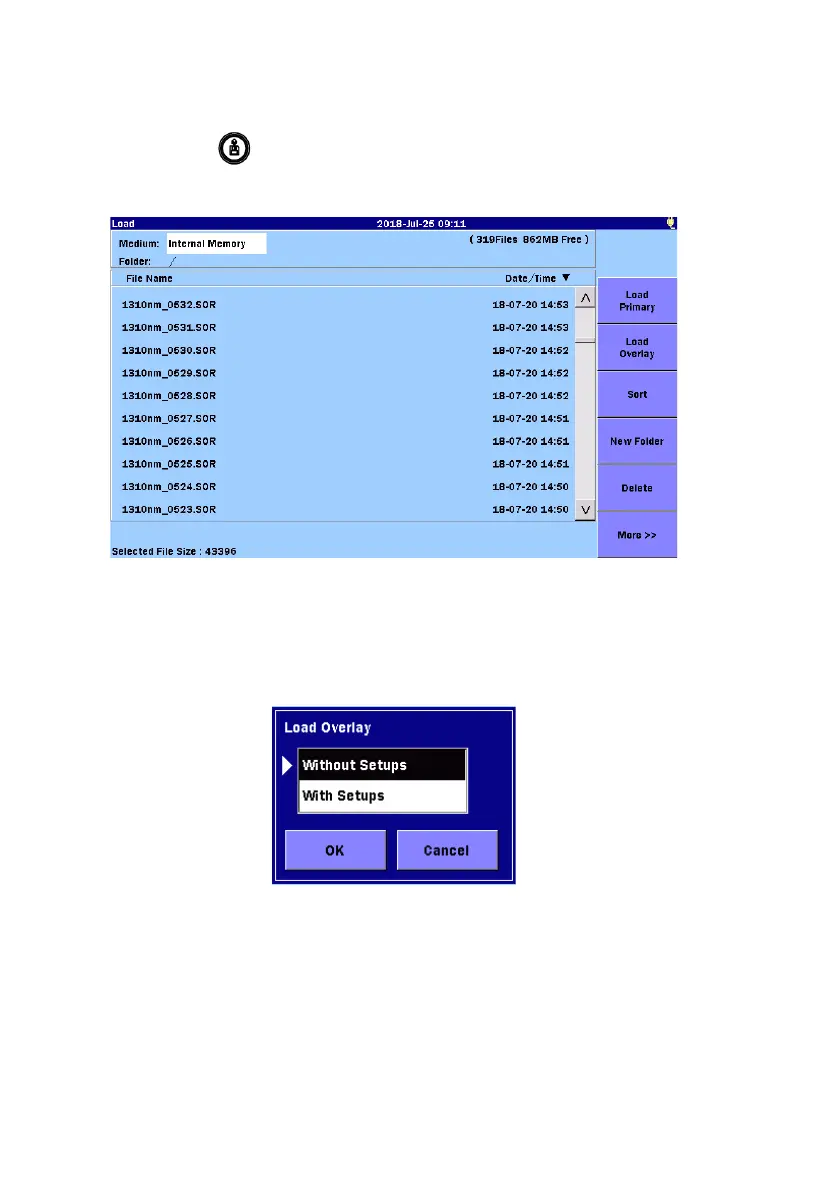
1. Press
Load
.
2. Touch the file name to select it.
3. To display the file as primary trace, touch
Load Primary.
To display the file as overlay, touch
Load Overlay.
4. A dialog box is displayed. Touch the loading method to be selected,
and then touch
OK.
Without Setups
Only waveform data is loaded.
With Setups
The waveform data and setups when the waveform has been
measured are loaded, and setups on the ACCESS Master are
changed. The following setups are loaded.


 To Next Page