15
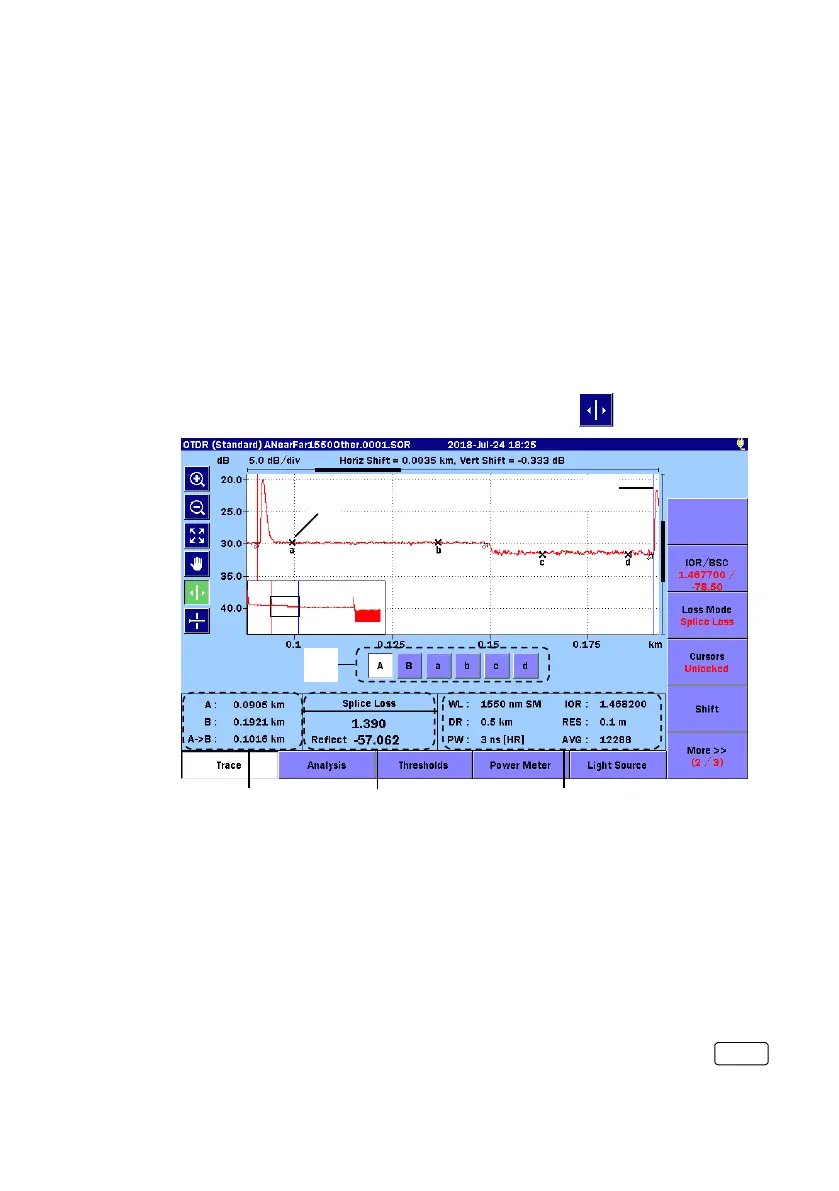
Two setting methods of cursors and markers to analyze the trace are
provided:
Movement and Placement.
The setting method of markers can be set by
Marker Mode of
Preferences (2-2) (12 page).
Trace
Movement
When set to Movement, Cursor A, Cursor B and Markers a to d are
displayed.
When set to
Movement, you can move the selected active cursor or
marker by turning the rotary knob or by touching
.
[1] Marker
[2] Cursor
[3] Cursor and Marker buttons
A, B: Selects an active cursor.
a to d: Selects an active marker. These are available if Loss
Mode is set to Splice Loss, 2-Pt LSA or dB/km LSA.
You can also toggle the active cursor and marker by pressing
.



 To Next Page