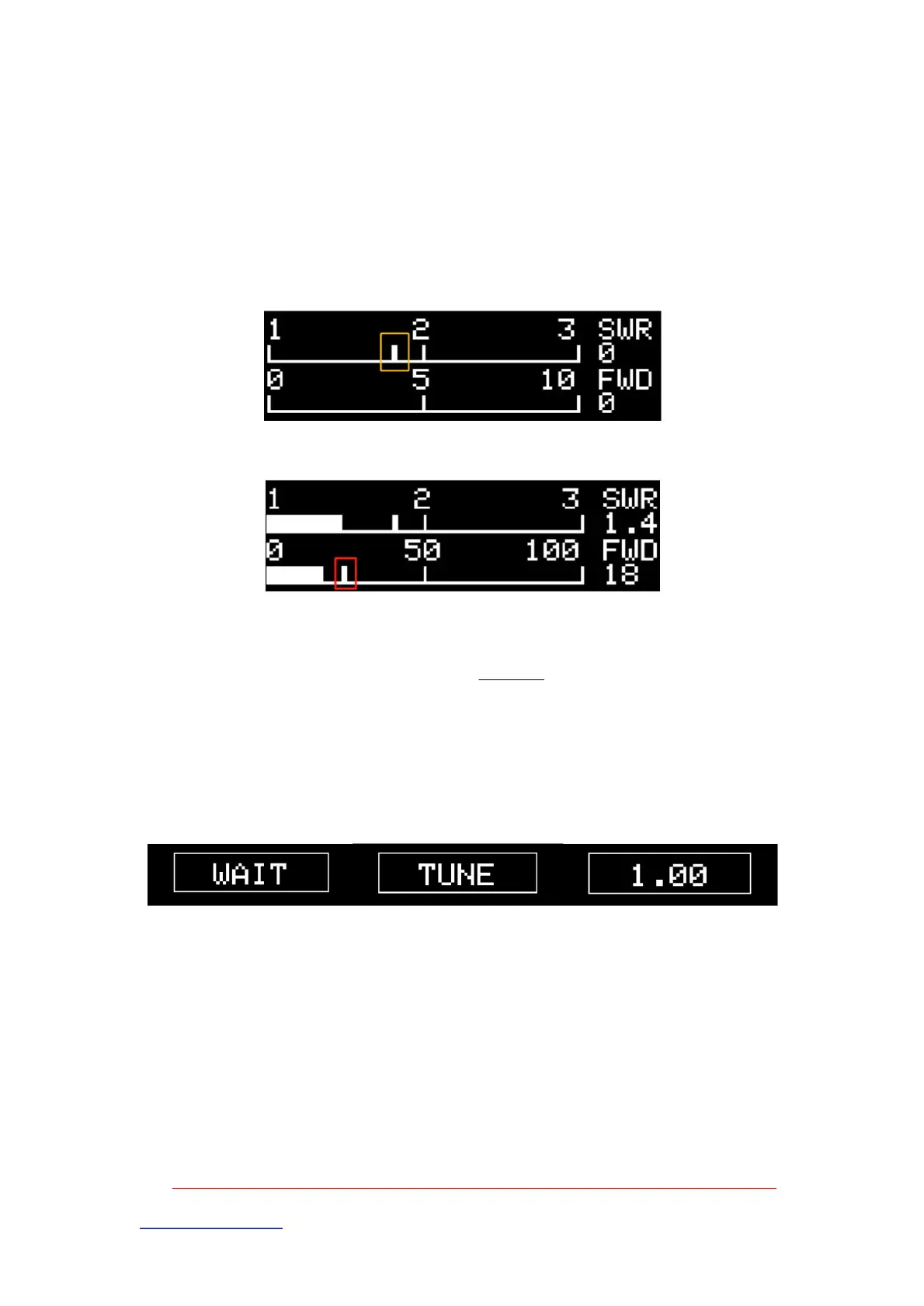
For the modification of starting the tuning standing wave 1.80 and stopping tuning the standing wave 1.10, please refer to the modification and adjustment in chapter 3.5 of advanced operation
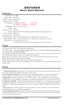
, it will automatically enter the tuning state, and the screen will display "WAIT" as shown in the figure below, waiting for the radio to transmit.
The user can determine whether there is a white scale between 1.0-2.0 of the standing wave bar (as shown in the yellow area in the figure above).
Note: Please make sure that the radio is in FM mode, low power and good antenna feed system when tuning. For details, refer to
good combination.
At this time, if the user keeps the radio transmitting state, you can observe the current standing wave value and power value, when the standing wave value ÿ 1.80
The proof is completely absorbed. Until the current standing wave ÿ [ TUNE STOPSWR ] is detected, it is considered that the most
When standing wave < 1.10, stop tuning and the screen will display the lowest tuning value "1.00"
The yellow mark is the peak power, which is the maximum power value after continuous acquisition [ FIX AVG ] times.
When the signal continues to be transmitted, the screen will display "TUNE" and the relay is being tuned, and the day tuner will automatically tune to the cutoff set by the system
[ TUNE AUTOSWR ] and [ TUNE STOPSWR ] parameters.
The automatic tuning function is turned on, and the standing wave value position is adjusted.
ÿ
http://www.antuner.com
ANTUNER only researches ultra-small, portable radio peripherals, and completely develops software and hardware at the bottom
BI3QWQ
The white line marked in yellow is the starting wave standing wave value
The white line marked in yellow is the peak power
Standing wave value of waiting signal, tuning, tuning result
Machine Translated by Google



 To Next Page