PAGE 12 AR7030 OPERATING MANUAL
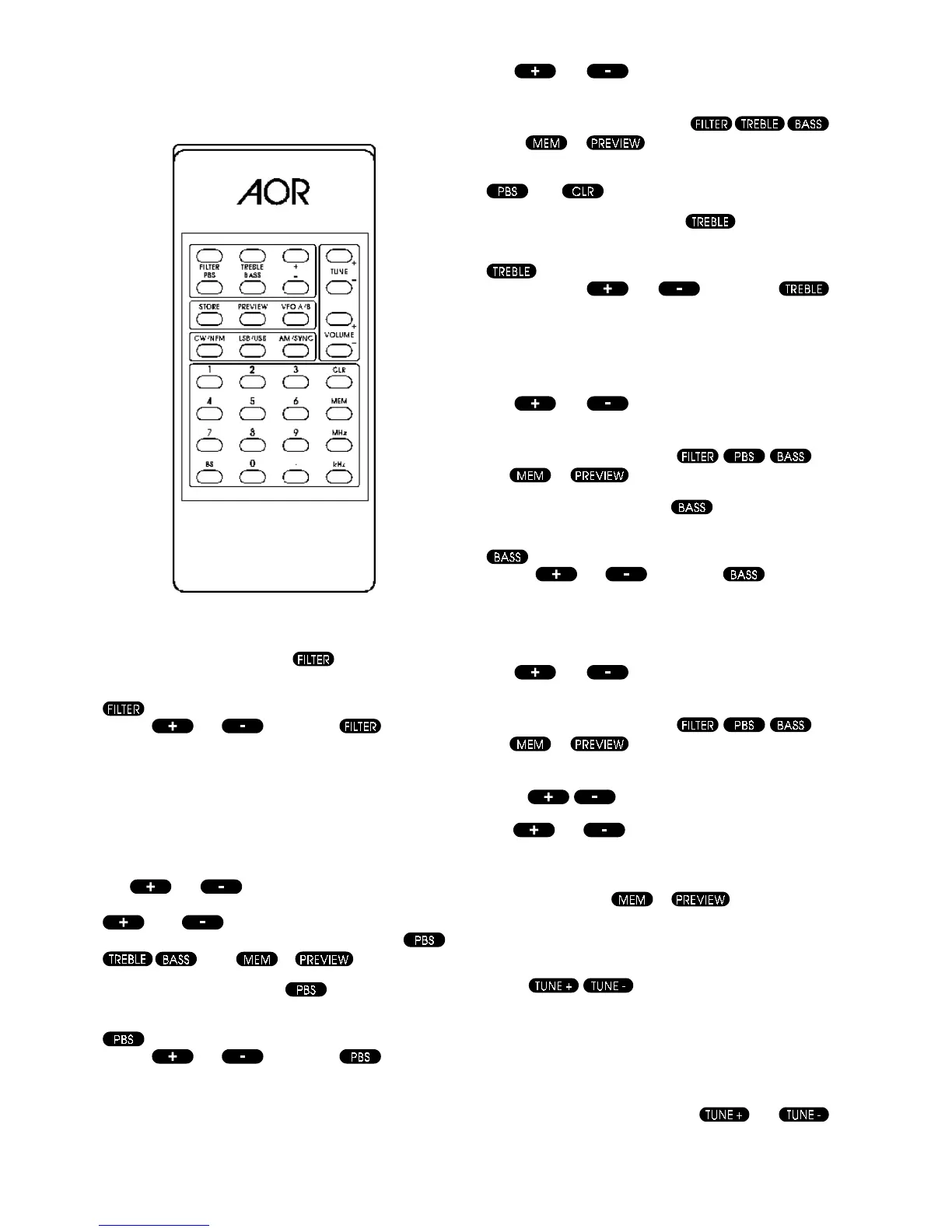
Infrared controller
5-24 Filter change key
One of a group of six keys contained within an outline, the
key chooses filter selection for subsequent change
with the
and keys. When is pressed
the receiver briefly displays the legend Filter along with
the sequence number (1 to 6) of the current filter (the
standard receiver displays 1 to 4 because it is fitted with 4
filters). This message is displayed for about 5 seconds
then the display returns to its previous condition.
For example, if the narrowest filter (2.2 kHz as standard)
is currently selected, the display will show Filter 1
The
and keys can be used to step through
the available filters with the display confirming the selection.
and will continue to modify the filter
selection until one of the other change keys
or the or key is pressed.
5-25 PBS change key
One of a group of six keys contained within an outline, the
key selects passband shift for subsequent change
with the
and keys. When is pressed
the receiver briefly displays the legend PBS along with
the current shift value in kHz (-4.2 to +4.2 with 0.0 indicating
no shift). This message is displayed for about 5 seconds
then the display returns to its previous condition.
The
and keys can be used to increase or
decrease the passband shift value with the display
following the changes, and will continue to modify PBS
until one of the other change keys
or the or key is pressed.
The PBS can be quickly turned off (set to zero) by pressing
then .
5-26 Treble change key
One of a group of six keys contained within an outline, the
key selects treble audio tone for subsequent
change with the
and keys. When
is pressed the receiver briefly displays the legend Treb
along with the current value in dB (-8 to +8 with +0
indicating a flat response). This message is displayed for
about 5 seconds then the display returns to its previous
condition.
The
and keys can be used to increase or
decrease the treble tone value with the display following
the changes, and will continue to modify treble tone until
one of the other change keys
or
the
or key is pressed.
5-27Bass change key
One of a group of six keys contained within an outline, the
key selects bass audio tone for subsequent change
with the
and keys. When is pressed
the receiver briefly displays the legend Bass along with
the current value in dB (-9 to +9 with +0 indicating a flat
response). This message is displayed for about 5 seconds
then the display returns to its previous condition.
The
and keys can be used to increase or
decrease the bass tone value with the display following
the changes, and will continue to modify bass tone until
one of the other change keys
or
the
or key is pressed.
5-28 Increase and decrease keys
The and keys are contained within a group
of six and are used to change the selected filter or values
of PBS or tone control settings (see above). They can
also be used to step through the frequency memories if
used after either the
or keys have been
pressed. These keys will auto-repeat if held down for more
than half a second.
5-29 Tune-up and Tune-down keys
These two keys allow the receive frequency to be varied
(tuned) upwards or downwards in any selected step size
between 2.7 Hz and 50 kHz. These keys will auto-repeat
if held down for more than half a second.
The step size is set by entering a frequency via the keypad
of 50 kHz or less. Tuning using the
and
keys can be done in addition to using the main dial.



 To Next Page