AR7030 OPERATING MANUAL PAGE 29
The sleep time will count down to zero, when the radio
will switch off. The receiver can still be tuned, modes
changed and volume adjusted. To cancel the sleep timer
press the
or buttons. The sleep timer is
synchronised to the clock so that it changes when the clock
seconds are at zero. For this reason one minute is added
to the run time so that the set doesn’t switch off too soon.
Setting the timer for automatic switch-on: The switch-
on timer is set in 24-hr format and, if armed, will turn the
receiver on when its setting matches the clock time. Once
the receiver is switched on, the sleep timer is invoked to
turn the set off again after the required run period.
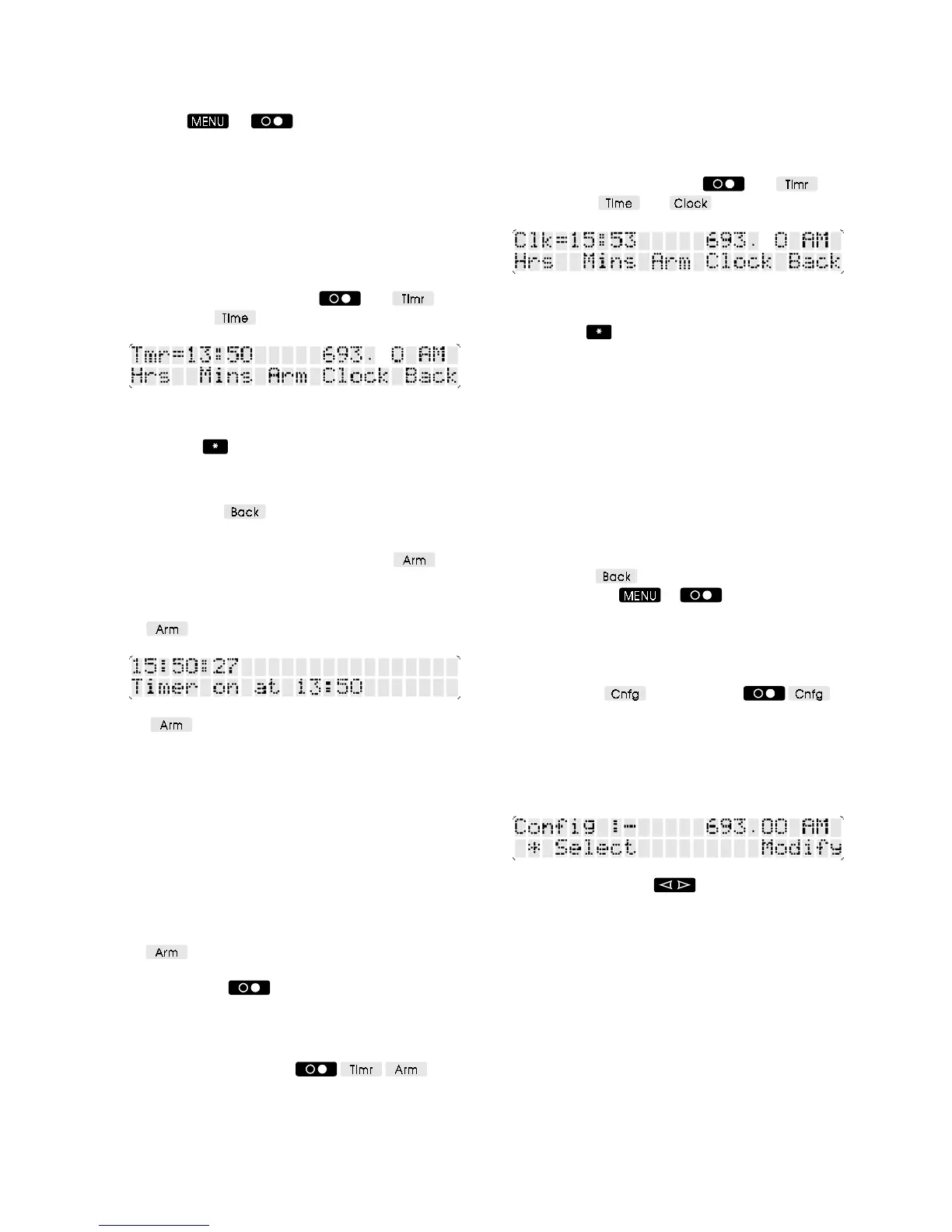
Select the TIMER menu (press
and ) and
then press the
soft-key.
The timer time (switch-on time) is shown at the top left as
Tmr=hh:mm. The time can be set using the spin-wheel -
pressing the
button changes between setting hours
and setting minutes.
If you have not yet set the run time, go back to the previous
menu (press the
soft-key) and use the spin-wheel.
(See above - setting the sleep timer).
When start and run times are set, press the
soft-
key to enable the timer switch-on. The receiver will turn
off but will be switched on again at the appointed hour.
Receiver settings at switch-on will be the same as when
the
soft-key was pressed.
The soft-key is available in both TIMER menus so
it doesn’t matter whether you select switch-on time or run
time first.
Note: For correct timer operation the external supply must
be left connected to the receiver. If the supply is
disconnected and then re-connected before the start time
the timer will operate correctly, but the Timer on at ...
message will not be displayed. The timer will not operate
correctly if power is not restored before the start time.
Note: If the receiver is switched on manually before the
start time then the timer arming is cancelled. To continue
with timer operation the receiver
must
be switched off using
the
soft-key. Timer settings will not have changed.
To cancel a timer setting, simply switch the receiver on
and off using the
button.
The timer will only switch the receiver on once - it will not
repeat daily unless it is re-armed. The settings, however,
remain unchanged so for daily operation all that is needed
is to switch the set off using
.
9-3 Setting the clock
The real-time clock is set in 24-hr format - you can set it to
local time or UTC depending on your needs, but if you
use the timer then that must be set to the same time
standard.
Select the TIMER menu (press
and ) and
then press the
and soft-keys.
The current clock time is shown at the top left as
Clk=hh:mm. The time can be set using the spin-wheel -
pressing the
button changes between setting hours
and setting minutes. The clock display is constantly
updated from the internal clock - there is no need to rush
through the setting for fear that the clock has been
stopped.
Whenever the
minutes
are changed the seconds count is
set to zero. To set the clock accurately to a time signal
make sure that you turn the spin-wheel (adjusting minutes)
as the signal occurs. If the displayed time is correct you
can go on and then back by one minute - this will leave
the time correct but zero the seconds. Hours can be
changed without affecting the minutes or seconds of the
clock.
Pressing the
soft-key will return you to timer
settings, pressing
or buttons will return to
the SETUP menu.
9-4 Config menu options
The CONFIG menu is selected form the SETUP menu
by pressing the
soft-key (press )
Config :- is displayed at the top left of the LCD and Select
above the spin-wheel. Modify is labelled above two soft-
keys - either can be used to change configuration settings,
and they are used as increase and decrease buttons for
the Aux output levels.
Turning the spin-wheel will produce to following
items. The current setting is shown on the right of the
display. Pressing the soft-keys below the setting will
change it:-



 To Next Page