AR7030 OPERATING MANUAL PAGE 25
you wish this frequency to be overwritten, press .
If you want to keep memory 12 unaltered, then choose
another memory before storing. The next or previous
memories can be selected using the
or
keys (then ), or a new memory number can be
keyed in.
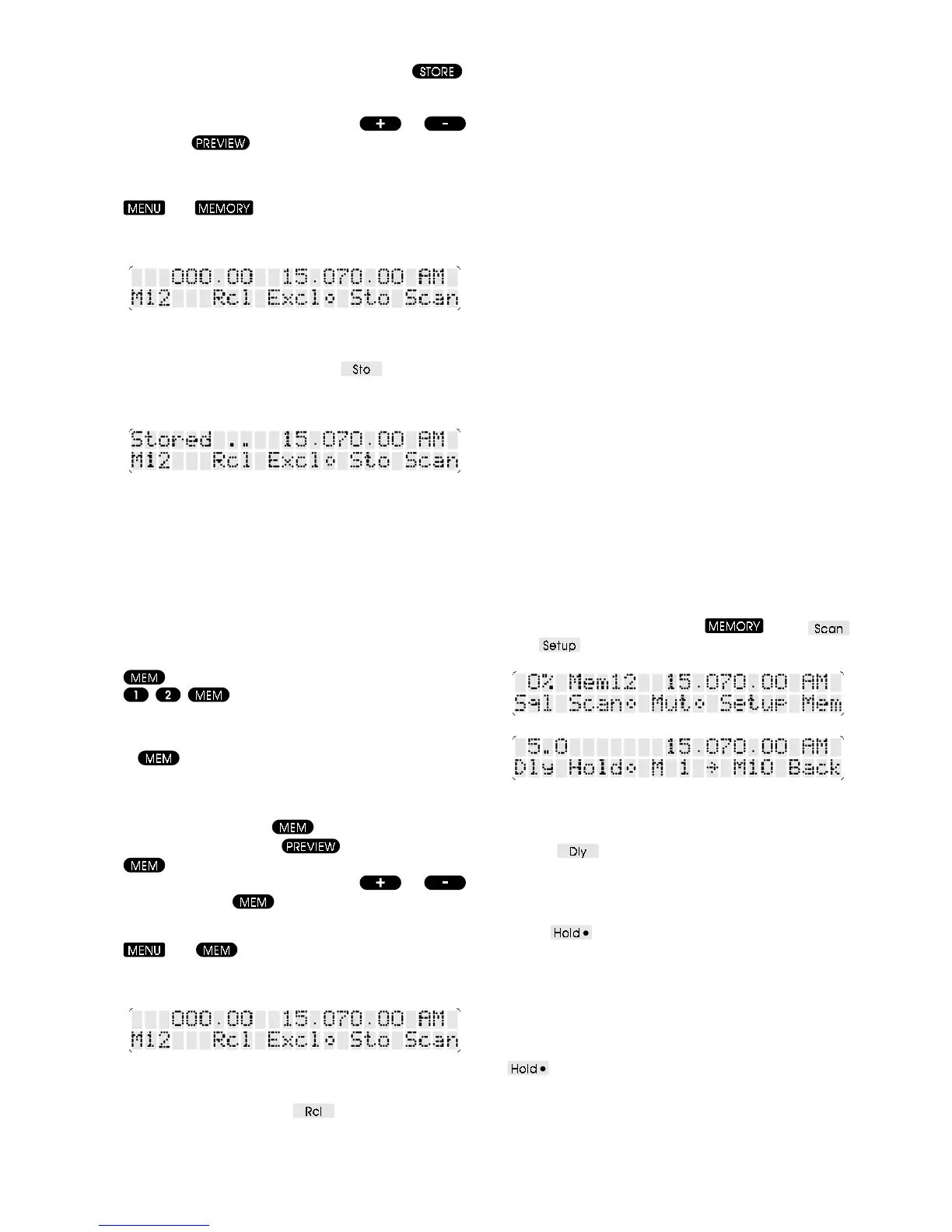
From the front panel choose the MEMORY menu - use
and . The current memory number Mxx
is displayed above the spin-wheel, and a preview of the
memory frequency displayed above that.
Use the spin-wheel to select the desired memory number,
and preview its contents. To store the current VFO data
into the chosen memory, press the
soft-key. The
message Stored .. is briefly displayed at the top left of
the LCD to confirm the operation.
8-3 Recall from memory
When a memory is recalled, its contents are copied into
the active VFO and the receiver is tuned to the memory’s
frequency. After this operation the receiver can be tuned,
mode changed, or any other settings altered without
modifying the memory contents - the only way to change
a memory is with a store operation.
Using the infrared controller, a memory can be recalled
into the VFO by entering the memory number followed by
. For example, to recall memory number 12, press
. The message Mem 12 is briefly
displayed at the top left of the LCD, and the receiver will
tune to the memory frequency to confirm the operation.
If
is pressed without first entering a memory
number then the current memory (the last one referred
to) is recalled, unless the last thing that you did was to
recall the memory. In this case the
next
memory is recalled
- by repeatedly pressing
each memory in turn can
be listened to. After using
to look at a memory,
will recall that memory. The next or previous
memories can be selected using the
or
keys, followed by to recall.
From the front panel choose the MEMORY menu - use
and . The current memory number Mxx is
displayed above the spin-wheel, and a preview of the
memory frequency displayed above that.
Use the spin-wheel to select the desired memory number,
and preview its contents. To recall the chosen memory
data into the VFO, press the
soft-key. The receiver
will tune to the new frequency to confirm the operation.
8-4 Memory scanning
A set of memory channels within the AR7030 can be
automatically recalled and checked for activity - the
receiver uses the squelch setting to determine whether
the frequency is active or dormant. This is referred to as
scanning
. Of course, you need to have stored frequencies
in at least two memory channels for this process to
operate. As each memory channel can retain an individual
squelch level the scanning process can operate even when
some channels are more noisy than others (due to higher
background band noise or interference).
Firstly a block of memory channels to scan is defined (the
default block comprises memories 1 to 10). Unwanted
channels in the block may be excluded from the scan
sequence (but you should leave at least two available
otherwise the scan is pointless). The scan process can
then be started, either at a steady speed (allowing channels
to be monitored manually), or using squelch to pause the
scan on active channels (with continuation when the signal
drops or by manual intervention).
After the scan has worked its way through the block of
memories it will start again at the beginning. This will give
results as expected if the start channel number is lower
than the stop channel number. If, however, the start
channel number is higher than the stop channel the scan
system will work from the start channel up to memory 99
and then from memory 0 up to the stop channel. This
process will then repeat. Scanning cannot be started if
the start and stop channels are the same.
Scanning operation is controlled from the SCAN and
SCAN SETUP menus. Use
then
(and ) to get to these menus.
An explanation of some terms used in the scanning
system:-
DELAY
Sets the
minimum
time that a channel is
monitored before changing to the next channel. It can be
set from half a second to 30 seconds by turning the spin-
wheel.
HOLD
The soft-key legend Hold is followed by a
bullet which indicates the current state. When the bullet is
filled (hold enabled) the receiver will remain tuned to that
channel provided the signal level is above the squelch
threshold (see section 6-12). When the signal level falls,
the delay time will be invoked before the next channel is
monitored. If hold is disabled the receiver will monitor for
the delay time before moving to the next channel. The
soft-key toggles hold mode on and off.



 To Next Page