PAGE 6 AR7030 OPERATING MANUAL
2-5 Infrared remote controller - quick reference
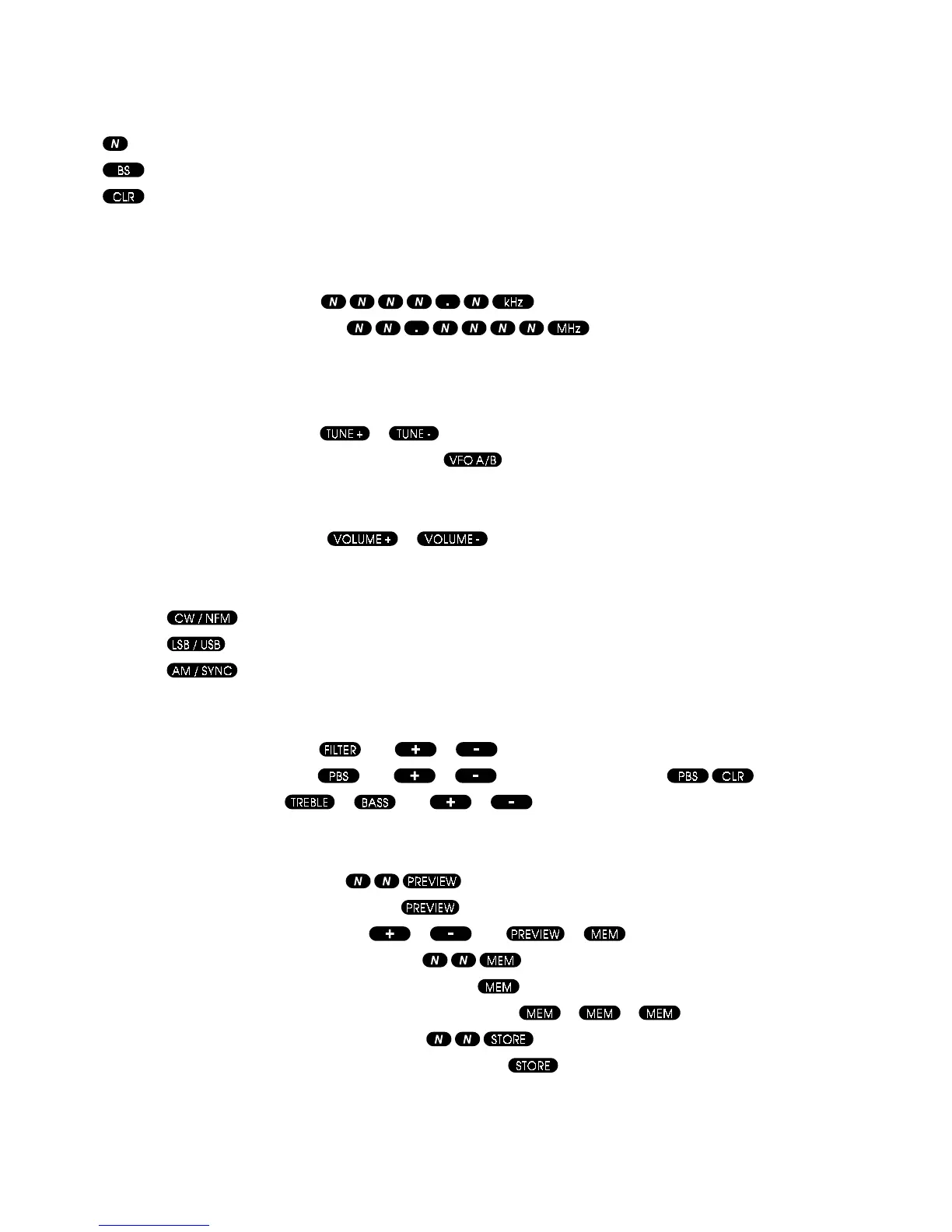
Key
Number key 0 through to 9
Backspace key (deletes last numeric keypress)
Clear key (deletes whole numeric entry)
All keys labelled + or - will auto-repeat if held pressed.
Tuning
To enter a frequency directly, press
OR press
Frequencies can have any number of digits, with or without a decimal point, up to a maximum of 9 characters.
Resolution of entries can be to 1Hz, with the receiver rounding to the nearest tuning step.
Frequencies of 50kHz or less are taken as tuning step size, not as receiver frequency.
To tune the receiver in steps, press
or (step size set as described above).
To switch between active and background VFOs, press
(VFO-A is copied to VFO-B if B is not already set).
Volume
To change the volume setting, press or
Mode
Mode key selects CW mode or NFM mode if CW is already selected.
Mode key
selects LSB mode or USB mode if LSB is already selected.
Mode key
selects AM mode or Sync mode if AM is already selected.
Filters
To change the selected filter, press then or
To move the filter passband, press then or To clear PBS offset, press
To alter the audio tone, press or then or
Memories
To select and preview a memory, press (one or two digits may be entered).
To preview the currently selected memory, press
To select next or previous memories, press or after or have been pressed.
To select and recall a memory (into the VFO), press
(one or two digits may be entered).
To recall the currently selected memory (into the VFO), press
To recall the next (and subsequent) memories (into the VFO), press . . . . etc.
To select a memory and store (from the VFO), press
(one or two digits may be entered).
To store into the currently selected memory (from the VFO), press



 To Next Page