PAGE 24 AR7030 OPERATING MANUAL
7. Finally activate dual VFO by pressing the soft-
key. Scanning can be stopped by pressing this key
again. Whilst scanning you can go to either VFO menu
(using the
and soft-keys) and display
the S-meter (using the
button) - selecting any
other menu will stop scanning, but leave all items set
up ready to start again when required.
The receiver will monitor the second VFO for 1 second
every 15 seconds. Should the VFO containing 5680kHz
become active, the HOLD setting ensures that the receiver
remains on-frequency until the transmission clears and
squelch closes. Many factors affect the way in which dual
VFO operates, particularly if SSB is in use. If the squelch
takes a little while to close each time the VFO is switched,
set AGC to fast on the priority VFO and maybe add some
RF attenuation to the general listening VFO. Problems
usually only occur if there is a very large difference in signal
strengths between the two stations. Squelch flutter can
prevent the receiver from moving off the priority frequency
when there is no channel activity. Increasing the squelch
level and turning MUTE off can often help.
The dual VFO facility is very versatile and powerful. You
will probably find uses for it that the designers never
thought of!
8 Memory facilities
The AR7030 is equipped with 100 frequency memories.
VFO data may be stored in any memory channel, recalled,
previewed, overwritten, and included or excluded from
scanning.
Each memory channel can hold receiver frequency,
IF bandwidth, PBS, squelch setting (in AM, NFM and SSB
modes), and BFO setting (in CW and DATA modes).
Most memory operations (storing, recalling, preview) can
be done either from the front panel or using the infrared
controller. Scanning can only be controlled from the front
panel. Memory channels are never empty, but to start with
they all contain the frequency 000.00 - the AR7030 treats
this as a null frequency and will automatically exclude these
memories from scanning (although they can be recalled).
Storing a new frequency into a memory will overwrite the
previous contents.
See also section 9-1 for setup memories.
8-1 Preview memory contents
Using the infrared controller, a memory frequency can be
previewed (without altering the receiver’s frequency or the
memory contents) by entering the memory number
followed by
. For example, to look at memory
number 12, press
. The frequency in
the memory will be displayed at the top left of the LCD for
about 5 seconds. The
and keys can be
used to move to next or previous memories, which in turn
may be examined with
. After a preview, you
can use the
key to recall the memory or the
key to overwrite it.
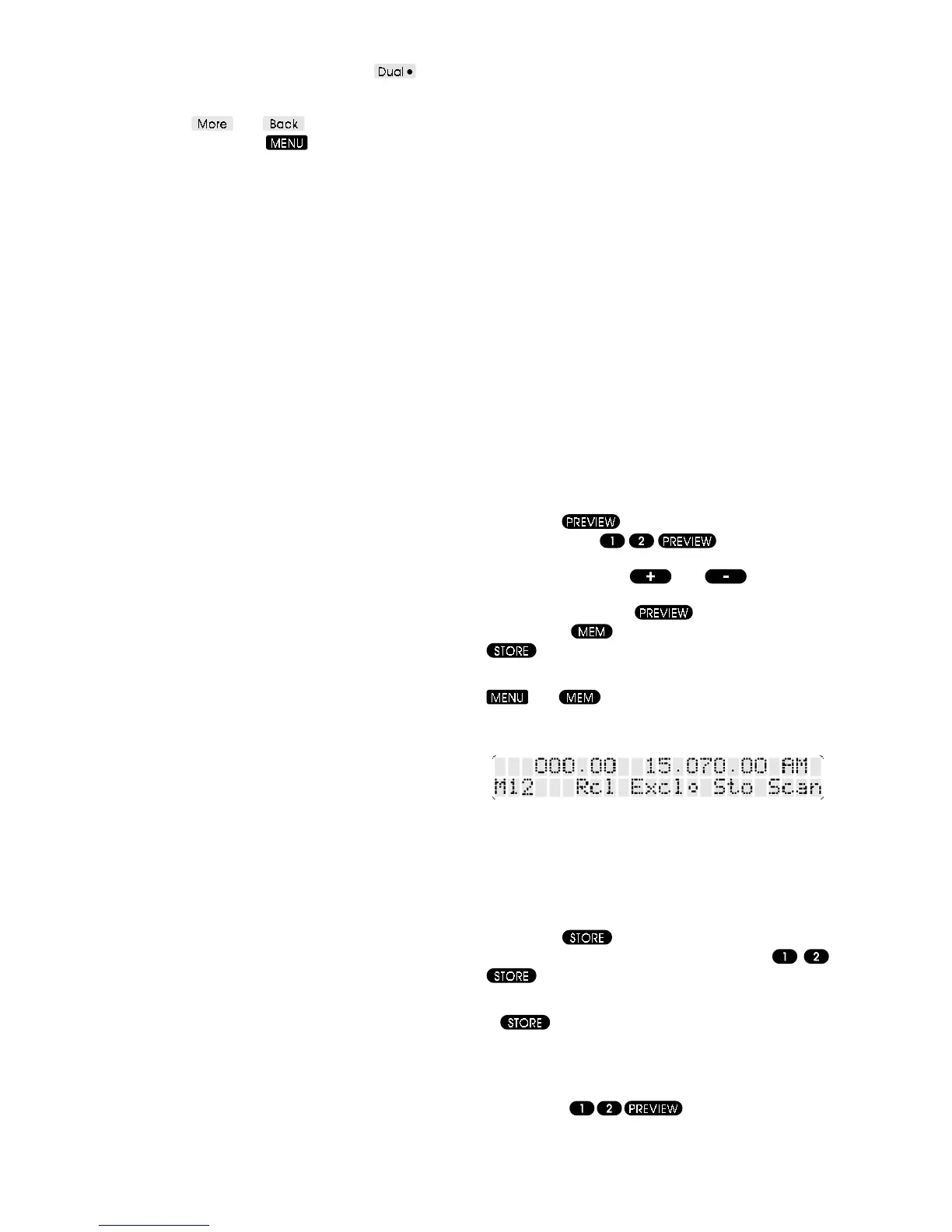
From the front panel choose the MEMORY menu - use
and . The current memory number Mxx is
displayed above the spin-wheel, and a preview of the
memory frequency displayed above that.
Use the spin-wheel to select the desired memory number,
and preview its contents.
8-2 Store into memory
Using the infrared controller, the current VFO settings can
be stored in a memory by entering the memory number
followed by
. For example, to store the current
VFO data into memory number 12, press
. The message Stored .. is briefly displayed at
the top left of the LCD to confirm the operation.
If
is pressed without first entering a memory
number then the current memory (the last one referred
to) is used. This is useful to preview memory contents
before storing, so that you don’t overwrite a frequency
that you want. For example to preview memory 12 before
storing, press
. The frequency currently
in memory 12 is displayed at the top left of the LCD. Should



 To Next Page