PAGE 22 AR7030 OPERATING MANUAL
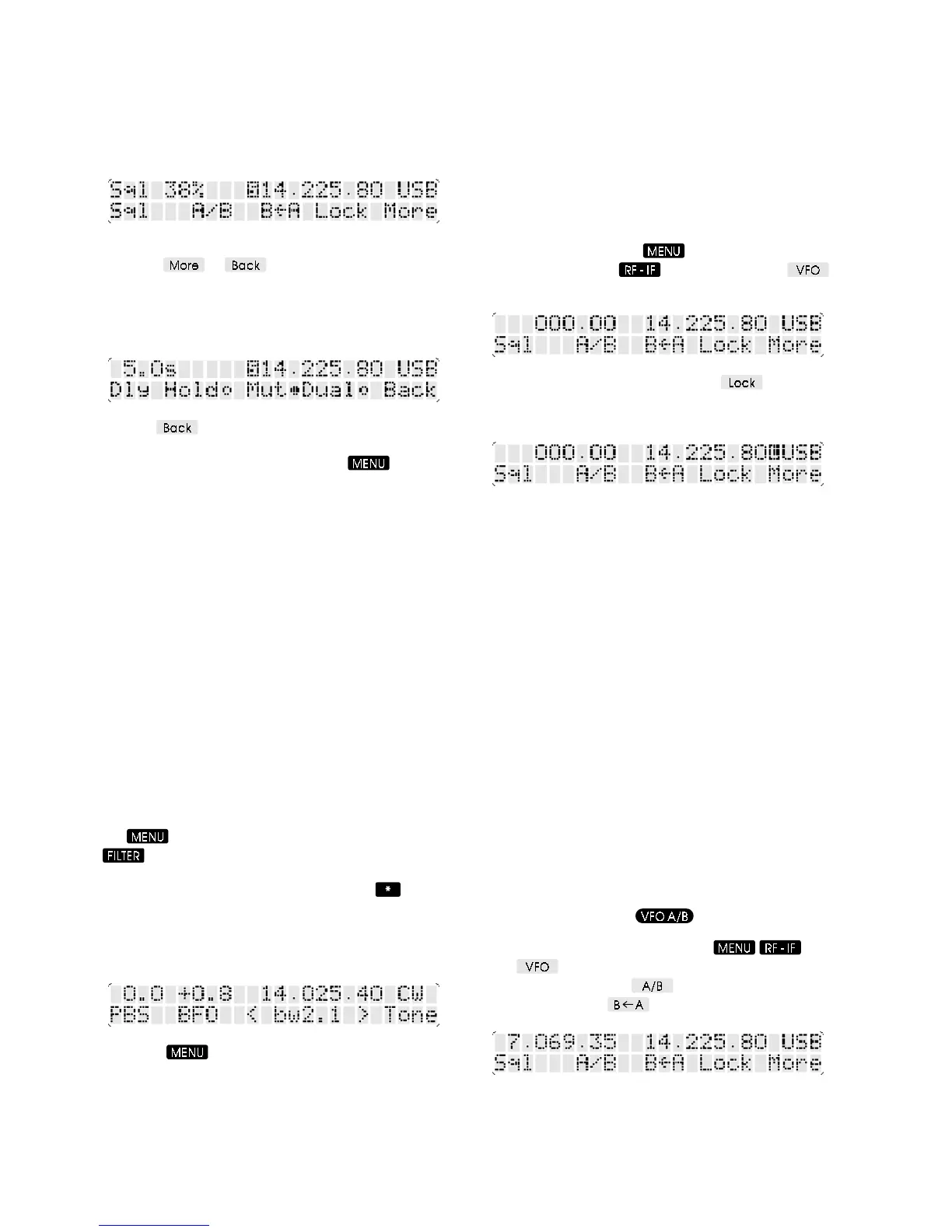
indicating this as the spin-wheel function. When the spin-
wheel is turned, the squelch level (as a percentage) will
be displayed at the top left of the LCD for about 5 seconds.
When the squelch level is advanced above the current
signal strength, a reversed S is displayed to the left of the
frequency readout.
The VFO menu is split into two parts - each can be selected
using the
or soft-keys. In the second part
of the menu there is a soft-key labelled Mut followed by a
bullet. If the bullet is filled (i.e. muting enabled) then audio
will be silenced when squelch is active (reversed S
displayed).
Use the soft-key to return to the first part of the
VFO menu with squelch control on the spin-wheel. To
restore an S-meter display, press the
button -
squelch control will remain available.
6-13 Beat Frequency Oscillator (BFO)
In the CW and DATA reception modes the AR7030 is
equipped with a variable BFO. This allows the pitch of the
resolved signal to be changed without moving the filter
passband relative to the signals being received. For CW
listening the note of the resolved Morse can be set as
desired. In DATA mode the audio fed to a decoder can
be set to the correct frequency without having to de-tune
the receiver. A combination of BFO and PBS settings can
tailor the receiver to almost any signal / decoder
combination, and both settings are stored along with
frequency in the receiver’s memories.
BFO settings default to 800Hz for CW mode and 1.35kHz
for DATA mode - they are adjustable in 33Hz steps.
BFO adjustment is available along with PBS offset from
the receiver’s FILTER menu when either CW or DATA
modes are selected. If the S-meter is not displayed, press
the
button to return to the menu root. Press the
button to choose the FILTER menu - the LCD will
display PBS above the spin-wheel, indicating this as the
spin-wheel function. BFO is shown above the
button,
and pressing this will exchange the PBS and BFO legends,
enabling either setting to be altered by turning the spin-
wheel. The current settings of PBS offset and BFO
frequency appear in the top left corner of the LCD.
Press the button to restore an S-meter display -
PBS and BFO settings will remain available on the spin-
wheel.
7 VFO functions
7-1 Tuning control LOCK
It is possible to lock the main dial to prevent accidental
change of frequency. No other front panel function, infrared
control or computer control operations are affected. The
tuning knob is not mechanically locked, but its rotation is
ignored.
Dial lock is selected from the VFO menu. If the S-meter is
not displayed, press the
button to return to the
menu root. Press the
button and then the
soft-key to choose the VFO menu.
Dial lock is toggled on and off with the soft-key, a
reverse L on the display between frequency and mode
indicates the main dial is locked.
7-2 Selecting VFO-A and VFO-B
The AR7030 has two VFOs, A and B - (Active and
Background). Each VFO holds settings of volume, tone,
receive frequency, reception mode, filter bandwidth, PBS,
BFO, RF attenuator, IF gain, AGC speed, squelch, scan
delay time and scan mode. Only the active VFO can be
tuned. The two VFOs make the AR7030 ideal for chasing
split-frequency / split-band amateur band nets or
comparing short wave transmissions on different
frequencies.
Selection of the active VFO is by swapping the active and
background VFO contents. This can be done either from
the infrared controller or from the front panel VFO menu.
Additionally the active VFO can be copied into the
background VFO, which is very useful for marking a
frequency for later return. If the background VFO has not
been assigned a frequency then a swap operation will
actually result in a copy.
Note: The background VFO data will be lost when power
to the receiver is switched off.
From the infrared controller the contents of the VFOs can
be exchanged using the
button.
From the receiver’s front panel, use
and
then
to choose the VFO menu. VFO contents can
be exchanged using the
soft-key, or VFO-A copied
to VFO-B using the
soft-key.



 To Next Page