© Ikonix USA
46
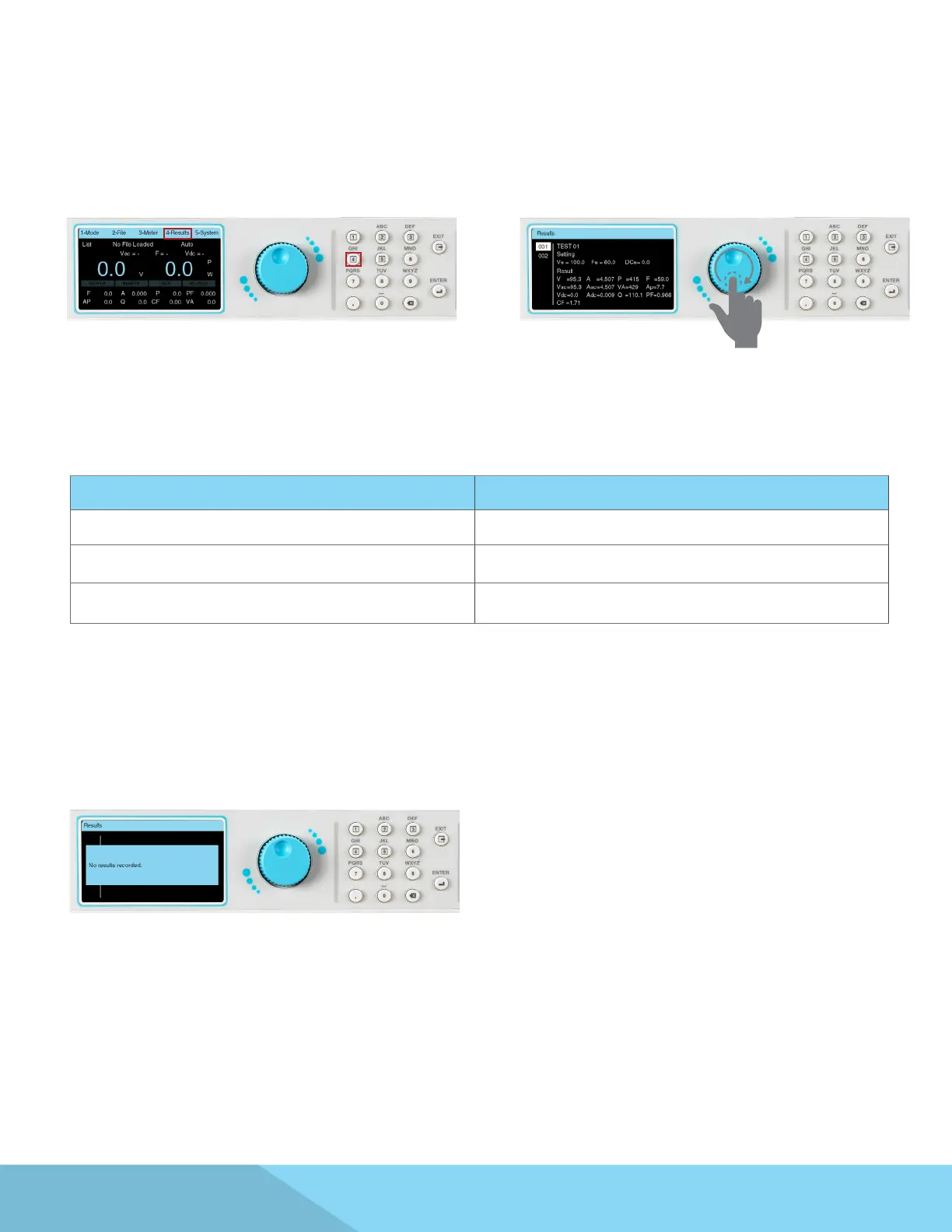
1. The test results are available for viewing in List
Mode only. Users can view the test results once
the test has ended by pressing any key on the
keypad to drop down the menu bar and pressing
the number 4 key on the keypad:
2. The Results screen will appear and the rotary
knob can be used to view the results:
5.6 Results
*Note – If the test times are less than what is described in the table of conditions below, the instrument will
not save the test results due to very short time duration available for storing the results:
Test Frequency Test Time
5 – 10Hz 200ms
10 – 100Hz 100ms
100 – 1200Hz 10ms
3. The test results will be cleared upon powering
OFF the power source. The Results screen will
appear as follows if there are no results available
to be displayed:



 To Next Page