© Ikonix USA
80
9. Calibration Procedure
All Associated Power Technologies (APT) instruments have been calibrated at the manufacturing factory prior to
delivery. The recommended calibration cycle for all APT instruments is every 12 months.
The following meters and accessories will be required to calibrate this instrument:
• A digital multimeter (DMM) that can handle up to 310VAC and 420VDC.
• A digital voltage meter (DVM) that can be programmed to measure in the mV (milli-Volt) range.
• A digital multimeter (DMM) that can handle up to 40A (see specications for maximum current outputs of
specic models).
• Resistive load 3, 5 and 10 Ohms.
Sections 9.1 through 9.5 describe the calibration procedure for this instrument. All instructions for the user
are displayed on the instrument’s screen throughout the calibration procedure. It is important to follow all the
instructions on the screen in order to successfully calibrate this instrument.
9.1 Enter Calibration Screen
This option provides programmable capability to the instrument. It enables the standard USB/LAN ports for
PC/Software control of the instrument. It also adds the LIST, STEP, and PULSE Modes along with the MANUAL
Mode. Additonal meters and functions are also available with this option. See Section 3.1 Specications for
details on the available meters and functions with this option.
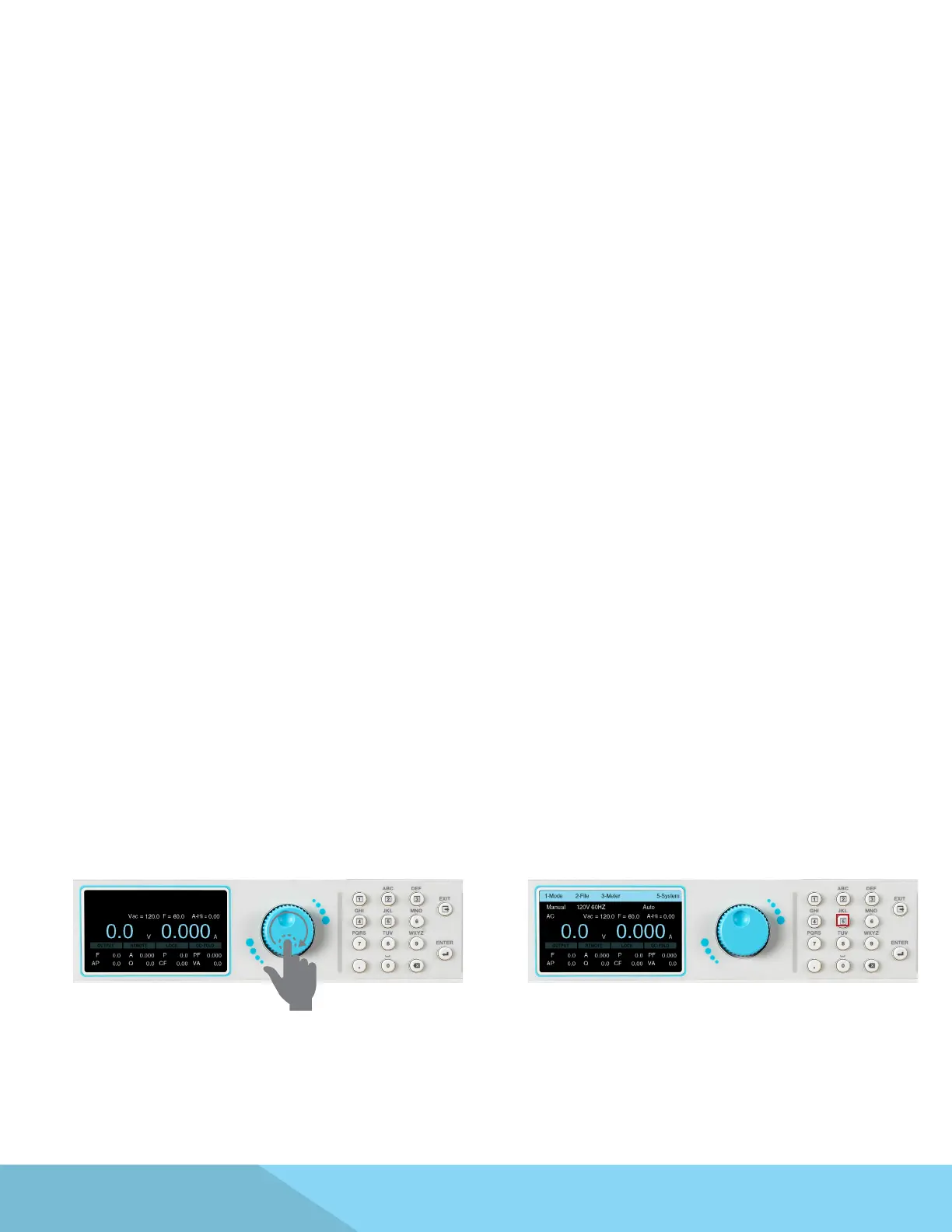
Power on the instrument and press any key or
Rotary knob from the default screen to drop
down the menu bar.
Press the number 5 key on the keypad to enter
the System menu.



 To Next Page