© Ikonix USA
85
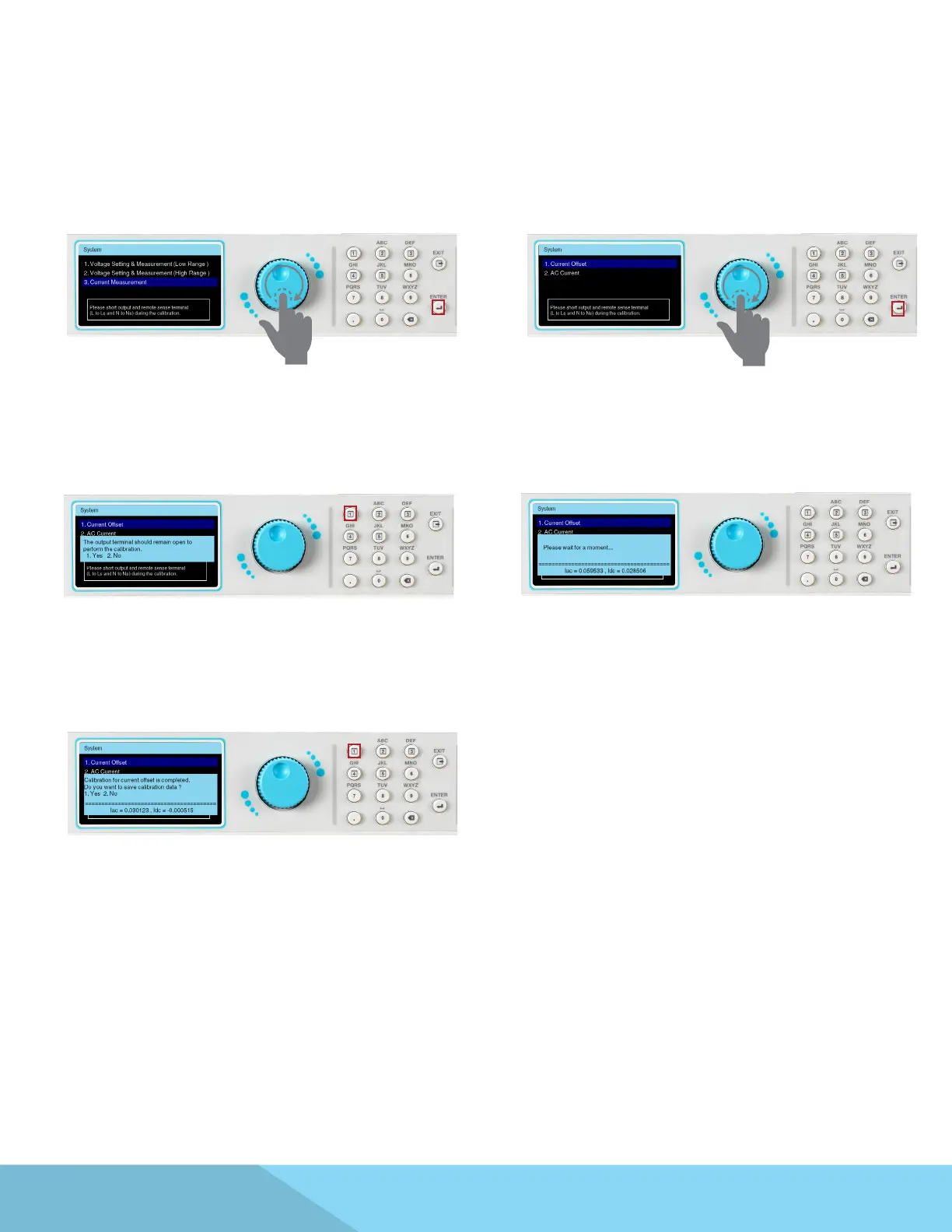
From the Calibration main screen use the Rotary
knob to highlight the Current Measurement
selection. Press the ENTER key to enter the next
page.
Use the Rotary knob to highlight the Current
Oset selection. Press the ENTER key to enter the
next page.
Conrm the output terminal remains open.
Press the 1 key to conrm.
The measured value Idc will gradually approach
zero.
9.4 Calibration of Current Measurement
This calibration item has been completed
Press the 1 key to save the correction value.
Adjust Meter
DMM is adjusted to Irms measurement.



 To Next Page