© Ikonix USA
47
5.7 Perform Test Screen Considerations
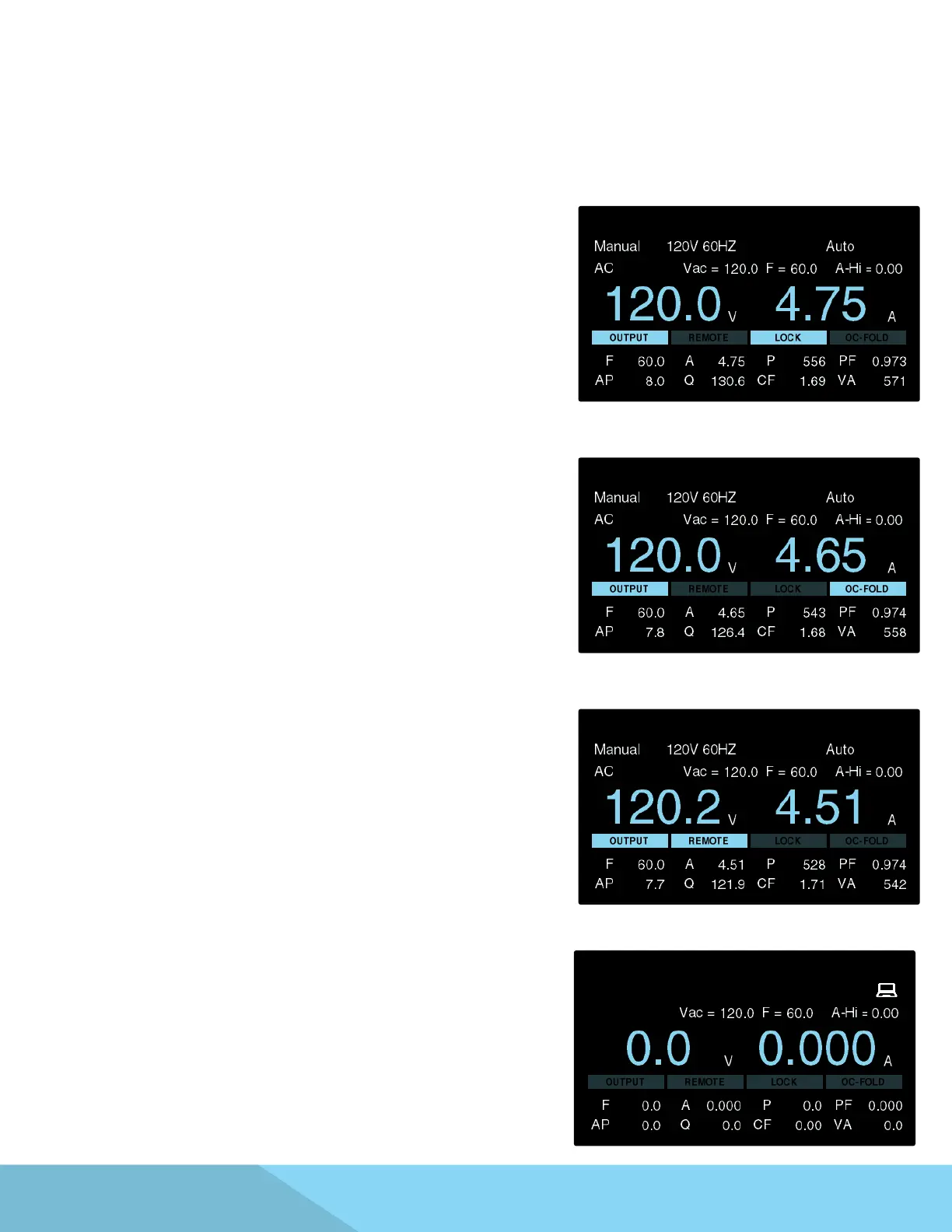
LOCK – If the Lock parameter is enabled and a test is
performed LOCK will be highlighted on the screen
The Perform Test screen displays a few select System Parameters if they were enabled by the user prior to
performing a test. If the power source is controlled using a PC an icon appears on the screen to indicate PC
control. For details on System Parameters refer to section 4.2 System Parameters.
OC – FOLD – If the OC-FOLD parameter is enabled and test is
performed OC-FOLD will be highlighted on the screen.
PLC Remote – If the PLC Remote parameter is enabled and
a test is performed via a PLC remote control REMOTE will be
highlighted on the screen.
USB, LAN or GPIB – If the test is initiated using the USB, LAN
or optional GPIB interface an icon will appear on the top right
section of the screen to indicate PC control.



 To Next Page