© Ikonix USA
83
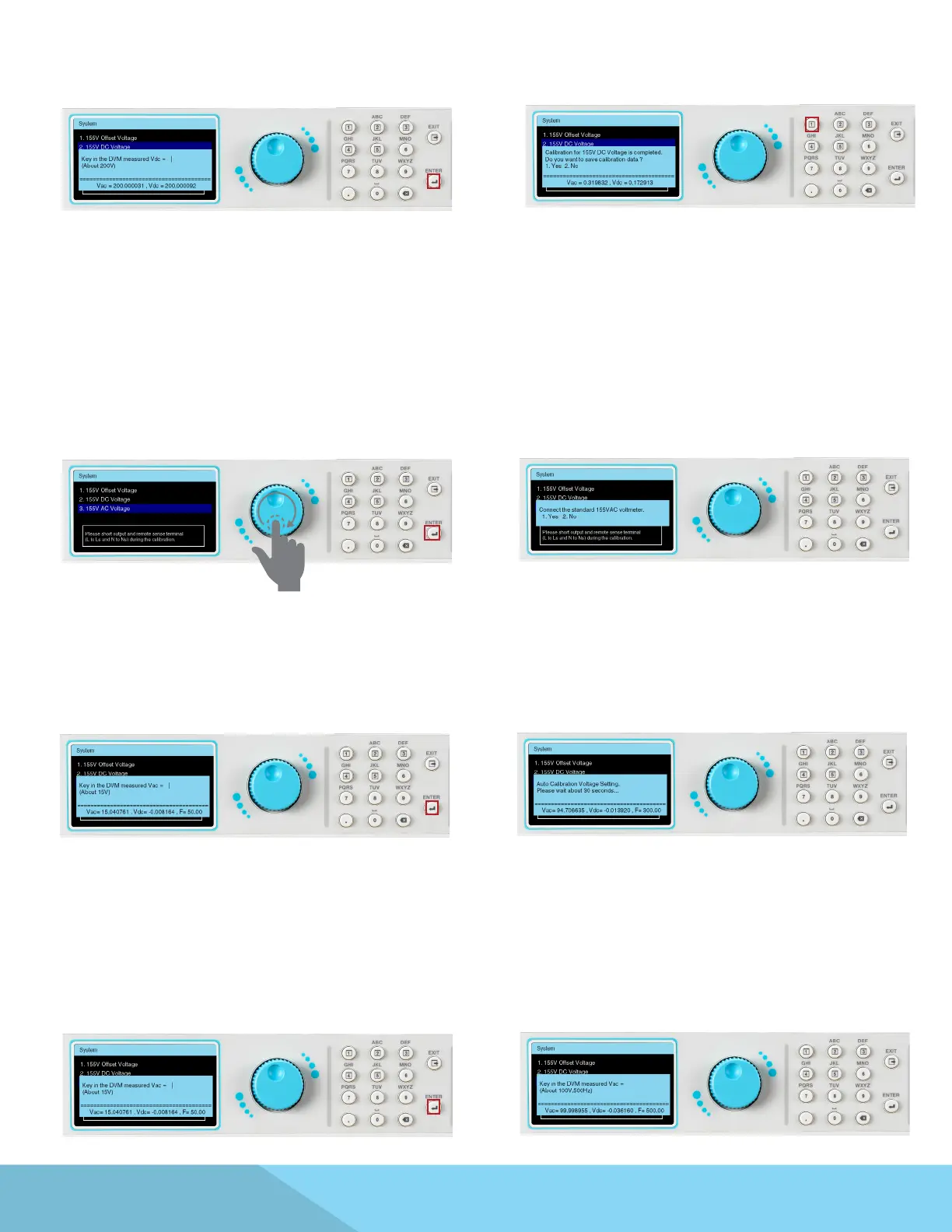
Input the Vdc measurement of the DVM.
Press the ENTER key to enter the next page.
This calibration item has been completed
Press the 1 key to save the correction value
Use the rotary knob to highlight 155V AC Voltage
selection. Press the ENTER key to enter the next
page.
Connect 155VAC voltage meter.
Input the DVM measured Vrms value.
Press the ENTER key to enter the next page.
Wait for auto calibration of the voltage setting.
Adjust Meter
DVM is adjusted to Vrms measurement.
Wait a moment, the frequency setting will
automatically change from 50Hz to 1200Hz.
(This step does not require any action. This
item is the calibration of the AC set value in the
frequency range of 50Hz~1200Hz.)
Input the DVM measured Vrms value.
(This item is 500 Hz AC measurement correction)



 To Next Page