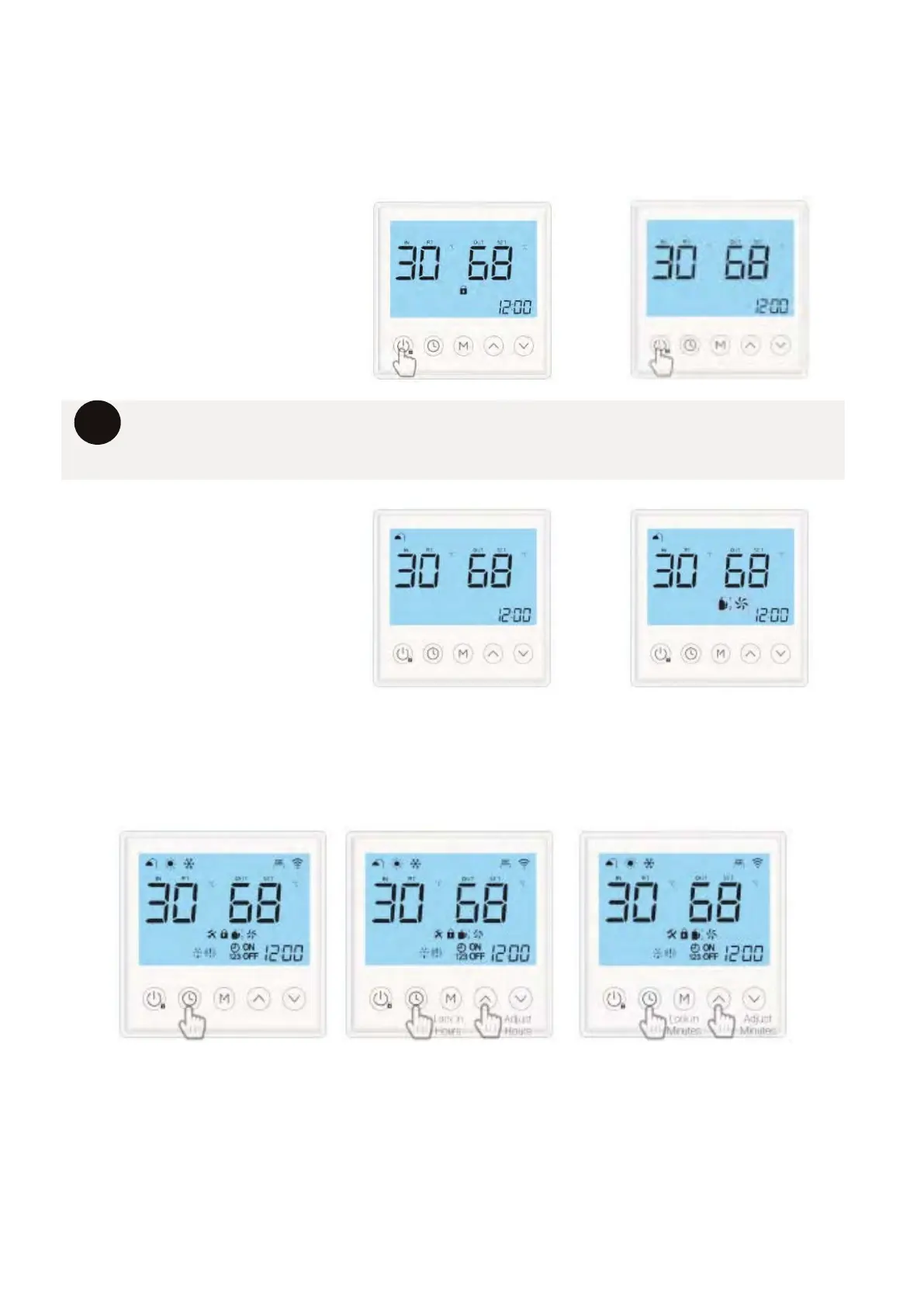
12.2 TURNING THE SYSTEM ON
26
When you first power your new system, you will need to turn the system on. The system
won’t need to be turned on each time it heats, only the first time the unit is powered or if
the unit has been turned off.
1. PRESS & HOLD THE
POWER BUTTON FOR
3 SECONDS.
The “LOCK” symbol will
disappear on the screen.
i
12.3 SETTING THE CLOCK
1. Press the “CLOCK” button to begin setting the time. The current time will begin to flash.
Press the “CLOCK” button again and the “HOURS” will start flashing.
2. Press the “UP” or ‘DOWN” buttons to adjust the flashing “HOURS” value. When set to
current time press the ‘CLOCK” button to toggle over to the “MINUTES” value.
3. Press the “UP” or ‘DOWN” buttons to adjust the flashing “MINUTE” value. When set to
current time press the ‘CLOCK” button to lock in the correct current time.
i
When the control has not been used for more than 60 seconds. The screen will
darken, and the LOCK symbol will appear. Please use the above steps to unlock the
screen
2. PRESS & HOLD THE
POWER FOR 3 SECONDS.
The “SHOWER” symbol will a
ppear on the screen. After one
minute FAN & COMPRESSOR
symbols will appear signifying
the system is heating.
Setting the correct time is necessary for the system to operate using timers. Please note
the clock time is displayed in a 24-hour format.



 To Next Page