27
12.4 SETTING HEATING TIMER WINDOWS
i
We recommend running the single timer window (08:00 – 18:00) which comes pre-
set as a factory default and only needs to be turned on with adjustment. This period
is typically the hottest part of the day and when energy produced from Solar PV is
at its highest.
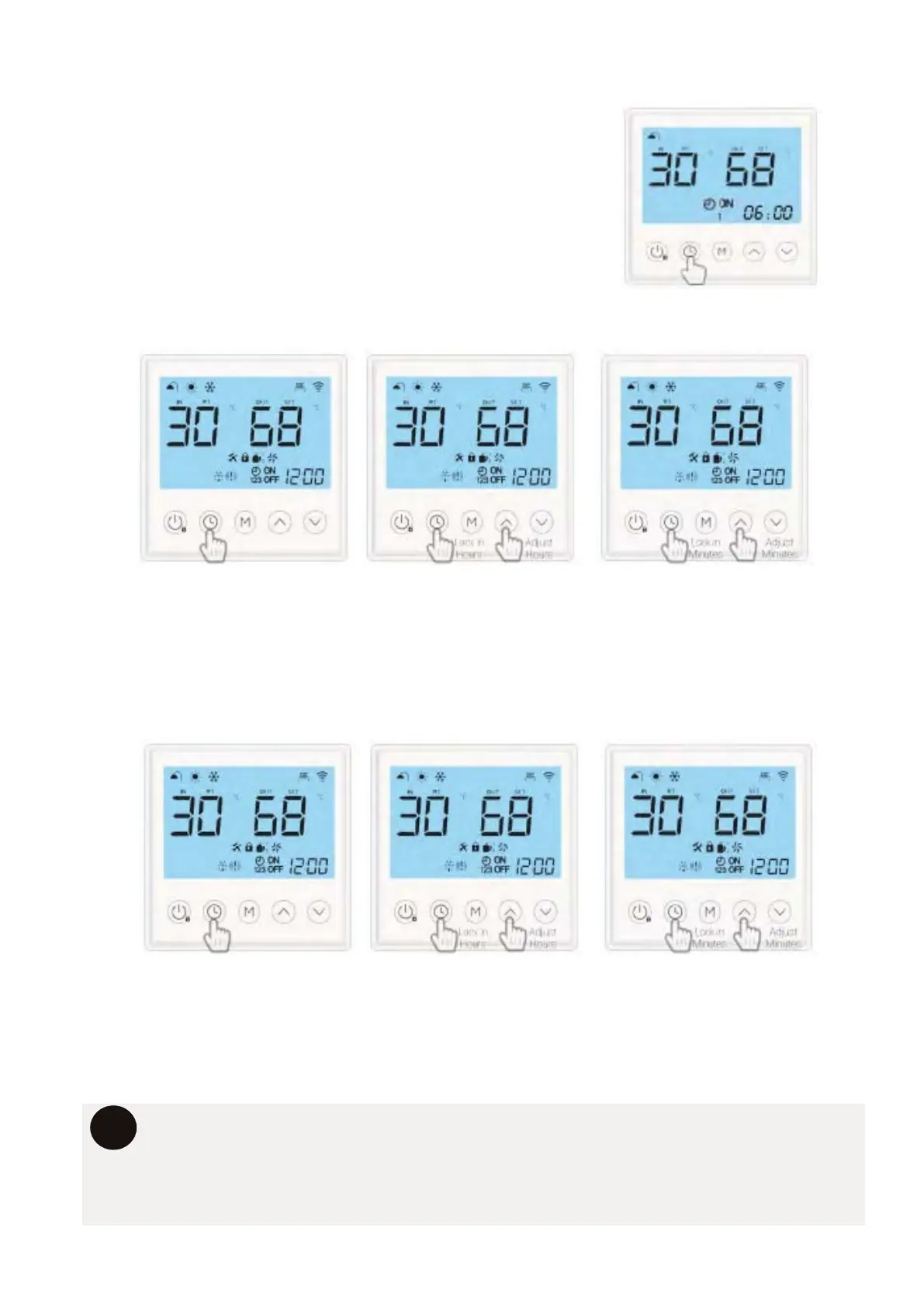
SETTING TIMER 1 ON - THIS IS THE EARLIEST TIME THE SYSTEM WILL RUN.
1. Press the “UP” or “DOWN” arrows the adjust Timer 1 ON HOURS
2. Press the “CLOCK” button to cycle to the minutes.
3. Press the “UP” or “DOWN” arrows to adjust Timer 1 ON MINUTES
4. Press “CLOCK” button to lock in the setting and move to Timer 1 OFF setting.
With the controller unlocked. Press and hold the “CLOCK”
button for 3 seconds. The “CLOCK” , “ON” , “1” symbols
will illuminate and the first on time will appear.
ACCESSING THE TIMER SETTINGS
SETTING TIMER 1 OFF - THIS IS THE LATEST TIME THE SYSTEM WILL RUN.
1. Press the “UP” or “DOWN” arrows the adjust Timer 1 OFF HOURS
2. Press the “CLOCK” button to cycle to the minutes.
3. Press the “UP” or “DOWN” arrows to adjust Timer 1 OFF MINUTES
4. Press “CLOCK” button to lock in the setting and move to Timer 2 ON setting.



 To Next Page