28
i
For further information about setting timers, please call directly on 1300 769 904
or visit website www.aquatechheatpumps.com.au
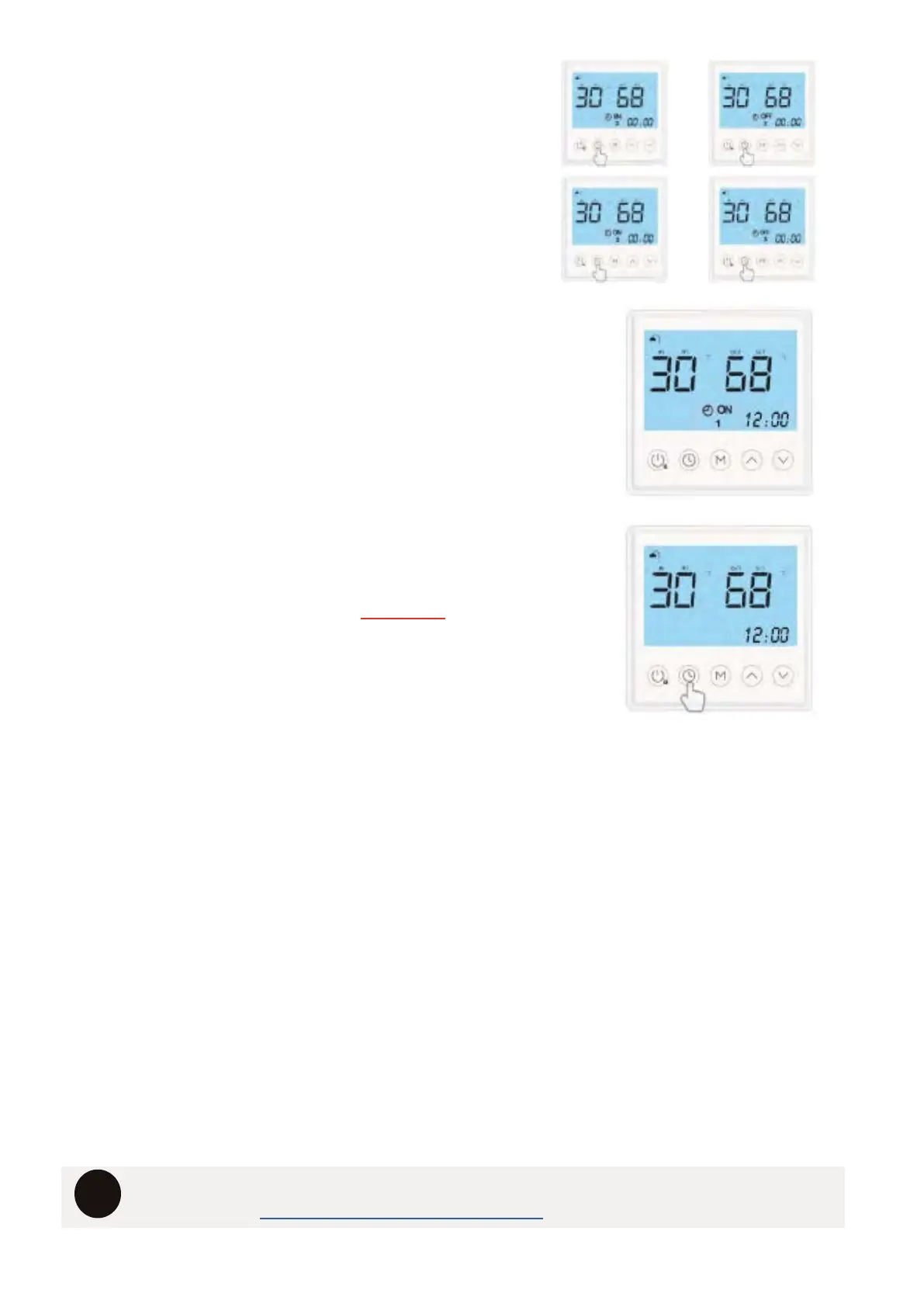
CYCLING THROUGH TIMERS 2 & 3
Press the “CLOCK” button 6 TIMES to cycle through
Timer 2 & Timer 3 on & off settings. Make sure that all
these timers are showing 00:00 for both the ON & OFF
settings.
CONFIRM TIMERS ARE SET & ACTIVE
If timers are set the main controller screen will display a
TIMER SYMBOL / 1 SYMBOL / ON or OFF SYMBOL
TO REMOVE TIMERS
Press & Hold the ‘CLOCK” button untill the TIMER SYMBOL
/ 1 SYMBOL / ON or OFF SYMBOL dissapear on the
screen. The timers are now deactivated. To reactivate
follow the steps for setting timers.
THE FACTORS TO CONSIDER WHEN USING TIMERS ARE:
1. TARIFFS - Certain tariffs will not coincide with the default timer periods and therefore the
system may not have enough time to recover.
2. HOT WATER USAGE - Be aware of your peak usage and recovery times.
3. TEMPERATURE & CLIMATES - Ensure you allow enough time for the unit to heat in varying
temperatures and humidity.
4. MULTIPLE HEATING WINDOWS – If setting multiple heating windows each window should
be a minmum 3 HOURS. Setting shorter windows will impact performance and longterm
durability.
5. LEGIONELLA CONTROLL – The system should have a minimum daily time to heat of at
least 6 HOURS. This should ensure that a minimum 45% of stored water will reach a
temperature of 60°C daily.
6. TRIGGER TEMPERATURES – If the system fails to reach the set temperature during a
heating window, it will not begin reheating untill the tank water temperature reaches the
trigger point based on the selected mode.



 To Next Page