38
CONDENSATE AND/OR PTR LEAKING
Owners can expect at least 5 -10L of water to be drained daily from condensate and relief
valves during the systems heating. If more than a bucket a day of water is being drained
contact your installing plumber to check all relief valves.
ADJUSTING THE HOT WATER TEMPERATURE
All hot water systems must be installed with a tempering valve that limits the water tempera-
ture at showers and bath outlets to a maximum of 50°C. Adjusting the systems thermostat will
not result in hotter water at these outlets. If you require a higher temperature at your kitchen or
laundry taps, please discuss with your installing plumber about possible solutions.
LOW HOT WATER PRESSURE
The hot water pressure available at your taps is dependent on your homes incoming water
mains pressure as well as any pressure restricting or tempering valves, your plumber may have
installed. The heat pump does not control or limit the hot water pressure delivery in anyway. If
contact your installing plumber.
NOISE ISSUES
POSSIBLE CAUSES CHECKS SOLUTIONS
System running times
Check control for clock
symbol is illuminated..
To minimise noise impact we
recommend setting the system to run
between 7:00 am and 19:00 pm
Vibration in refrigerant
circuit
Check if the noise source
is predominatly from the
left hand side of system.
Take video to send to tech support for
specs. call 1300 769 904
Fan running noise
Check if the noise source
is predominatly from the
right hand side system.
Take video to send to tech support for
specs. call 1300 769 904
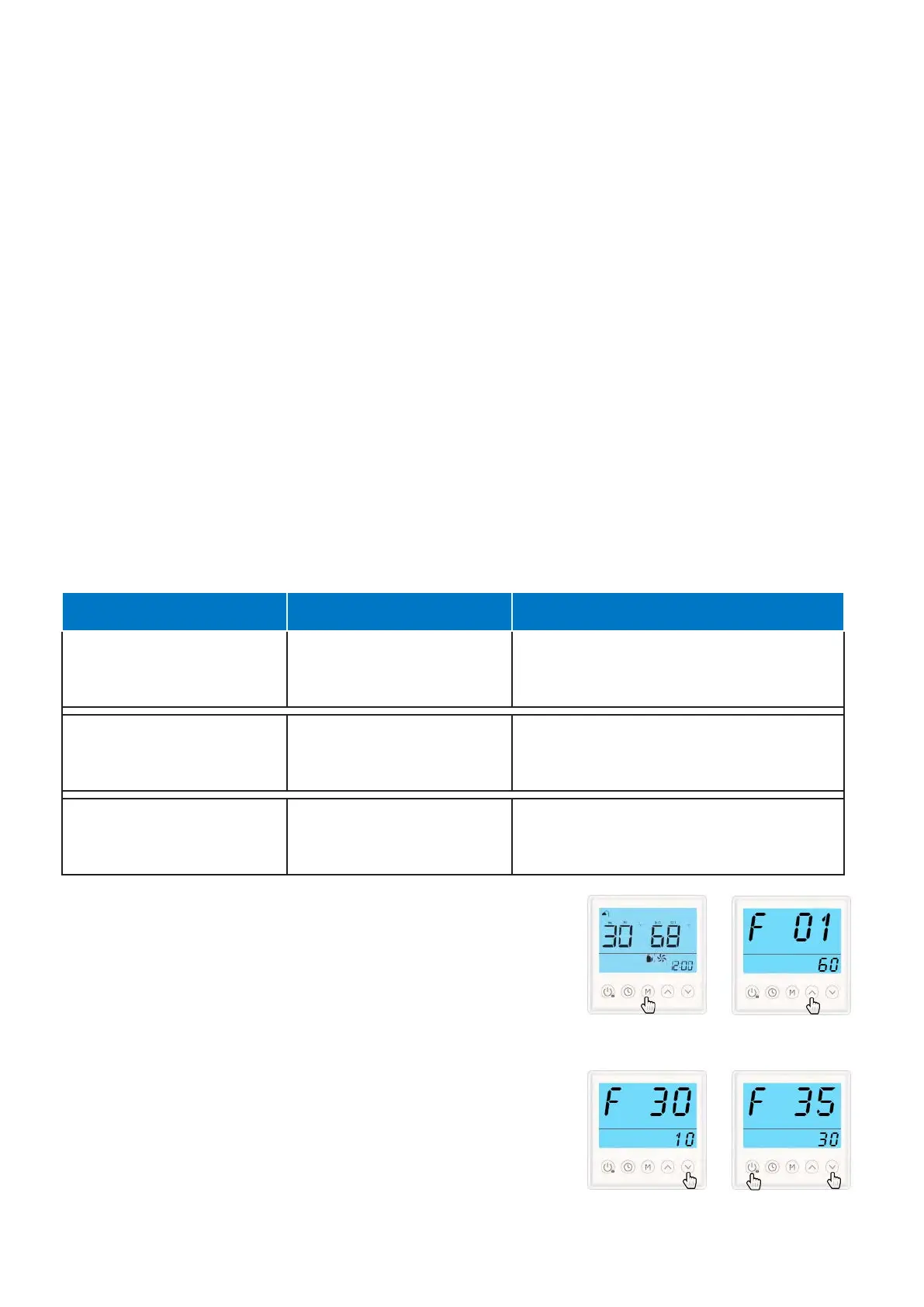
ADJUST FAN HIGH & LOW SPEED RUNNING PARAMETERS
1. Press and hold the “M” button for 3 seconds to bring
up the settings menu. F01 & current ST temperature will
appear.
2. Press the “UP” button to cycle to F30 value 25 should be
showing. Press the “M” button & 25 will start to blink
Press the “DOWN” button to change 25 to a 10. Press the
“M” button to lock in the changes
4. Press the “UP” button to cycle to F35 value 55 should be
showing Press the “M” button & 55 will start to blink
Press the “DOWN” button to change 55 to a 30. Press the
“M” button to lock in the changes. Press the “POWER”
button to exit to main screen.



 To Next Page