9
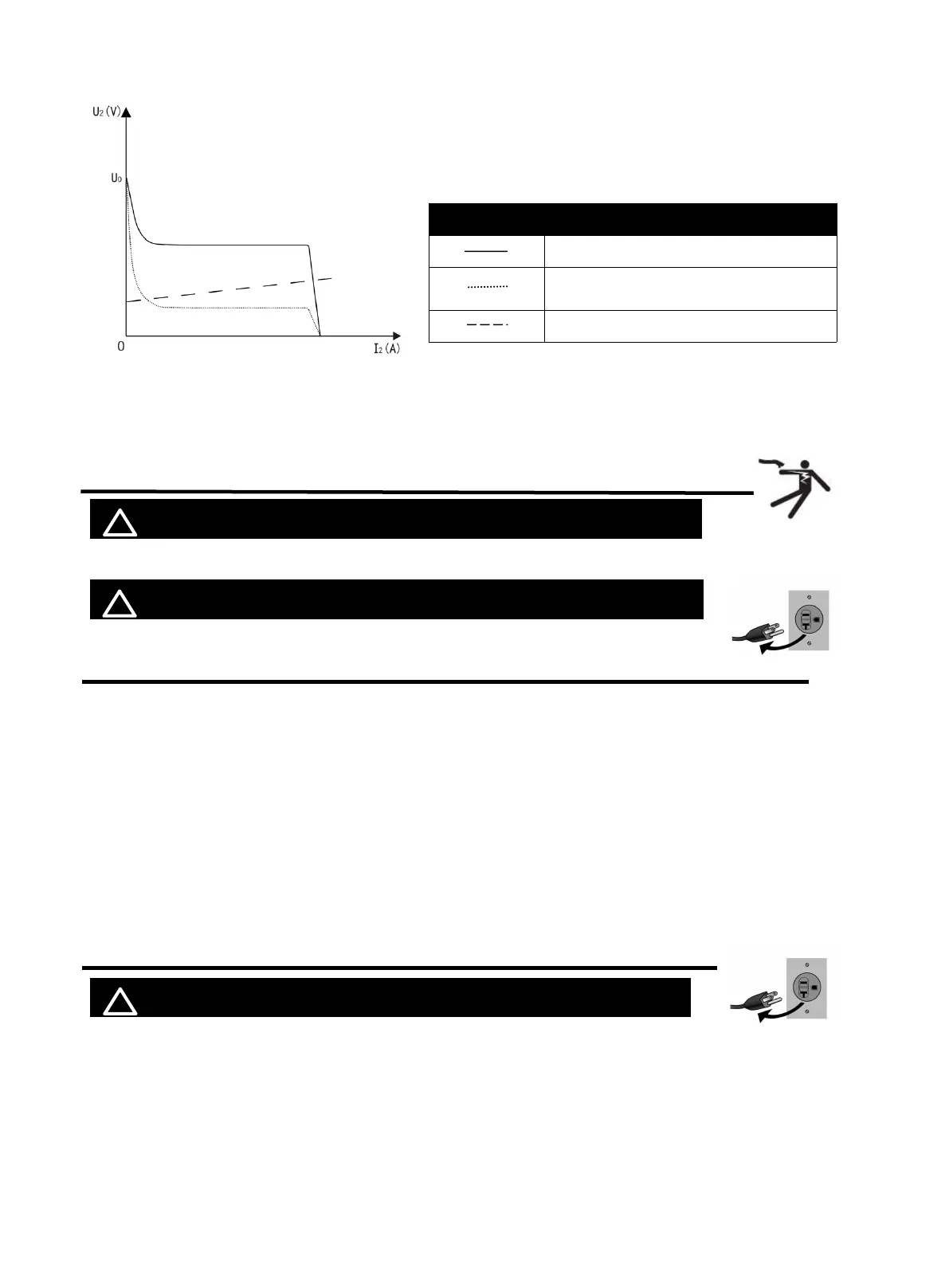
Output characteristics
4. INSTALLATION AND CONNECTION
! WARINING BEWARE OF ELECTRIC SHOCK!
Check and follow the instructions listed in the “Safety” section of this manual.
!
WARINING DO NOT set up without SWITCH OFF !
4.1 Selecting the Welding Wire
This welder is compatible with 2lb spools of 0.030", 0.035", or 0.040" flux-core wire. Using
thicker wire will not improve welding performance on thicker materials, nor will it increase
deposition rate. Additionally, it may strain your AC power source.
NOTE: Oxidized welding wire can affect welding results.
If you find rust on a wire spool, it's best to throw it away. But before you do, unwind a bit of
wire to see if the rest is still good. If it's also rusty, get rid of the whole spool.
NOTE: MIG145 is NOT available for MIG SOLID wire or Aluminum wire.
4.2 Checking the Torch Accessories
!
WARINING DO NOT set up without SWITCH OFF !
Before welding, verify that the contact tip size in your MIG torch matches your welding wire
type. Do as following steps.
Line Characteristics
External characteristic curve of max output
External characteristiccurve of mini output
Rated load relationship
Graph of output characteristic
Figure 8
https://www.arccaptain.com/



 To Next Page