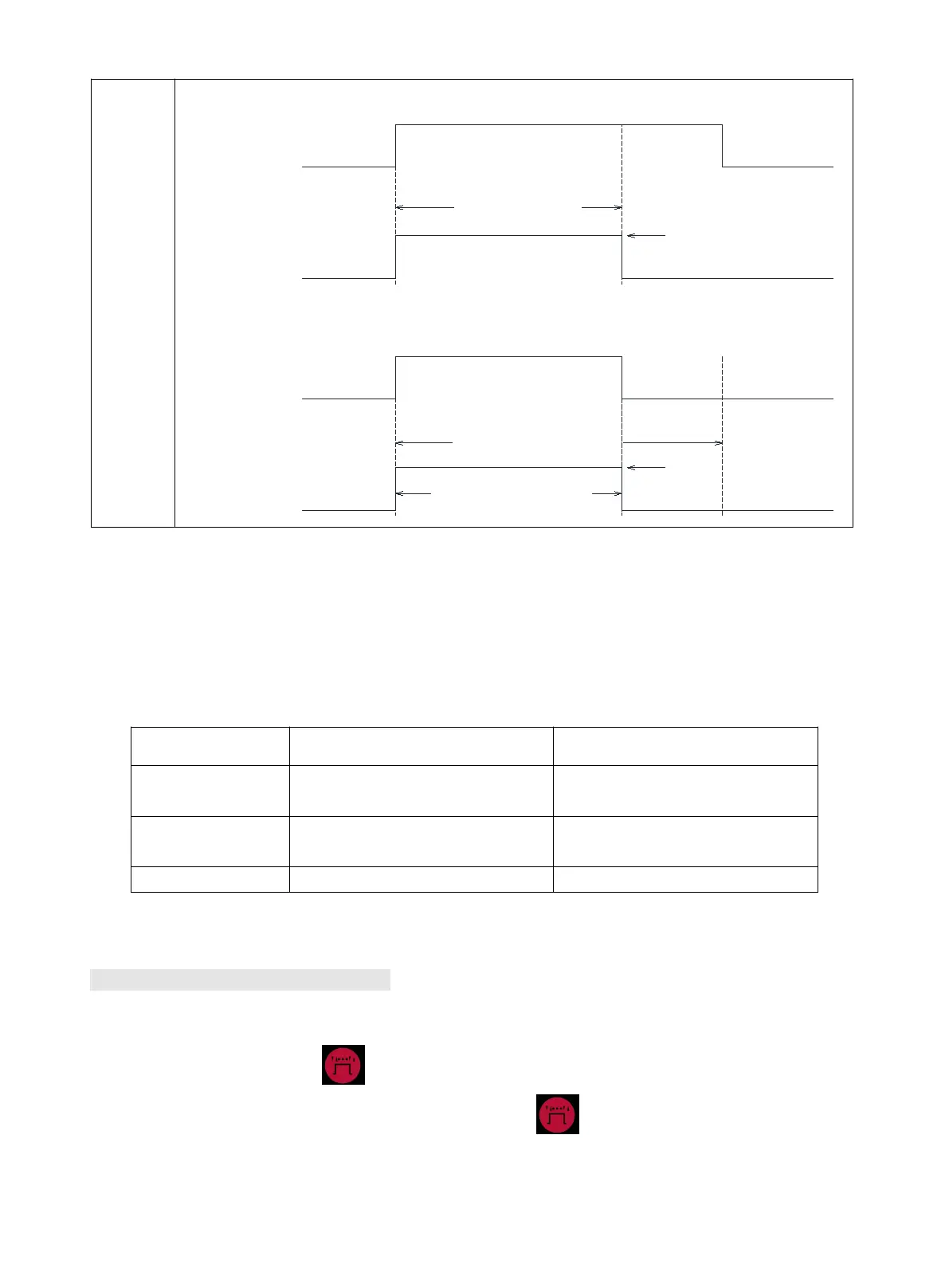
Torch trigger
Output current
ON
OFF
Spot welding time
Welding current
ON
OFF
Preset spot welding time
Real spot welding time
Torch trigger
Output current
Welding current
9.2.4 Inching
In MIG mode, not during welding, press torch trigger for at least 3S, the welder will go in fast inching
status, closing output port voltage and gas valve. Release torch trigger,the welder will stop inching.
Current display shows actual welding current, while voltage display shows actual welding voltage during
welding. Below is display in standby:
Open circuit voltage or
VRD voltage(V)
Open circuit voltage or
VRD voltage(V)
Preset wire feed speed(ipm)
※During MIG welding, actual welding current is displayed when current knob is not rotated, preset wire
feed speed is displayed when current knob is rotated.
9.3 Setting of system parameters
A default set of common welding parameters for this machine can be revised by revising system
parameters in case of need. Below is method:
1) Press operation selection button without releasing, turn on the power switch of the welder. As
soon as display shows “P1”, release operation selection button to enter revision interface of
system parameters.



 To Next Page