MANUAL
V1.0
TV+
PLAYING VIDEO > P. 12
1. playing VideO
In the Home screen, select the “Video” icon to enter the Video mode.
1.1 brOwsing ThrOugh yOur VideOs
The “Video” browser allows you to navigate through the Video folder of the
ARCHOS’ hard drive.
You can go back one level in the hierarchy by closing the current screen (Exit but-
ton ). Wherever you are in the hierarchy, you can go back directly to the Home
screen by pressing and holding down on the Exit button.
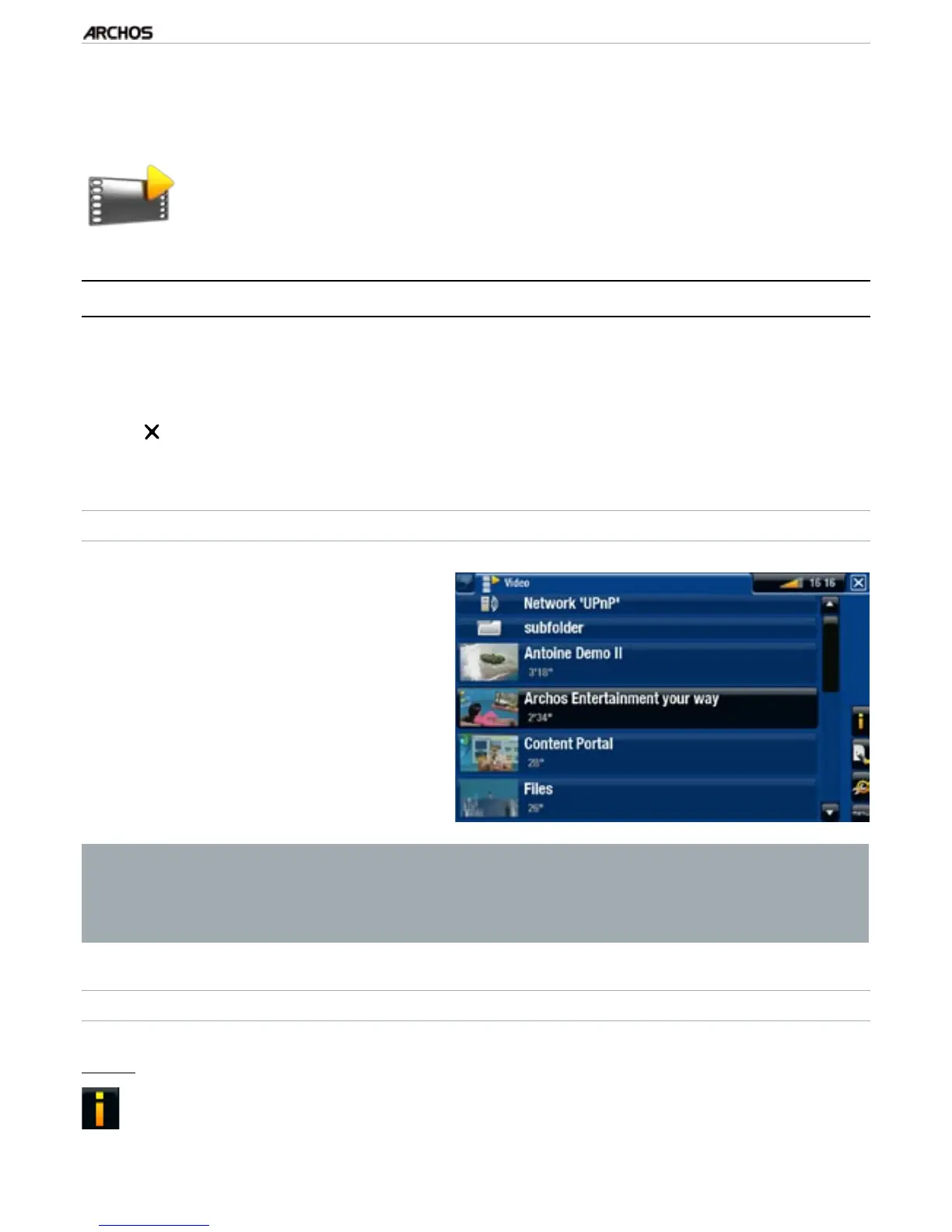
THE VIDEO BROWSER
The rst screen of the Video mode
shows you all the videos and sub-
folders located in the Video folder.
To play a video, highlight it, then
press OK.
If a video is in a subfolder of the
Video folder, open the subfolder, and
you will see your video.
•
•
•
In the “Video” browser, each video le appears with a thumbnail, displayed
on the left of the le’s name.
To dene a new thumbnail for a video le, open the video, select the “Set”
menu item, and choose “Thumbnail” (see: Video Playback Menu Items).
•
•
VIDEO BROWSER MENU ITEMS
“Info”
displays a message box with information about the highlighted video le.-
•
•



 To Next Page