MANUAL
V1.0
TV+
STARTING UP > P. 7
Down Accelerator button: High-speed fast rewind, list scrolling or zoom out
Menu button: Display a text description of the available menu icons
Switch the display of the image between the ARCHOS and a tuner (not
in HDMI output mode), if you have connected one to the ARCHOS’ in-
put connectors. See TV Recording: Hardware Setup.
Power button: Turn the ARCHOS on/off
Volume buttons: Increase/decrease volume
Mute sound
Tab button: Tab between available screens
3.
The keyboard can be used to enter a Web address, write an e-mail, name/re-
name a folder, etc:
Caps Lock key
Green Alt key: enable the keys’ green secondary functions
Blue Alt key: enable the keys’ blue secondary functions
Shift key
delete character before cursor
In order to type one of the green/blue secondary characters in capital letters
(é, è, ç, etc.), press Caps Lock, then Alt green/blue, and press the correspond-
ing key.
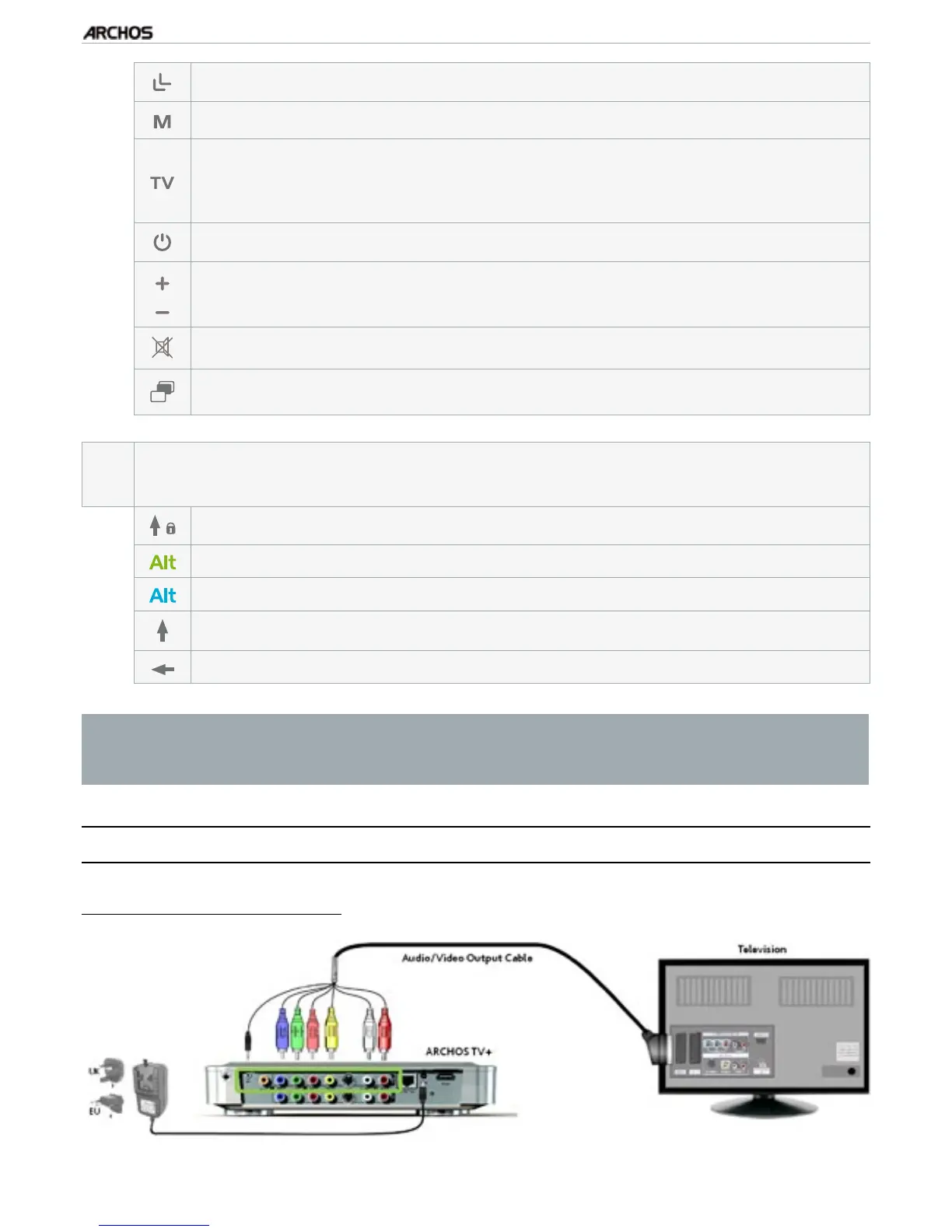
COnneCTing The arChOs TO yOur TV
Connection Diagram for Europe:



 To Next Page