MANUAL
V1.0
TV+
TRANSFERRING FILES > P. 43
6.3 COnneCTing The arChOs TO a COMpuTer
CONNECTION STEPS
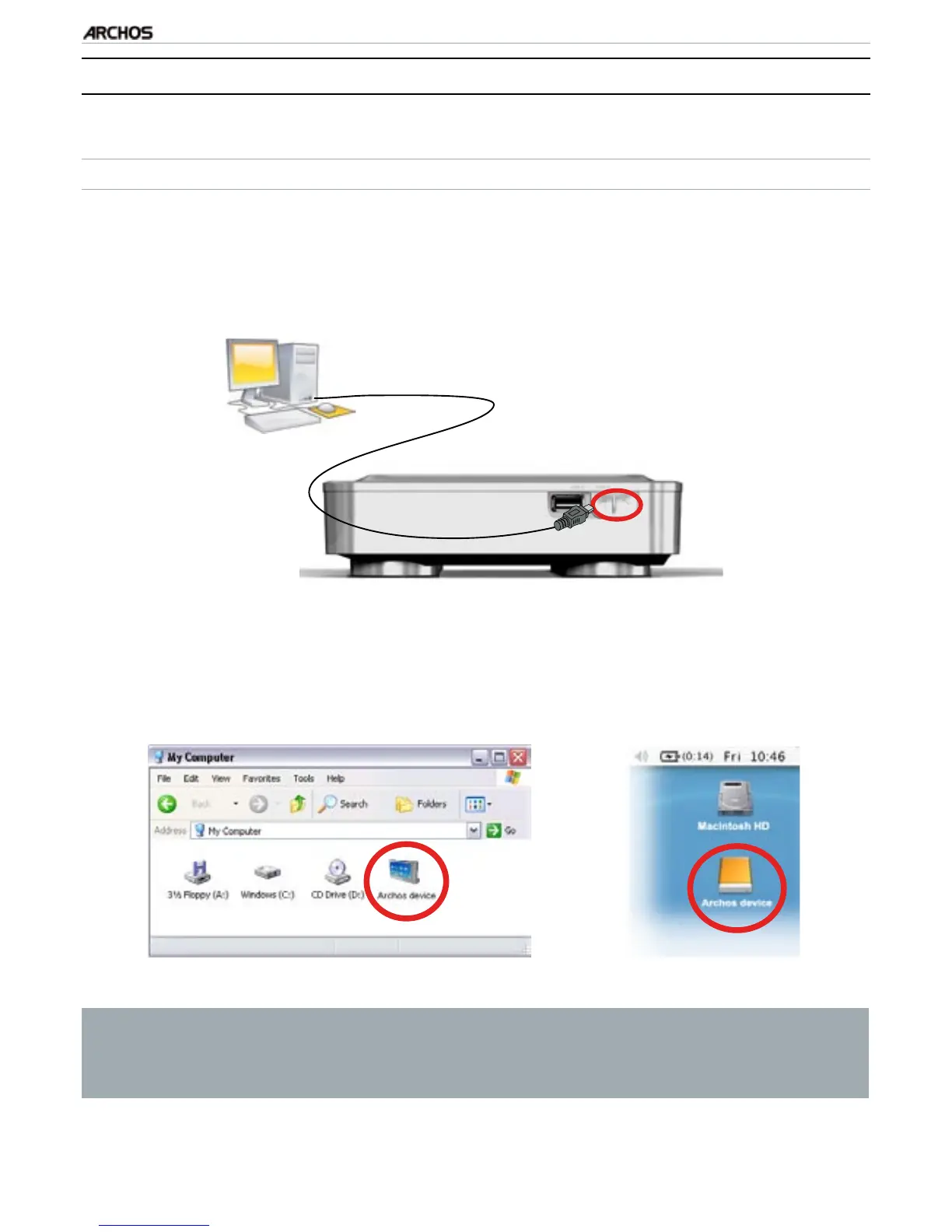
Plug a USB cable (not supplied) into the ARCHOS (usb b port).
Plug the other end of the USB cable into your running computer.
The ARCHOS’ icon will appear on your computer. You can now start transferring
les to it.
You cannot copy les larger that 2 GB to the ARCHOS due to the FAT32 le
system constraints. For advanced users: in “PC Hard Drive” connection
modes (mode 2 and 3), the maximum size is 2 GB for .AVI les and 4 GB for
any other type of le. See: “System” Settings.
1.
2.
3.



 To Next Page