Operation Guide P341/EN O/B11
Introduction CHAPTER 1
MiCOM P341 Page 1/22
CONTENT
1. INTRODUCTION TO MICOM 3
2. INTRODUCTION TO MiCOM GUIDES 3
3. USER INTERFACES AND MENU STRUCTURE 5
3.1 Introduction to the relay 5
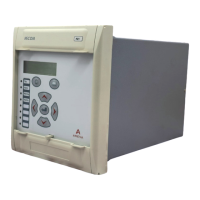
3.1.1 Front panel 5
3.1.2 Relay rear panel 7
3.2 Introduction to the user interfaces and settings options 8
3.3 Menu structure 8
3.3.1 Protection settings 9
3.3.2 Disturbance recorder settings 9
3.3.3 Control and support settings 10
3.4 Password protection 10
3.5 Relay configuration 11
3.6 Front panel user interface (keypad and LCD) 11
3.6.1 Default display and menu time-out 12
3.6.2 Menu navigation and setting browsing 13
3.6.3 Password entry 13
3.6.4 Reading and clearing of alarm messages and fault records 13
3.6.5 Setting changes 14
3.7 Front communication port user interface 14
3.8 Rear communication port user interface 16
3.8.1 Courier communication 16
3.8.2 Modbus communication 18
3.8.3 IEC 60870-5 CS 103 communication 19
3.8.4 DNP 3.0 communication 21



 To Next Page