Operation Guide P341/EN O/B11
Commissioning and CHAPTER 3
Maintenance Page 25/80
MiCOM P341
1
2
3
4
5
6
7
8
9
10
11
12
13
14
15
16
17
18
19
1
2
3
4
5
6
7
8
9
10
11
12
13
14
15
16
17
18
20
22
21
23
24
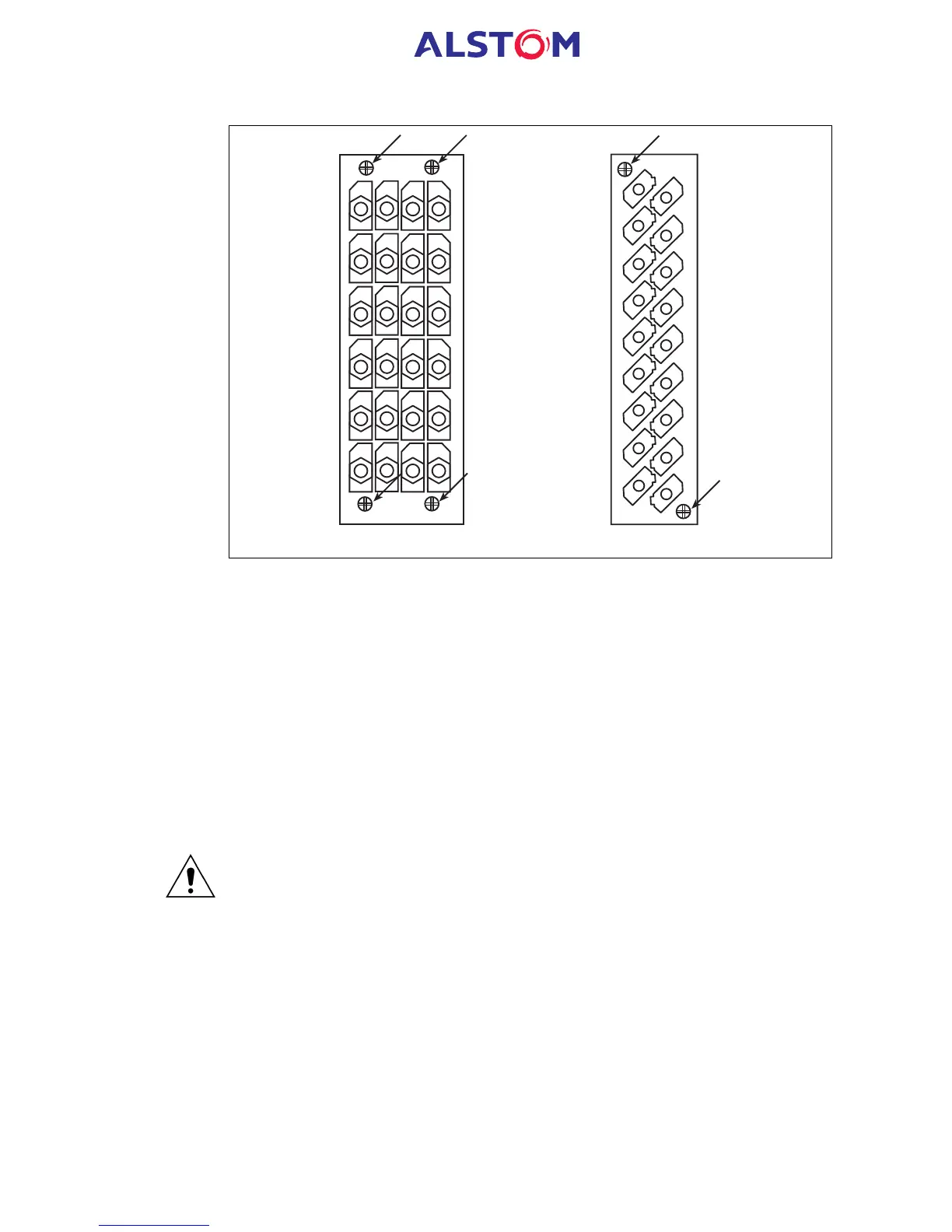
Medium duty terminal blockHeavy duty terminal block
Figure 3: Location of securing screws for terminal blocks
There are three types of terminal block used on the relay, RTD input, heavy duty and
medium duty, which are fastened to the rear panel using screws (crosshead on the
heavy and medium duty blocks, slotted on RTD input blocks), as in Figure 3.
Note: The use of a magnetic bladed screwdriver is recommended to minimise the
risk of the screws being left in the terminal block or lost.
Without exerting excessive force or damaging the scheme wiring, pull the terminal
blocks away from their internal connectors.
Remove the screws used to fasten the relay to the panel, rack, etc. These are the
screws with the larger diameter heads that are accessible with the access covers are
fitted and open.
IF THE TOP AND BOTTOM ACCESS COVERS HAVE BEEN REMOVED, DO
NOT REMOVE THE SCREWS WITH THE SMALLER DIAMETER HEADS WHICH
ARE ACCESSIBLE. THESE SCREWS HOLD THE FRONT PANEL ON THE RELAY.
Withdraw the relay from the panel, rack, etc. carefully because it will be heavy due to
the internal transformers.
To reinstall the repaired or replacement relay follow the above instructions in reverse,
ensuring that each terminal block is relocated in the correct position and the case
earth, IRIG-B and fibre optic connections are replaced. To facilitate easy
identification of each terminal block, they are labelled alphabetically with ‘A’ on the
left hand side when viewed from the rear.
Once reinstallation is complete the relay should be recommissioned using the
instructions in sections 1 to 7 inclusive of this chapter.


 To Next Page
 Loading...



