30
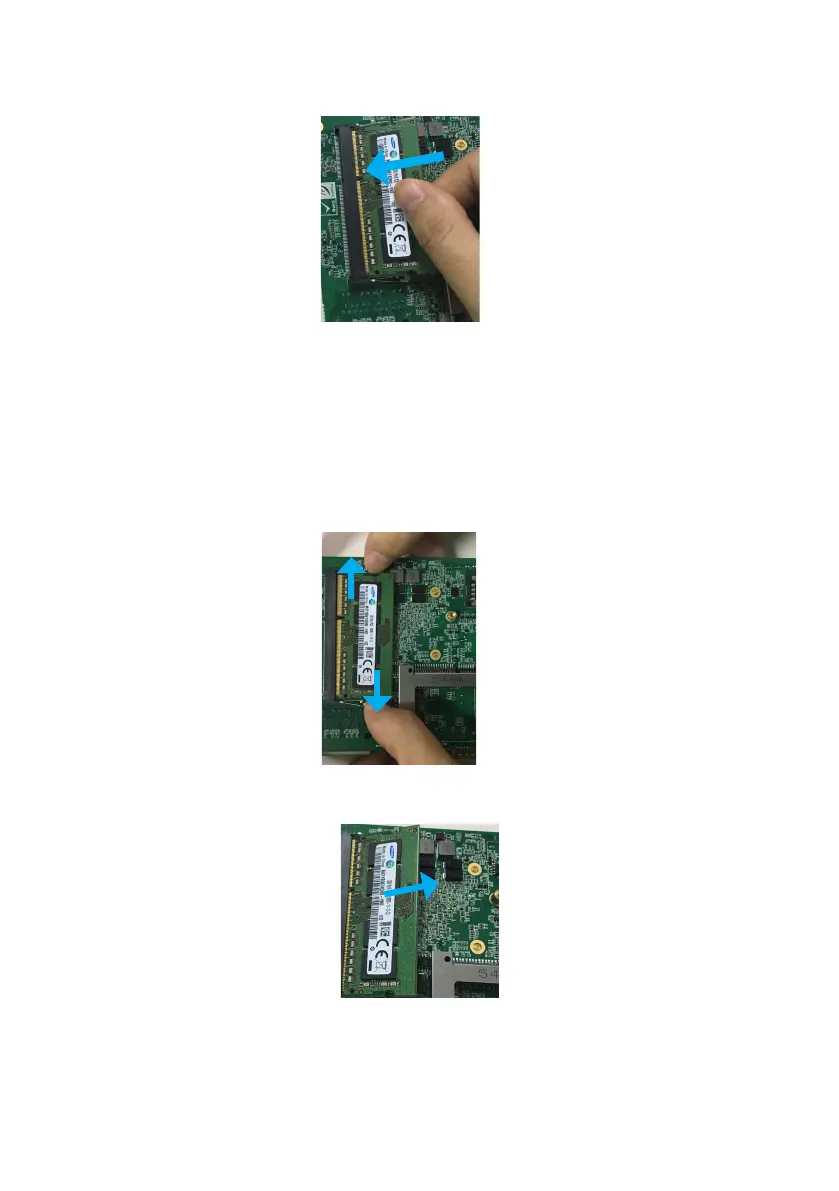
2. Insert the DIMM into the slot at 45-degree angle, then push it in until the golden
ngerontheDIMMisdeeplyinsertedintotheDIMMslot.
3. Firmly press the DIMM down to lock the module in place.
Follow these steps to remove the DIMM.
1.Useyourngertosimplypushawaytheretainingclipsonbothsidesofthe
DIMM outward to unlock the DIMM.
2. Then, the retaining clip will release, and gently remove the DIMM from the
module.
Removing the memory module
Note:
Make sure to unplug the power supply before adding or removing DIMM
or other system components. Failure to do so may cause severe damage to both
motherboard and the components.


 To Next Page