7-18 CHP Max™ Headend Optics Platform Chassis, Controllers and Power Supplies Rev D
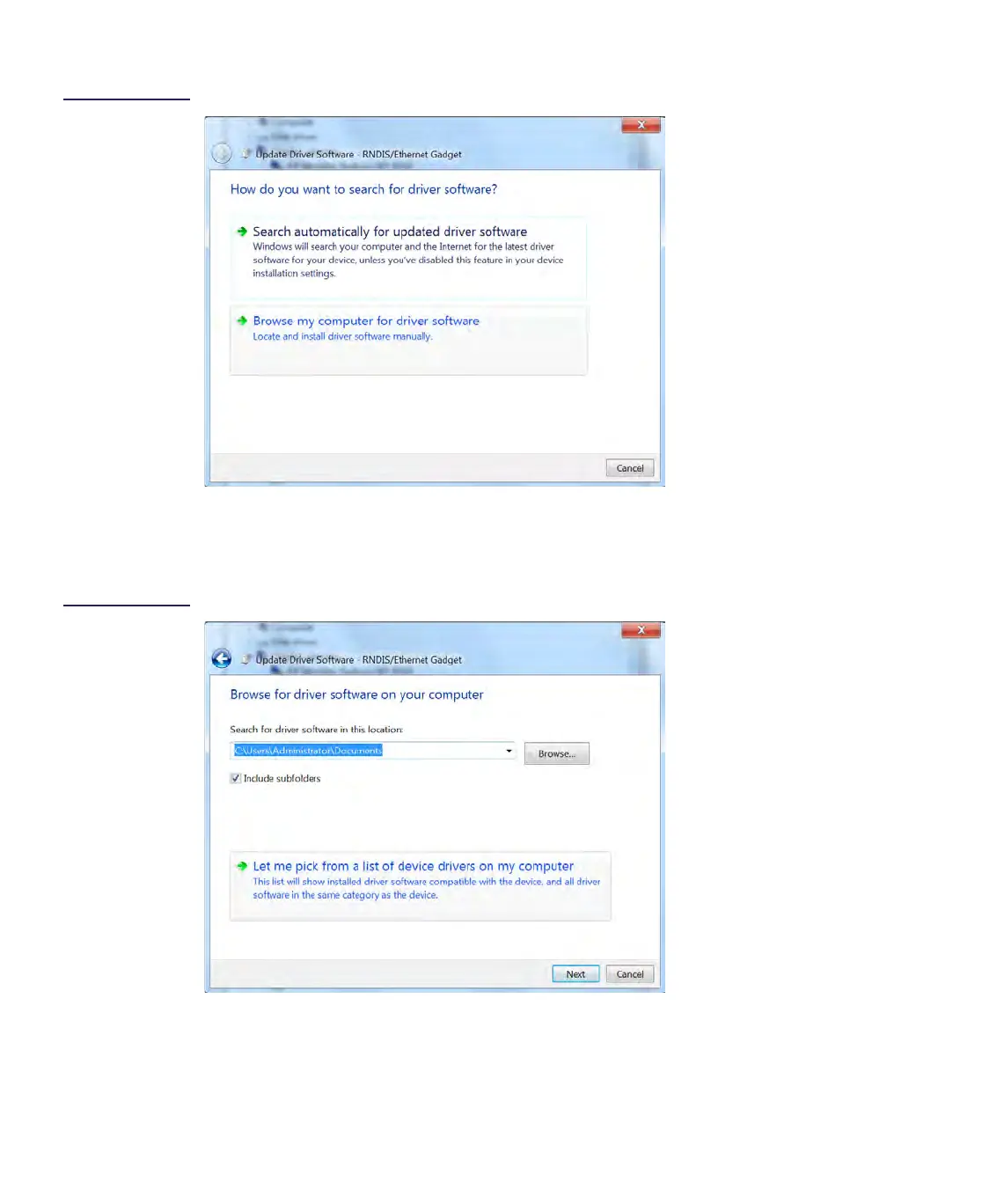
Figure 7.8
How to Search
Window
5. When “Browse for driver software on your computer” window appears, select Let
me pick from a list of device drivers on my computer, then click on the Next button
(refer to Figure 5.9).
Figure 7.9
Browse for Software
Window
6. When a window appears asking to select the device type, select Network adapters,
then click on the Next button (refer to Figure 5.10).


 To Next Page