Chapter 2: Set up your SURFboard mAX home network
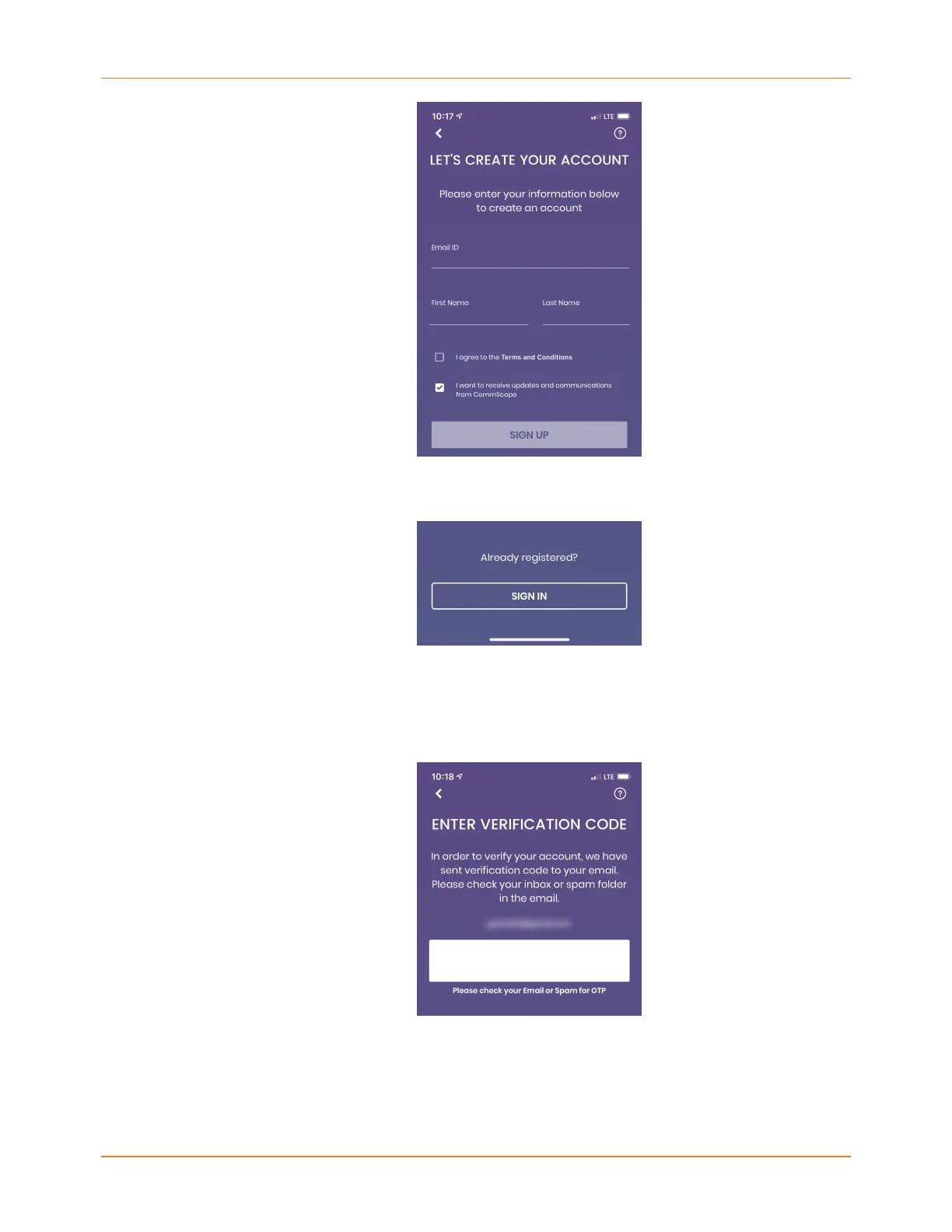
6. If already have a registered account, on the LET'S CREATE YOUR ACCOUNT screen, tap
SIGN IN.
7. On the WELCOME screen, enter your Email used with your account.
Shortly, you will receive a verification code at the email address you provided. This code
is only valid for 24 hours.
8. Enter the code on the ENTER VERIFICATION CODE screen.
9. When verification is complete, the CODE VERIFIED screen will display. Tap NEXT.
SURFboard mAX User Guide Standard Revision x.1 13











 To Next Page