Chapter 4: SURFboard Central mobile app features
4. Also, on the ADD TIME SCHEDULE window, set the Start Time and End Time to disable
Internet access for this profile.
a. First, tap ADD next to Start Time.
b. Swipe up and down on the hours and minutes until the time in the center row
reflects the desired Start Time. Do not forget to do the same to set AM or PM.
c. Tap OK.
d. Repeat to set End Time.
5. Tap SAVE CHANGES on the ADD TIME SCHEDULE window when both Start Time and End
Time are set.
6. To delete a rule from a user profile:
a. Tap the + by Associated Rules to expand it.
b. Tap the rule you wish to delete (the time band for disabling Internet access).
c. Swipe to the left and tap the red delete message.
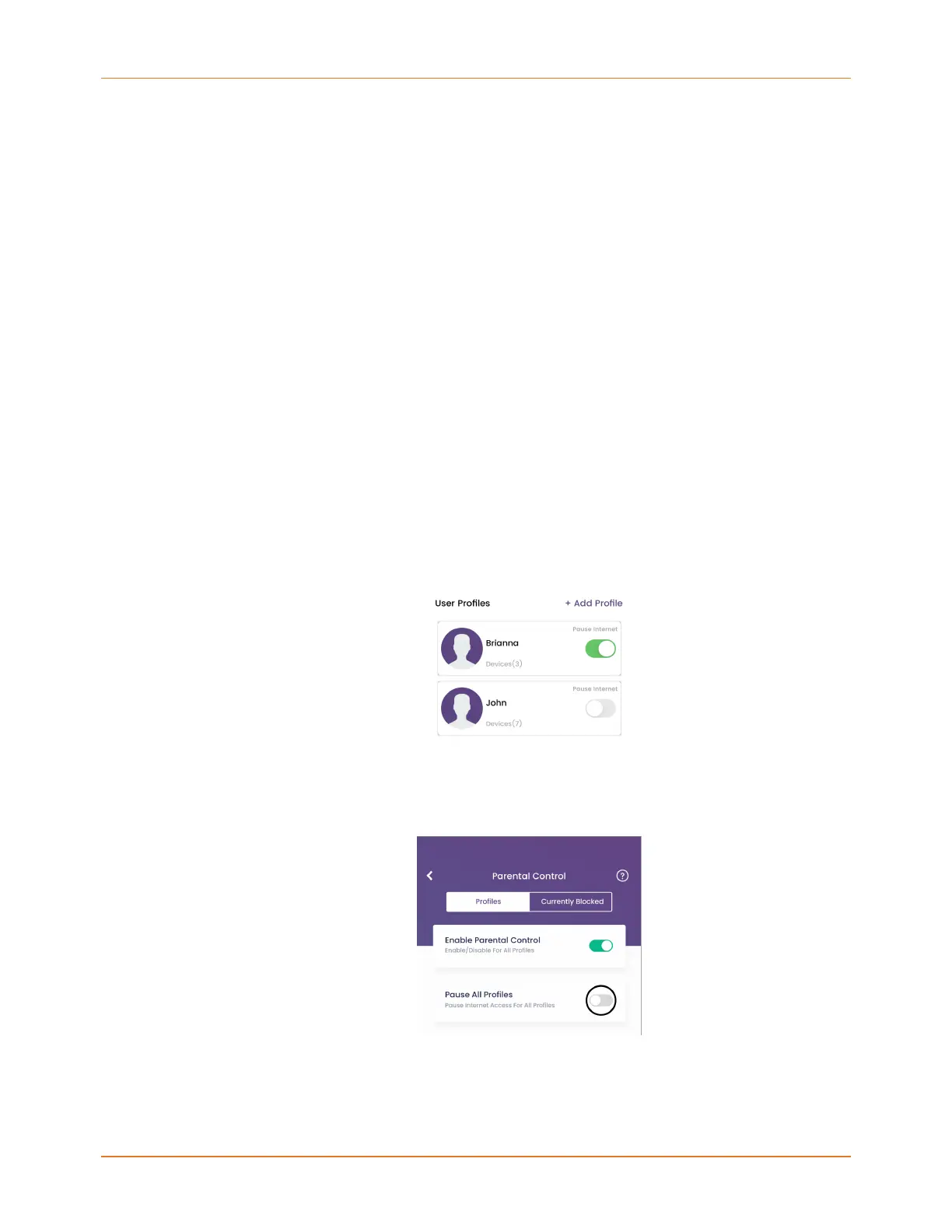
Pause Internet access
You can instantly enable or disable Internet access for all profiles or for a single profile with
the Pause Internet feature. All devices associated with paused profiles are affected.
■
To pause Internet access for a single profile, on the user profile screen, move the slider
next to Pause Profiles to the right. To enable access again, move the slider to the left.
■
To pause the Internet for all user profiles, on the Parental Control screen, move the
slider next to Pause All Profiles to the right. To enable access again, move the slider to
the left.
SURFboard mAX User Guide Standard Revision x.1 45














 To Next Page